Locked out of iPad by Voice Over.
Help PLEASE. I am now locked out of my iPad Mini. It has the latest software version. It has worked without problems until now. A half-hour ago, I activated Voice Over. I began to view the tutorial. I tried to follow the first voiced instructions to slide a finger from left to right. The voice simply repeated the instruction itself no matter what I tried. I finally gave up and forced the iPad to turn off, but I could not slide the OFF button. It finally shut off when I double tapped the OFF button. Now upon power-up Voice Over is still active. It displays the time and the voice states the time too. However I can't get to the unlock screen. Finger taps/slides are ignored. Tapping the Accessibility button at the top edge of the screen is being ignored.
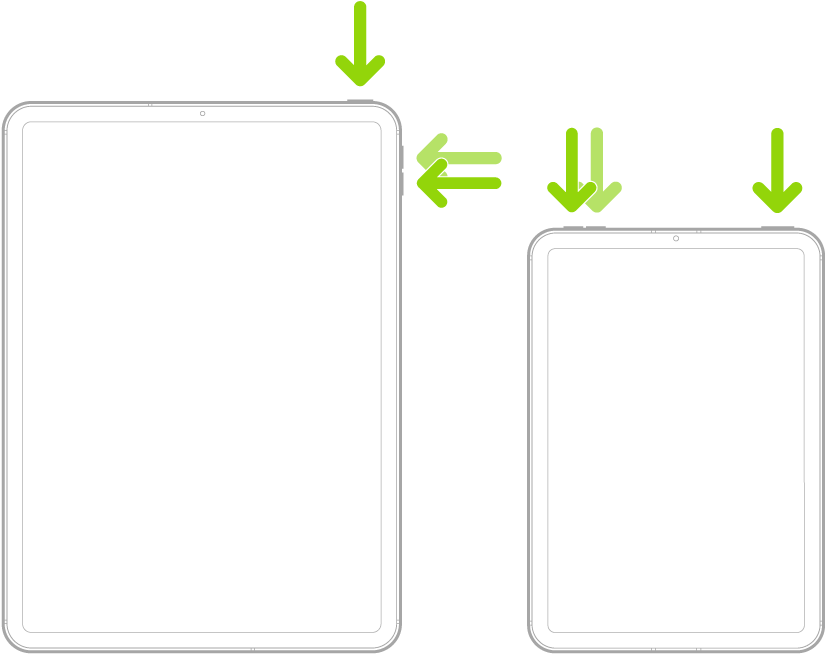
I tried the procedure of quickly pressing the volume up button followed by the volume down button and then pressing and holding the On/Off button until the Apple logo appears. The result of that is absolutely no change. On power-up, the iPad only displays and voices the time. I hope someone knows whatever it takes to unlock the iPad and shut Voice Over off. Thanks!
iPad mini (6th generation)