
iPhone 12 mini back camera is blurry
iphone 12 mini back camera blurry I have tried all I saw online wipe the camera, focus the lens, and also reset all settings still same
iPhone 12 mini, iOS 26
iphone 12 mini back camera blurry I have tried all I saw online wipe the camera, focus the lens, and also reset all settings still same
iPhone 12 mini, iOS 26
ogbu98 wrote:
iphone 12 mini back camera blurry I have tried all I saw online wipe the camera, focus the lens, and also reset all settings still same
You may have a hardware issue with the cameras. Schedule an appointment at your Apple Store Genius Bar to have them tested --> Genius Bar Reservation and Apple Support Options - Apple
Adjust the camera’s focus and exposure
Before you take a photo, the iPhone camera automatically sets the focus and exposure, and face detection balances the exposure across many faces. If you want to manually adjust the focus and exposure, do the following:
 up or down to adjust the exposure.
If your Photos and Videos are stored in iCloud and you share it before downloading the original then it may appear blurry but it is not.
Your photos and videos are stored on your device in their original, high-resolution version. This means that they use a lot of space on your iPhone, iPad, and iPod touch. With iCloud Photos, you can make more space available on your device and have your entire collection, everywhere you go.
Get started with iCloud Photos:
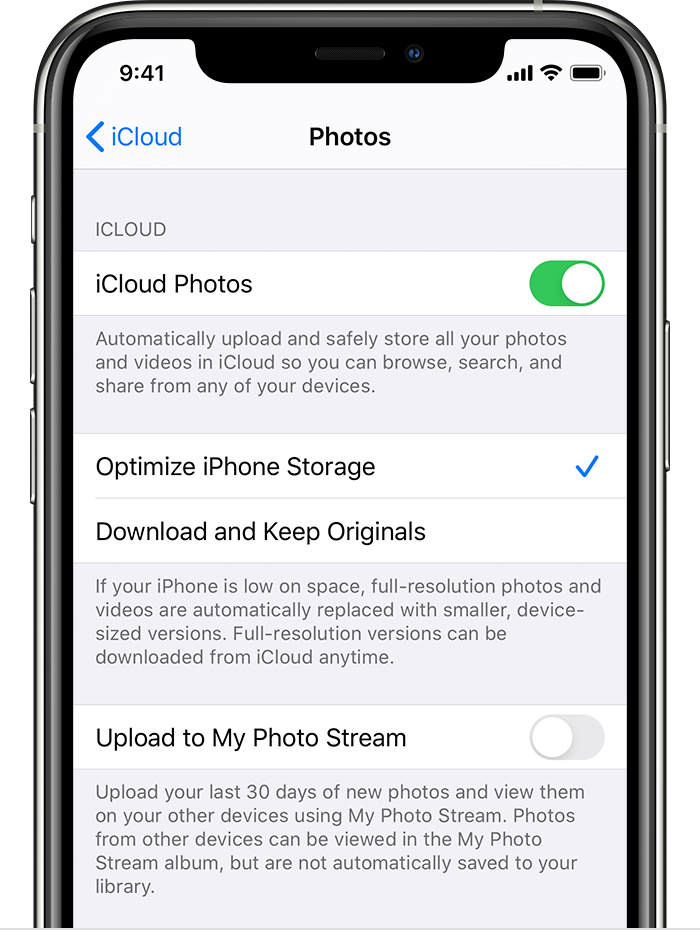
With Optimize Storage, smaller, space-saving photos and videos are kept on your device while all of your original, full-resolution versions are stored in iCloud. And as long as you have enough space in iCloud, you can store as many photos and videos as you want.
You may try some of these steps, please check after each step...
Do you you have a photo or two that show the issue? Please post them if you do? A visual really examples really help diagnose focus issues.
iPhone 12 mini back camera is blurry


