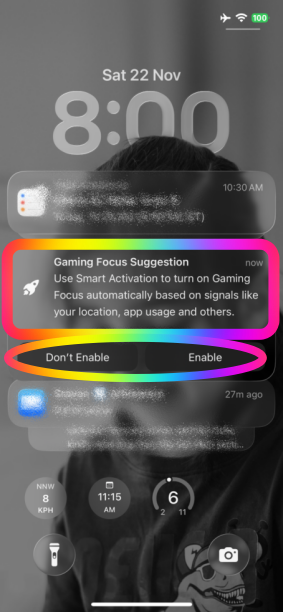
Focus Mode issues

A few months ago I discovered a brilliant "Focus" to add to my iPhone 16 Pro Max. I was able to add "If found please call XXX-XXXX" to my home screen. But it has disappeared and I can't figure out how to get it back on the screen. And as of yesterday the "Work" focus just showed up. Also, these two things started after a new software update. Any insight?

iPhone 16 Pro Max, iOS 26

Posted on Oct 3, 2026 12:22 PM

Reply
3 replies

Oct 3, 2026 11:54 PM in response to 1laurieo

1laurieo wrote:
Also, these two things started after a new software update. Any insight?

Not every issue an individual encounters on their device can be attributed to an iOS update. iOS 27 or later may have coincided with what you are experiencing, but that does not mean the issue was triggered by iOS. Coincidence in timing is not, by itself, evidence of causation.


If the update itself were the root cause, then every device running that same version of iOS would exhibit the identical problem. In such a scenario, the forums would be flooded with countless posts reporting the same malfunction, creating an unmistakable wave of complaints that no one could possibly overlook.


The absence of such widespread reports strongly indicates that the issue is not a general, system-wide problem with iOS 27 or later, but rather something specific to the individual device, its configuration, installed apps, settings, hardware, or another interacting factor.


In short: iOS 27 or later may be a coincidence in timing, but there is no basis to conclude that iOS itself triggered the problem simply because the issue appeared after the update.


Oct 3, 2026 11:58 PM in response to 1laurieo

There are three primary factors that trigger the automatic activation of the Focus modes. Users have the flexibility to deactivate each of these factors based on their individual preferences.


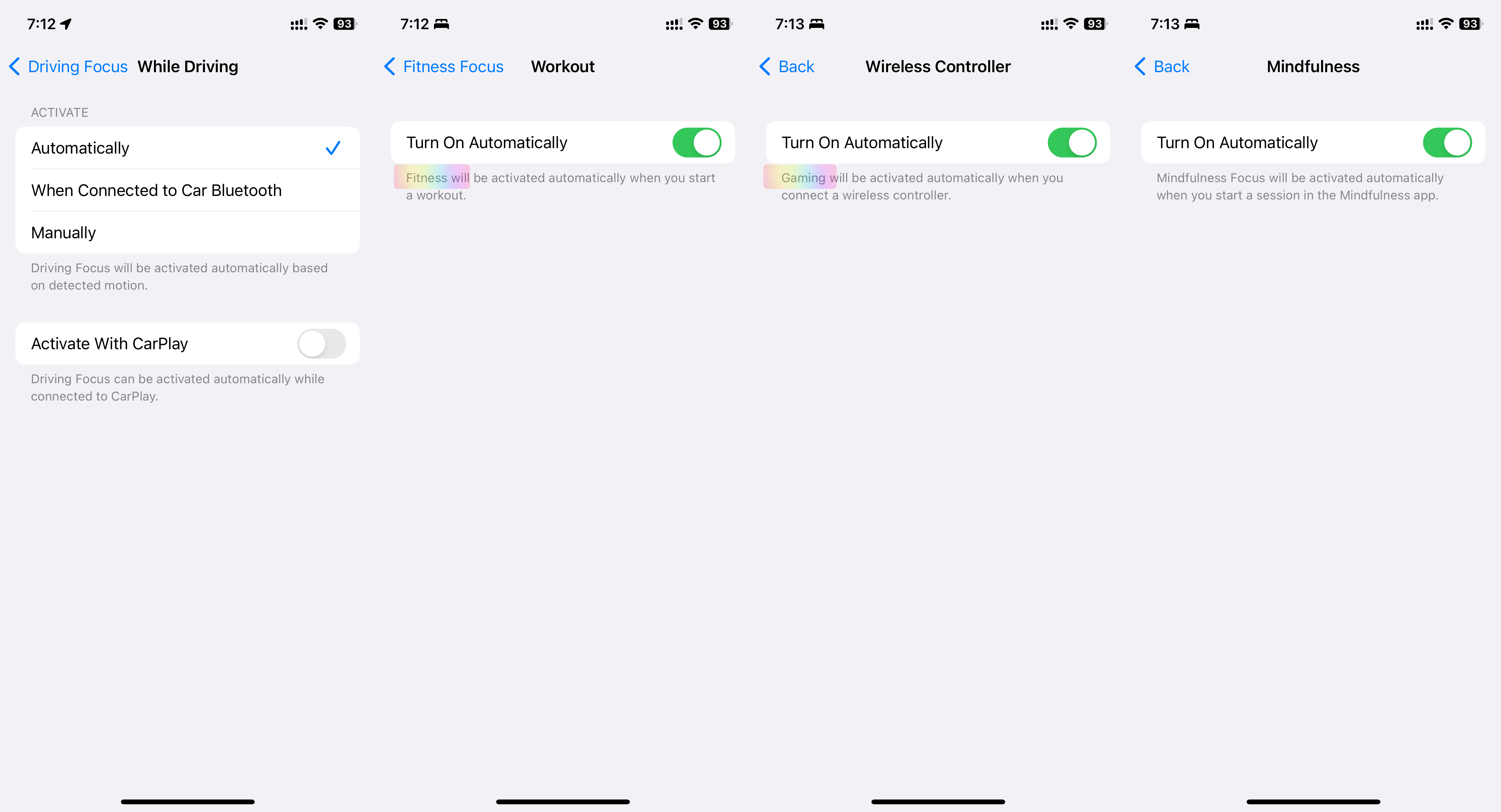
  1. Automatic Activation: Driving, Fitness, Gaming, Mindfulness
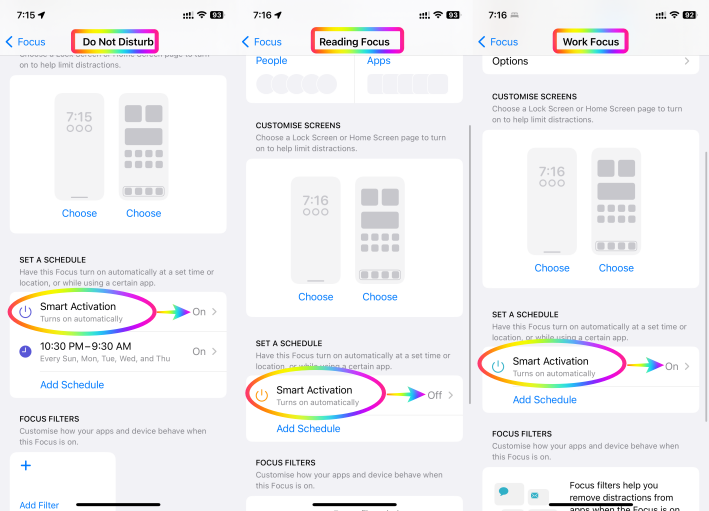
  2. Smart Activation: Work, Reading, DND
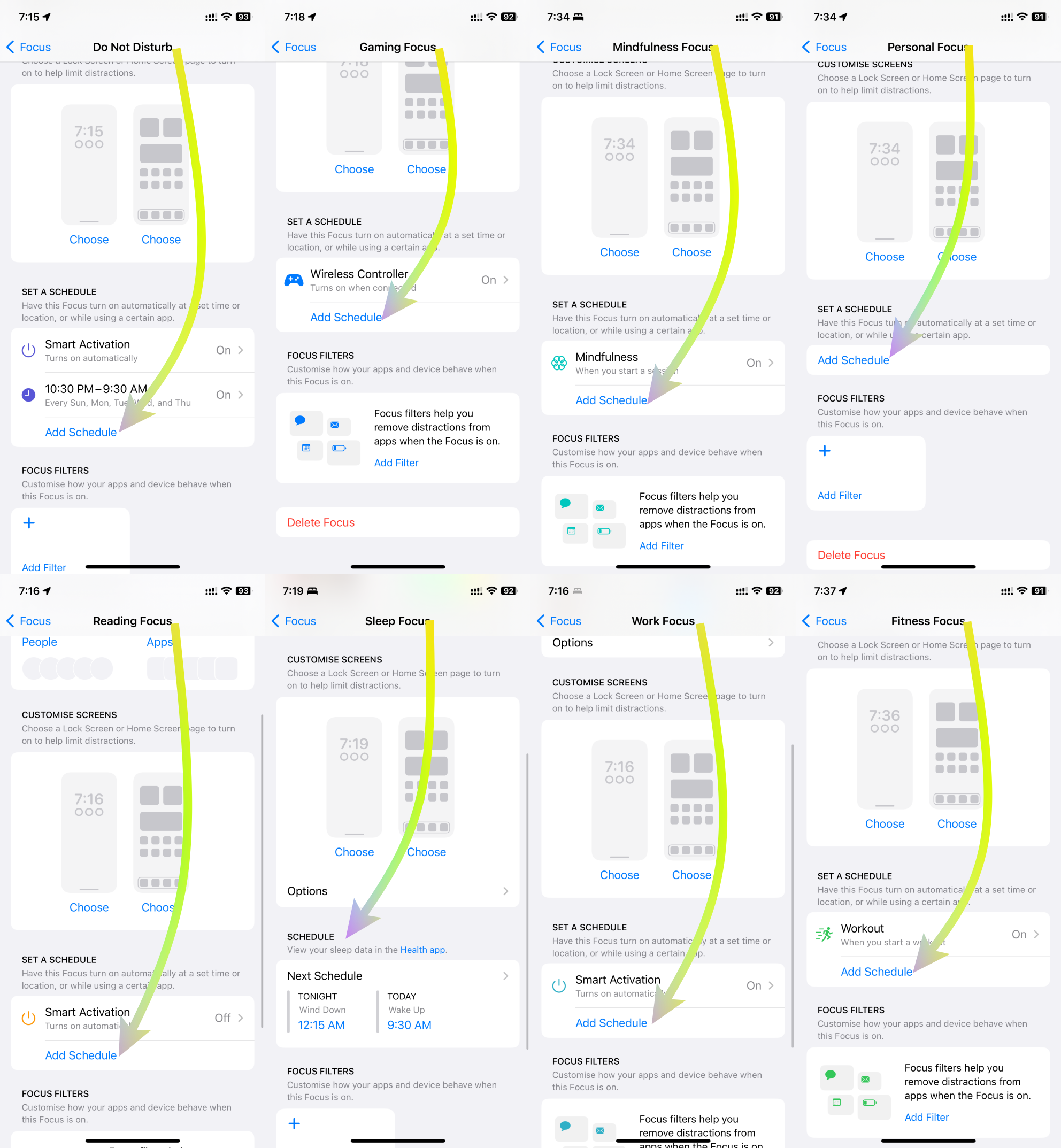
  3. Scheduled Activation: DND, Gaming, Mindfulness, Personal, Reading, Sleep, Work, Fitness


Elaborated below are comprehensive explanations for each of these three triggers.



1. Automatic Activation:

DND's Automatic Activation innovatively responds to specific contexts, improving user engagement and well-being. In driving scenarios, it identifies motion through GPS, accelerometers, and Bluetooth to ensure safer driving by silencing distractions. During fitness activities, it synchronizes with fitness trackers, ensuring uninterrupted workouts for optimal results. For gaming, it intuitively activates DND, heightening immersive experiences. In mindfulness practices, it triggers DND for focused meditation. Users can customize these triggers to suit their preferences, harmonizing technology with life.

See the pic below

2. Smart Activation:

Smart Activation introduces intelligent functionality by activating DND during tasks that require focus. When sharing screens, it suppresses notifications to aid presentations. During screen recording, it enables uninterrupted capturing. While streaming to TV, it elevates content consumption without disturbances. When mirroring screens, it ensures seamless interactions. This feature adeptly aligns technology with multitasking, streamlining interactions and fostering efficient engagements.


See the pic below


3. Scheduled Activation:

DND's Scheduled Activation empowers users with versatile control over privacy and focus. It accommodates contexts like work, exercise, reading, mindfulness, gaming, personal time, and sleep. By scheduling DND during work hours, users can enhance productivity. During fitness routines, DND preserves concentration. For leisure activities like reading and mindfulness, it creates tranquil settings. In gaming sessions, DND blocks distractions. This scheduling flexibility harmonizes technology usage with diverse lifestyle needs.


See the pic below

In essence, the integration of these activation triggers redefines DND's role beyond simple interruption management. It transforms the user experience across domains, from driving safety and focused fitness to immersive gaming and mindful introspection. With each trigger customizable to individual preferences, this innovation reflects technology's adaptability to enhance well-being and productivity in a digital age


Oct 3, 2026 11:57 PM in response to 1laurieo

If you have added “If found, please call XXX-XXXX” to your iPhone Home Screen or Lock Screen, I would like to point out that this may not be very useful if the iPhone is lost.


When an iPhone is locked with a passcode, a person who finds it cannot access the Home Screen without entering the passcode. Therefore, simply displaying your contact number on the Home Screen does not provide a practical way for the finder to contact you.


Instead, Apple provides specific features for a lost iPhone, particularly Lost Mode through Find My. When you mark the iPhone as lost, you can display a custom message and contact number directly on the Lock Screen, allowing the person who finds the phone to see the information without unlocking the device.


So, rather than permanently adding “If found, please call…” to the Home Screen, it is better to use Find My → Mark as Lost (Lost Mode) when the iPhone is actually lost. This is specifically designed to make the device identifiable and provide a way for the finder to contact the owner while keeping the iPhone protected.

Focus Mode issues

Welcome to Apple Support Community
A forum where Apple customers help each other with their products. Get started with your Apple Account.