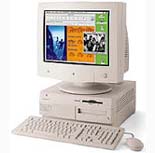
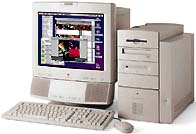
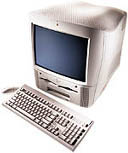
Great! A rev 3 mini-tower makes life a LOT easier, but then I'm probably just a little prejudiced.
Operating System: For what she needs, I believe Jaguar will do fine and avoids the use of the third-party installation helper. Simpler is good. The following site claims to have OS10.2 (Jaguar) full retail install sets for US$52:
Apple Rescue
Other firms may offer OSX disks for less, but they are likely to be system disks sold with another model of computer. They may not install everything the Beige needs, plus there is speculation that using such model-specific disks is a EULA violation.
Memory: OSX is a RAM hog. The specs say a min of 128MB but many of us feel the the functional min is 256MB. If you need to add RAM (the Beige can handle up to 768MB) buy from a web dealer who knows Macs and get RAM for the Blue & White G3.
This is an example of that RAM.
Hard Drives: There's not much sense in going under 40GB if you buy new. However, as you have access to a surplus outfit, they may have smaller suitable drives cheap. I strongly recommend getting an ATA drive that has a spindle speed of 7200 rpm. The stock ATA drive in the Beige was a 5400 rpm model. The faster drives really helped in my computer. The speed is likely not marked on the drive itself. You'll have to write down the drive make and model number and then use the manufacturer's web site to noodle out the specs.
Partitioning: The under 8GB partition rule is mandatory if you use the on-board ATA bus. Don't make the partition too little, like 4GB; OSX uses always-on virtual memory and needs a lot of free space on the boot partition. You can install OS9 in the other partition for Classic to use and to allow dual-booting. The boot partition must also be the "Master" device on its ATA bus.
Here's my device scheme:
ATA0 Master: 60GB Maxtor
Partit. 1: OSX boot partition (7.9GB)
Partit. 2: remainder OS.1 boot partition and storage
ATA0 Slave: 80GB Maxtor
Partit. 1: 7.9GB reserved for future OSX installation, plus has OS9.2.2 for Classic to use
Partit. 2: remainder storage.
ATA1 Master: CDRW drive
ATA1 Slave: ZIP 100
Note my hard drives are on the same ATA bus. Mixing hard drives with slower devices can result in a speed penalty.
USB: Drag the card out of the 6500 and look at the information silkscreened on the largest chip. OPTI is shaky; NEC is good. LEt us know what you find.
ZIP drive: I don't know much about 6500s so I don't know whether it is SCSI or ATA. With a Rev 3, your CD-ROM is surely ATA, so the zip should go on that bus set to "Slave." The CD-ROM must be master for the OSX install disks to work.
A good logic board diagram is helpful as you start upgrading. Here's one:
MacGurus Logic Board Diagram
You should probably start with a fresh logic board battery to avoid grief. Radio Shack has them as part number 23-026, but they're about US$14.50 lately.
This site has them for $6.88 and they pay the shipping.
Well, I need to help put away Christmas stuff so my wife can entertain tomorrow night. I'll check back in about an hour or two.
A