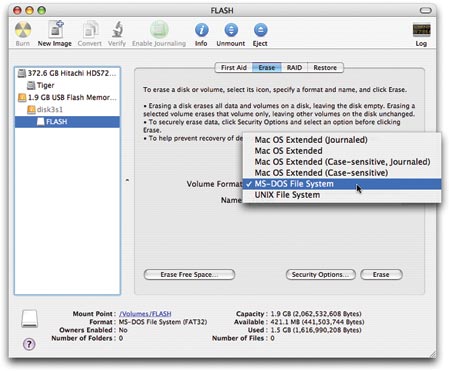
Changing the partition format without reinstall the Mac OS X
Hi,
Does anyone know how to change the file system format of the partition without needed to reinstall the OS X ?
E.g. "Mac OS Extended (Journaled)" > "Mac OS Extended (Case-sensitive, Journaled)"
this link will give an idea of list of file system format available http://images.macworld.com/images/legacy/2006/10/images/content/pickformat.jpg
The main reason I need this is because of I wish to avoid reinstallation as it take time to install and update to latest patch...
I have MacBook with 3 partitions with formated to "Mac OS Extended (Journaled)" on all 3 partitions. 1st and 2nd partition installed Mac OS X 10.6 and 10.7, and created an image (by using carbon copy cloner) for each partition and saved it into 3rd partition as backup.
I tried to below but it doesn't help:
1. Boot into 10.7.
2. Erase the 1st partition 10.6, reformat it to "Mac OS Extended (Case-sensitive, Journaled)".
3. Restore 10.6 image that created previously.
4. After restore completed, the 1st partition file system format back to "Mac OS Extended (Journaled)".
Is there's anyway to change the partition file system format without needed reinstall Mac OS X ?