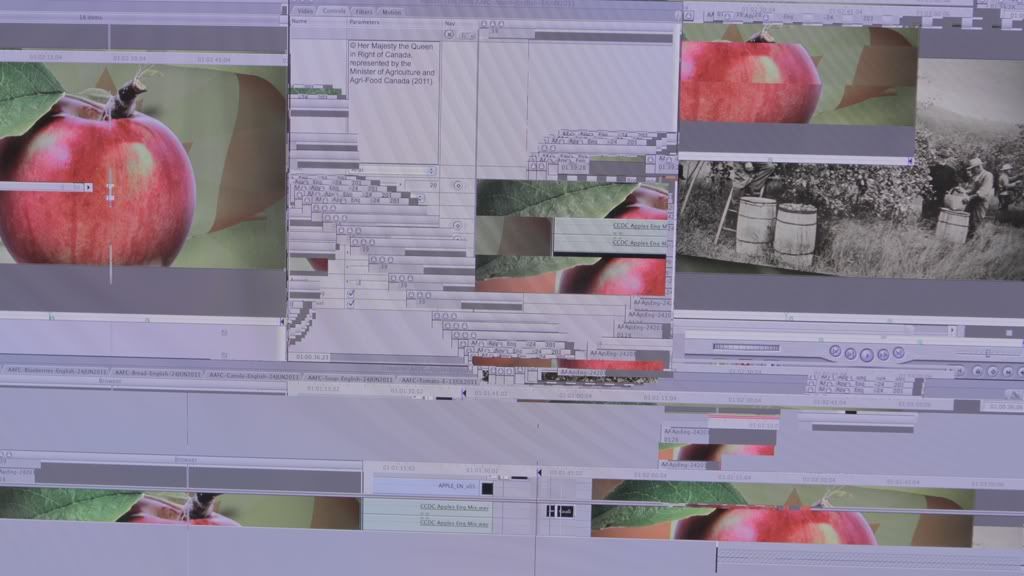
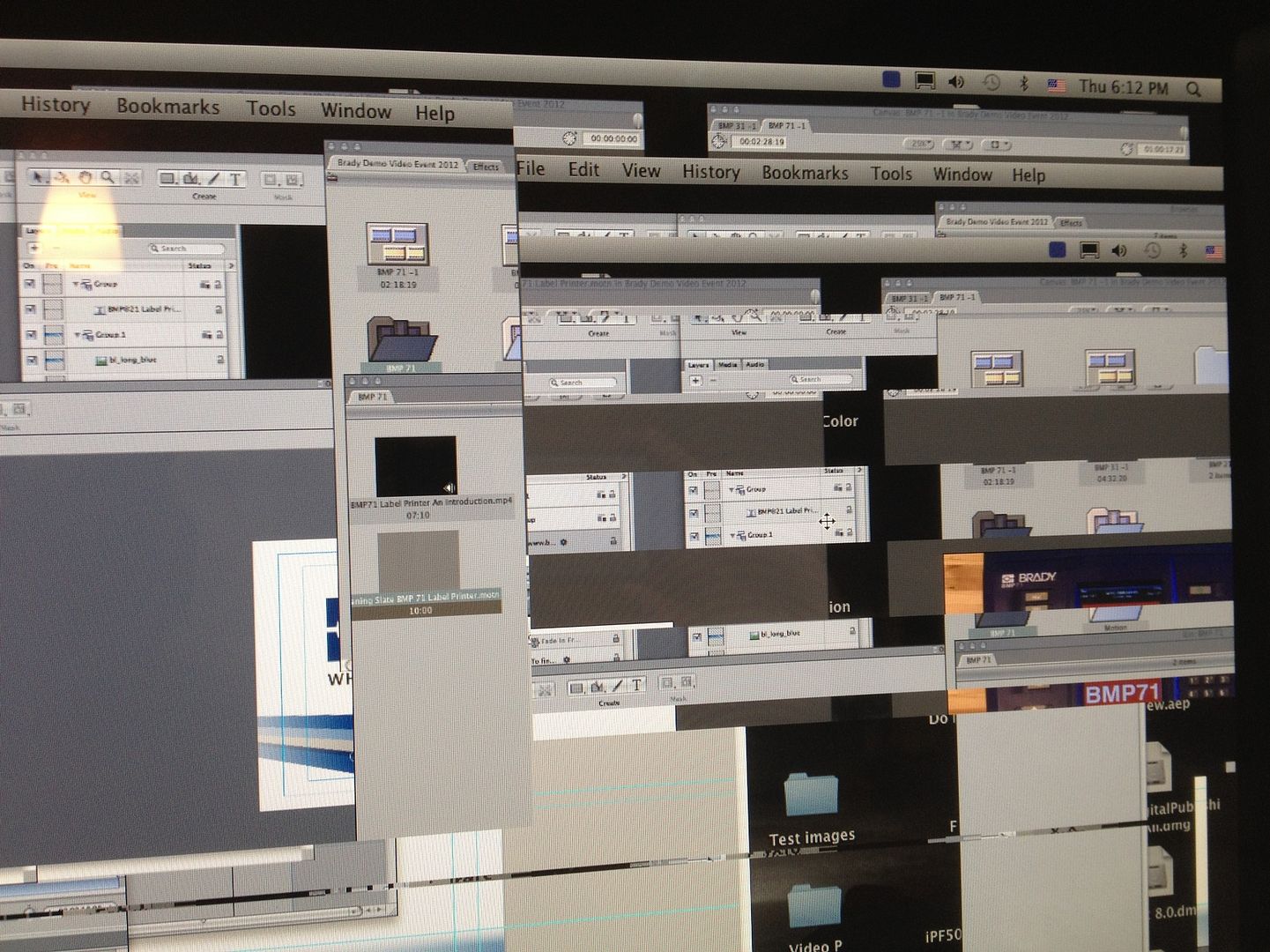
Severe screen fragmentation

Hi everyone,


I'm working on a 2.26GHz MacPro with 12GBs of RAM. Notable installed software includes Adobe Master Collection and Final Cut Pro.


I have 3 (standard) Nvidia GeForce GT 120 graphics cards. I also have three 27" cinema displays, one for each graphics card.


I'm running OSX 10.6.8 (snow leopard).


I am a video editor/graphic artist and spend a minimum of 8 hours on my computer a day. More often than not, the computer works as a render engine overnight while I am away. I have a tendancy to stream video while I'm working (on something that doesn't require my ears). I manage to do a complete shut down about once a week.


About 8 months ago, while working and streaming video, the centre display went completely haywire. Click the link to see a screen cap.


http://s1084.photobucket.com/albums/j413/apeszat/Mac%20problem/?action=view&curr ent=MACissue.jpg


Basically, the screen will (very suddenly) fragment and those fragments will get worse and move around if you try to move the mouse. If you click and drag something from the affected screen onto one of the other screens, the problem will stay behind. If you drag it back to the affected screen the problem will reappear. The only way to stop the fragmentation and return the display to normal is to do an entire reboot of the system. Nothing else will get rid of the fragmentation. At this point I thought it was a graphics card issue since only the one screen was being affected. A few weeks after this first issue, the problem starting happening on 2 out of 3 of the screens. I had two certified Apple engineers come in to try and fix the problem. Neither one could find any issues with the machine whatsoever. All the hardware was tested. All the software was tested and updated. PRAM was flushed several times. Nothing worked. They both said they thought it was the display itself causing the issue since the issue didn't appear to travel between displays. In fact, one of the engineers called Apple and Apple didn't not know what the problem was but confirmed that his theory was most likely accurate.


So two weeks ago I disconnected both of the displays that are causing issues. I replaced one of the displays with a brand new one I had lying around (simply can't work with only one screen). For a full week everything was fine. The issue didn't come back. So I had thought that the issue had been isolated and resolved.


Until a few days ago. Quite suddenly, my left-hand display fragmented one day while editing. I did a reboot and it happened again within a few hours. It has happened at least once a day on that screen ever since. This morning the problem appeared on my right-hand screen (the brand new one I just plugged in). Oddly enough, the issue has never happened on two screens simultaneously.


Sometimes trying to tile the active applications will force the screen to behave, but most often it doesn't. On a bad day, if I try to tile my apps, the screen experiencing the issue will simply not respond to the command. The other windows will but everything on the affected screen does not tile.


I don't know what else to do or check. I told the engineers that my feeling was that it might the logic board. They adamantly told me that the logic board could not be causing these problems. Nor the graphics cards. Their rationale was that if it was a hardware issue it would appear all the time, not periodically.


The best they could come up with, besides the problem being the actual display, was that I'm getting electrical interference from a large HP plotter that I sit next to.


Has anyone else experienced a problem like this one?


I'd like to avoid just straight up buying another machine, but I'm at a complete loss.


Thanks!

Mac Pro, Mac OS X (10.6.8)

Posted on Dec 7, 2011 10:34 AM

Reply
15 replies

Dec 7, 2011 11:00 AM in response to el_diablo_blondy

Hardware Monitor will help track and log your thermal sensors readings and see if it could be heat related.


SmcFanControl 2.x is something I have always recommended running to boost the fans and prevent heat build-up before it happens.


With 3 x GT120s you only have one PCIe slot left, anything there you are running? do it create heat? like a hardware RAID card?


Another place to look: RAM. A lot easier to replace, and you might even want to test with a set of 3 x 4GB (I'd have thought 6 x 4GB for your needs). With CS5 etc I'd run 24GB at least.


RAM can do 'interesting things' and cause issues that don't seem directly related.


If you needed an excuse, 2.26 was only a real viable option when RAM prices were so high on 4GB DIMMs in '09 vs higher clocked processors.


http://www.macperformanceguide.com has a lot of tips and maybe something that might give you some ideas.

Dec 7, 2011 11:15 AM in response to el_diablo_blondy

Sorry must have made it private by accident. It's public now.


http://i1084.photobucket.com/albums/j413/apeszat/Mac%20problem/MACissue.jpg


All three displays are using Mini Display Ports.


I had thought that heat might be an issue a while ago. I had installed both Temperature Monitor and SmcFanControl. But the temperature was consistent and the engineers said no way was temp an issue.


What should the ideal running temp of the cards be?


I've run countless tests on the RAM itself. I've swapped out all the RAM and replaced it with RAM from machines that are running fine. The problem keeps happening. All my RAM tests have come back fine; no bad sectors.


I'm not running anything else through the remaining PCIe. No RAID card.

Dec 7, 2011 11:52 AM in response to el_diablo_blondy

I've run countless tests on the RAM itself.

That is not necessary on a Mac Pro tower, because it uses Error Correcting Code (ECC) memory, unless you have deliberately defeated that excellent feature by installing non-ECC RAM. The RAM stores syndrome bits (coded check bits) that can be used to detect and correct ALL single-bit errors on the fly. Double-bit Errors are detected and are intended to cause a kernel panic.


As long as ECC shows as enabled, and all memory shows as present at its expected size, and status of each module is OK, they are fine. Do not spend any more time looking at main RAM memory in your Mac Pro tower.


RE: your screenshot.


This shows no hardware failures likely to be detected by a diagnostic. The kinds of issues shown in your screenshot could be caused by software, but that is unlikely.


Debugging in general:


You have been through the easy solutions. Now you should substitute additional KNOWN GOOD items for potential problem items, BUT: you need to be very, very methodical, and only change one thing at a time.


For example, have you swapped display cards with each other? Have you tried a new card? Does the problem follow the card? The slot it is in? The display attached? The cables?

Dec 7, 2011 12:06 PM in response to el_diablo_blondy

Core temps should be 35-45*C most of the time when idle or light use and can jump to 60* with blink of eye from just opening a file or app but you want processor cores to never get anywhere near 80*C as 85* seems to be where stability ends. 90s and it can throttle half the cores off or down clock and turn off.


Graphics programs like MHz more than having more cores, like to have plenty of extra RAM.


http://eshop.macsales.com/shop/memory/Mac-Pro-Memory#1066-memory


http://macperformanceguide.com/index_topics.html


http://macperformanceguide.com/Mac-Upgrade-MacPro-Memory.html

Dec 7, 2011 12:13 PM in response to Grant Bennet-Alder

Checked all the RAM and all are ECC and all are listed as OK. Makes me wonder if these Apple engineers actually understand what they're doing since the RAM check approach was their suggestion.


If this issue is being caused by software, any idead how I can prove that? What should I look for? Is there a test I can run?


I have been swapping components for the last 8 months. No combination of new and old pieces seemed to give me a smooth-running machine. But I'll start again and be really methodical this time.


Last time I did this the problem seemed to follow the cards. I loaded them into a machine that had never experienced the problem and the problem started happening. I changed nothing else within the machine. But I gave up on this lead when the engineers told me there was no way it was a hardware issue.


****.

Dec 7, 2011 12:47 PM in response to el_diablo_blondy

The Mac Pro tower requires a different problem-solving approach, because bad memory does not obscure all other issues in debugging. ECC Memory catches the memory problems, and when you see weird things happen, you can believe them, not write them off to bad memory.


I think those guys need to be sent back for additional training.


Having this be a software problem is unlikely.


Do you use a lot of non-Apple display add-ons? If you re-boot into Safe Mode (shift key held down at startup, then be patient), any non-Apple (and some more esoteric Apple) kernel extensions will not be loaded. So this can be a gross check for kernel extension problems.

Mar 19, 2012 4:47 AM in response to NinaFrost

Hi Nina,


I was never able to fix the problem. I think DPAart was right and that the cards were dying. I installed SMCfancontrol as noted above and it seemed to slow the problem down. In February the problem got so bad that I could not use the machine anymore. That was a major problem since it's my primary office computer, so my office broke down and bought a new one for me.


After almost a full year I'd been having this problem and I still have yet to find any valuable info or any kind of solution either online or through Apple. I even hired three Apple-trained engineers and none had ever seen the problem before and most just updated my software in hopes that something changed.


Do you have screenshots of your problem? I'd be really curious to see if it's the same type of fragmentation that I was getting.


Sorry I can't be of more help.

Mar 19, 2012 7:27 AM in response to The hatter

Yah I have two ATI 5770's now. Although my office replaced the entire tower too. Seems like overkill but I was due for a new one.


Even with the two big cards running the internal temp is a good 10C lower than the lowest temp I would hit on my old machine. So I still think that it was a temp issue that had affected my cards over a long period of time.

Mar 19, 2012 7:54 AM in response to el_diablo_blondy

Hi Blondy,


This is a screenshot of what happened to my screen. It was suppose to be dual cinema display monitors

http://i283.photobucket.com/albums/kk319/NinaFrost/eb3e7bf4.jpg


Funny it happens only to one monitor. Am currently disabling the so called "problematic graphic card" and using the other one to diagnose if the problem will reoccur on the single monitor.


Cheers

Nina

This thread has been closed by the system or the community team. You may vote for any posts you find helpful, or search the Community for additional answers.

Severe screen fragmentation

Welcome to Apple Support Community
A forum where Apple customers help each other with their products. Get started with your Apple Account.