Creating Apple ID without credit card

Hi,

How can I create an Apple ID to use on Itunes without a credit card? I want to get free apps for my ipod touch.

I don't want to go through giving my serial number just to contact Apple support.


I searched Google for an answer, and many people say an Apple ID can't be made without a credit

card but I know that's not true. Many people already have. The closest I've come to making an Apple ID

is clicking on a free app in Itunes, and then I start making an Apple ID account, I click "none" for payment,

and I enter address/name, and when I click next is says "Please contact Itunes support to complete

this transaction."


I read the Apple support article "HT2534" and it's not valid based on my experience, because

after I click "none" and fill in name/address, it says to contact "Itunes support" as mentioned above.


I won't tether my credit card information to my serial number and iPod because I want to read pdf

files on my iPod with privacy.


When I want to buy apps, I already have an iTunes gift card to make payment, but I can't use it

without an Apple ID.


Help.


Re: I own the ipod touch 4g.

iPod touch

Posted on Jul 3, 2012 7:25 PM

Reply
Question marked as Top-ranking reply

Posted on Oct 13, 2013 11:14 AM

I got the loop for create Apple ID without Creadit card.


1. Create new email address(Ex, Yahoo, gmail. etc)(Vary importent)


2. Open Itune(on computer), Click iTunes Store (on the left side of the iTunes window),


3. Navigate to the App Store by clicking on App Store from the top navigation bar.


User uploaded file


4. Important: Before proceeding to the next step, you must download and install a free application. To find a free application, navigate to the Top Charts column on the right side of the App Store window. Scroll down until you see the list of Free Apps. Select any application by clicking on it. Then, click Free App underneath the application icon.
User uploaded file


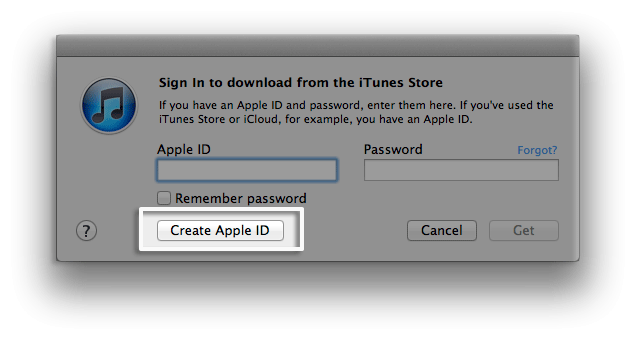
5. In the pop-up window, click Create Apple ID. User uploaded file

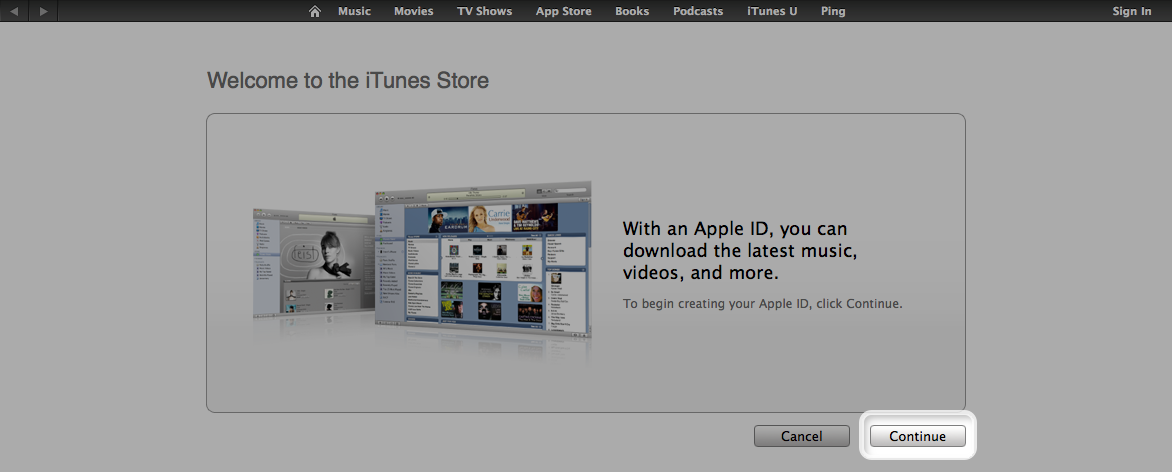
6 .You are directed to the "Welcome to the iTunes Store" screen. Click Continue.

User uploaded file

7. You'll need to read and agree to the iTunes Store Terms & Conditions. Make sure you select the checkbox next to "I have read and agree to these terms and conditions."

8. Click Continue.

9.Enter your email address, create your password, continue to create and answer your security questions, and then enter your birthday but Don't enter an optional rescue email address and uncheck both ticked box about to get news and email from apple this is most importent.

10.Click Continue.

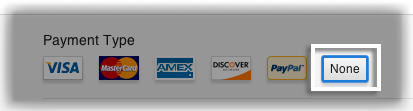
11.Select None as the payment type.
User uploaded file

12.Continue to fill out the required name and address fields.

13.You'll then see a "Verify your Account" screen. Click Done, and then check your email for a verification email from iTunes Store.

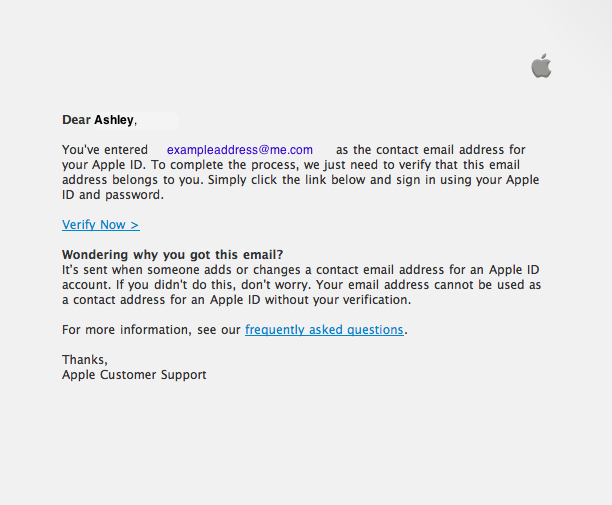
14.Open the email, and click the link enclosed in the email to activate your account. User uploaded file

15.Once you click on the link, the Apple ID website should ask you to sign in with your account name and password.


16.After signing in, you should see that your email address is associated with your Apple ID. A button labeled "Return to the Store" should appear.

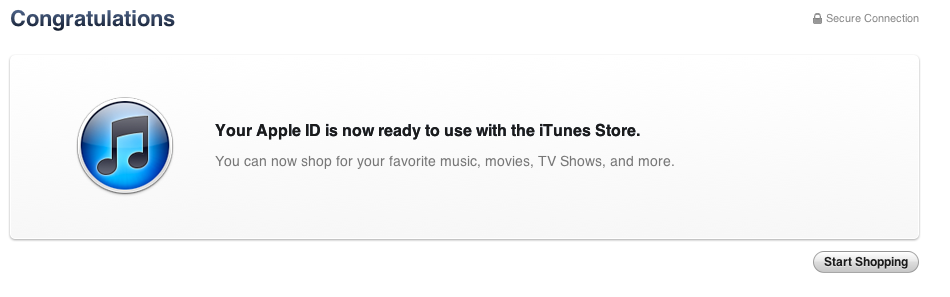
17.Once you sign in, you'll then see the below "Congratulations" screen. Click Start Shopping to be taken to the App Store home page. User uploaded file


If you still unable to create your ID without Creadit card then email me and I will create apple ID.


My email ID is vishal.bhadreshwara@gmail.com

404 replies

This thread has been closed by the system or the community team. You may vote for any posts you find helpful, or search the Community for additional answers.

Creating Apple ID without credit card

Welcome to Apple Support Community
A forum where Apple customers help each other with their products. Get started with your Apple Account.