syncing "video star" app with the mac

Daughter has made several movies(on the iPad) in an app called "Video Star" ....Can I sync, transfer or somehow get them on my Mac?

I tryed iTunes, on go... would appreciate any hlep.


Thanks

Jody

MacPro 8 core, Mac OS X (10.6.8)

Posted on Jan 19, 2013 6:50 AM

Reply
9 replies

Jan 19, 2013 7:00 AM in response to c3incjjc

After checking the app out in iTunes, it appears as though you have to send the video to the camera roll on the iPad and then import the video to the computer.


You can read this for the instructions for importing the video.

iOS: Importing personal photos and videos from iOS devices to your ...
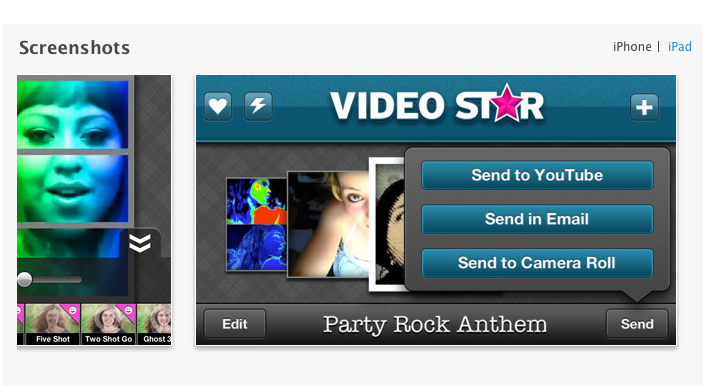
User uploaded file

On a Mac - you can import the videos in iPhoto. Connect the iPad to the Mac with the cable and launch iPhoto. You should see your iPad under the devices heading of iPhoto. Click on the iPad name and then you will be able to import the video


Jan 19, 2013 10:09 AM in response to c3incjjc

I don't use Final Cut Pro and know nothing about it. I don't know what format the videos are in to begin with either, so I can't help you there.


I assume that you would still have to import the video into iPhoto and then from there import it or convert it in Final Cut Pro.


With a quick Google search I found this .. Supported formats in Final Cut Pro.

http://help.apple.com/finalcutpro/mac/10.0.6/#ver2833f855

This thread has been closed by the system or the community team. You may vote for any posts you find helpful, or search the Community for additional answers.

syncing "video star" app with the mac

Welcome to Apple Support Community
A forum where Apple customers help each other with their products. Get started with your Apple Account.
