
I forgot my lock code password for my IPhone 4 and I don't know what to do...
I really need help to fix it I need my iPhone!!
iPhone 4, iOS 6.1.3
I really need help to fix it I need my iPhone!!
iPhone 4, iOS 6.1.3
What do you mean "nothing comes up?" Does the phone work? If it does than that is normal. Restoring from Recovery mode sets up the phone as a new phone. If you mean something else please explain.
Yes my phone works. I've connected to iTunes and it won't reset my phone.
I still don't understand. If you can use the phone the lock code has been removed (or you remembered it).
I haven't remembered it. And no it will not let me go past the lock screen. Even though its connected to iTunes.
Did you follow ALL of the instructions in the link I provided? Specifically:
Placing your device into recovery mode
Follow these steps to place your iOS device into recovery mode. If your iOS device is already in recovery mode, you can proceed immediately to step 6.
If you cannot turn off the device using the slider, press and hold the Sleep/Wake and Home buttons at the same time. When the device turns off, release the Sleep/Wake and Home buttons.
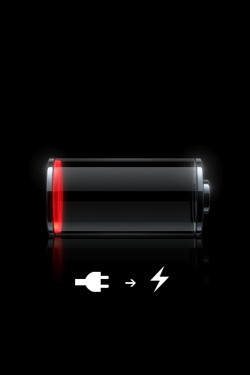
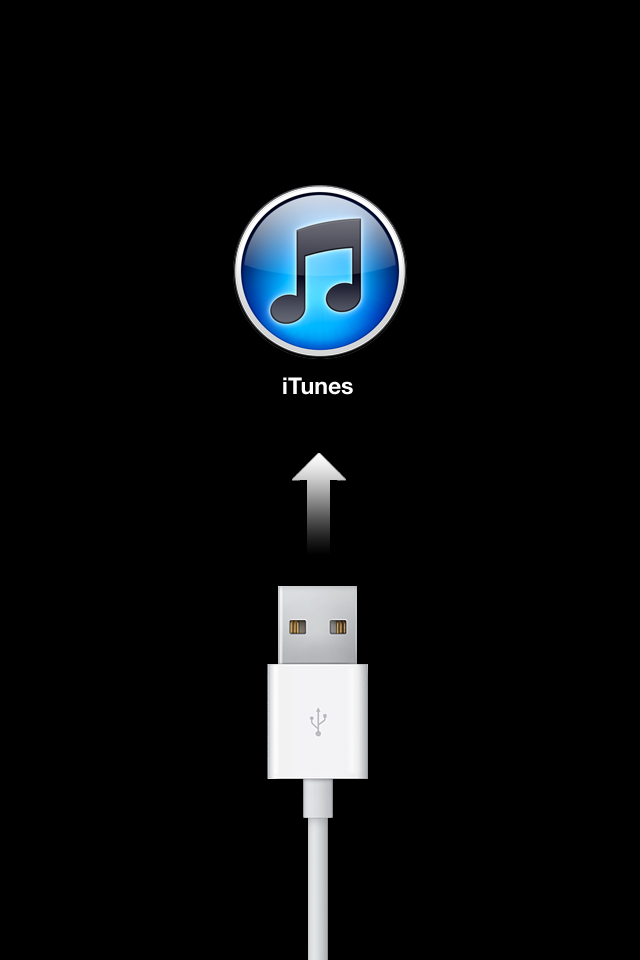
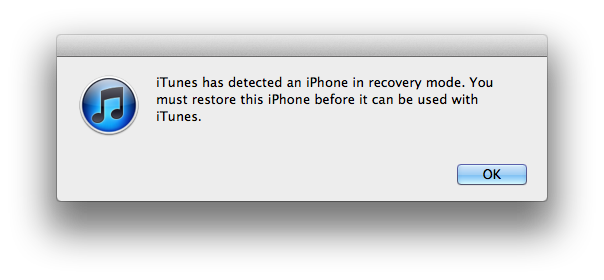
If you don't see the "Connect to iTunes" screen, try these steps again. If you see the "Connect to iTunes" screen but the device does not appear in iTunes, see this article and its related links.
Hi. I have tried to apply a restore. I uninstalled Itunes from the pc I used to synch my iphone 5. I have tried the above suggestion to unlock a password locked phone( I reinstalled itunes this morning) I have now tried 2 times. The phone remains locked. Is my Apple experience completely ruined? Should I be asking Apple to replace my phone? Its only 10 weeks old.
Apple will not replace your phone because you forgot your password. You need to restore the phone using Recovery Mode, as I posted 2 months ago: http://support.apple.com/kb/HT1808. This will clear the phone, including the passcode, and allow you to start over.
ive restored my phone from recovery mode like you said but the passcode is still in effect and i cant get past it, even thru the cloud restore because find my iphone feature is on..help
If you restore from Recovery Mode it will ALWAYS erase the lock code. It will NOT erase the requirement for the iCloud passcode, as that is the antitheft feature added by Apple. The ONLY way to activate the phone if it is Activation Locked is to enter the iCloud ID and password.
also after it restores the iphone from recovery mode, it says i have to use the same apple id to unlock the phone which puts the durn passcode that i was tring to get past back on there..help plz
You have encountered Activation Lock, an antitheft feature of the iPhone. If it is asking for your Apple ID and passcode you will have to remember them or reset them with Apple Account Security by calling Apple. Then go to https://icloud.com/find, log in and delete the phone from Find my iPhone.
If it is asking for someone else's Apple ID you will have to get that person to release Activation Lock. If you cannot do either of these things your phone will never work again. See: http://support.apple.com/kb/HT5661 for what the previous owner must do.
My phone is locked and I can't go and restore it because my home button and broken, do you have anything that could help me?
The only solution is to replace the phone if either button is broken. Or, if it is out of warranty, take it to an independent shop and get the button fixed.
Ugh, that *****... Thanks for the help!
You can restore your iPhone to unlock your iPhone.
1. Connect the iPhone to the computer with a USB cable and launch iTunes.
2. If you have a new or erased iPhone, iTunes will prompt you to restore from backup. Otherwise, Control-click on your iPhone under DEVICES in the left menu.
3. Select Restore From Backup. Choose the backup you wish to sync and click the Restore button.
You'd better not forgot iPhone passcode.
I forgot my lock code password for my IPhone 4 and I don't know what to do...
