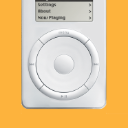
Automatic syncing is set up on the iPod's Music tab in iTunes, which is where you tell iTunes how to sync your iPod.
Select the iPod in iTunes. There is a row of "tabs" (starting with Summary). Click on Music there.
To use automatic syncing, the checkbox for Sync Music is checked. Below that, you can choose to sync Entire music library, if it fits on iPod. Otherwise, you can choose to sync Selected playlists, artists, albums, and genres.
With the latter choice, you can create a selection of songs to sync to the iPod by selecting (checkmarking) playlists, artists, albums, and/or genres on the Music tab. For example (if you want to keep it simple), you can create a new playlist in iTunes and add all songs you want on the iPod to that playlist. Back on the Music tab, checkmark that playlist. There are many ways to set it up...
When you Apply the change, your selection of songs syncs to the iPod (replacing its existing content). Going forward, any changes in the iTunes Music library that are related to your selection of songs on the Music tab sync automatically to the iPod when you connect it, or when you click Sync.
Therefore, if you create that playlist with songs you want on the iPod, and select it on the iPod's Music tab, you can simply update that playlist in iTunes (add and remove songs) whenever you want, and those changes sync to the iPod automatically at the next opportunity.