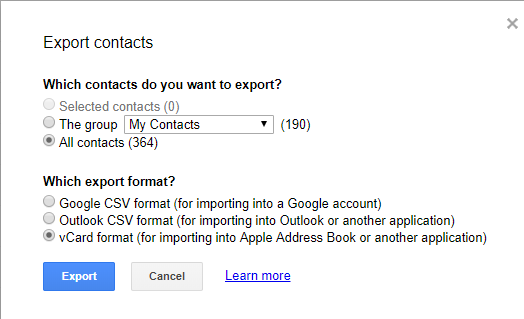
Open google contacts in your Pc/laptop. If you have the latest version of contacts then it won't export your contacts just click on "Switch to the old version". Then go to the export and choose to create Vcard. Save it where you can find easily such as desktop. If you save it properly you will get a Vcard file named Contacts. Now all you need to do is logging in into your icloud and voila! Import contacts from Vcard. It will only take 1-5 sec depending on your internet speed. and in real time you will get all your contacts imported into the i Cloud/iPhone from the google. P.s Please be careful if you still have the old android and it isn't in sync then the contacts which are not synchronized will not be imported into your phone. so i will recommend to synchronize all your contacts! Toodles.