Open Applications >> Utilities >> Disk Utility.
Look in the list on the left for your USB drive.
Here you can see the details for my USB Drive:
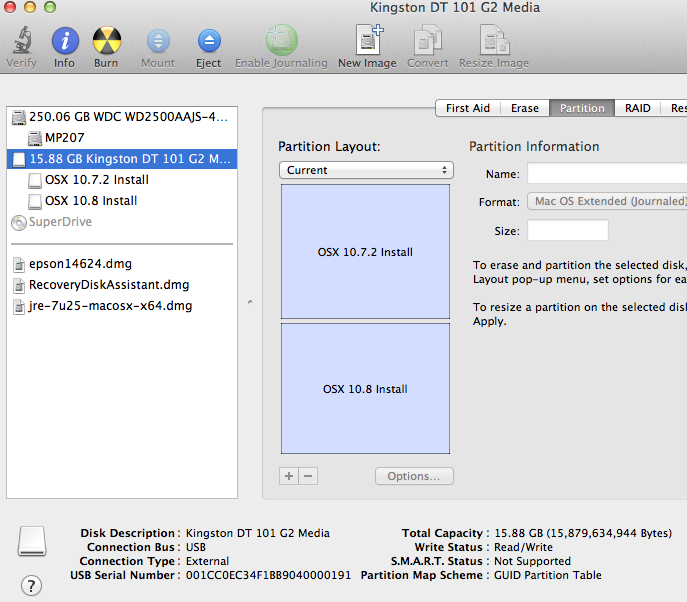
At the bottom is the Partition Map Scheme, which as you can see is GUID
To change the PMS, you need to reformat.
Choose the Partition Layout drop-down and change it from Current to whatever you want.
Click the Options button at the bottom and select GUID.
This will erase ALL data on your USB. Make a backup first if you need to.
Hit the Erase button to reformat.
Once you have done this, you can format each partition separately. One of your options is Mac OS Extended Encrypted.

