Hey guys!,
I am also using the 2013 Macbook Air, the 13" model with the 256GB SSD and 8GB of RAM. I encountered this exact same issue when I got it about 2 weeks+ back and I search all over the internet regarding this issue but I was not able to find solution. I just happen to have time today again and I thought I'll search again and I found this thread.
I was pretty frustrated by this issue and I thought I had to return it, which would be a problem because I need a laptop for school everyday so I didn't get it exchanged. However, about a week ago I found a temporary workaround for this issue.
I have two 3rd party earpieces with inline mic and controls, a Klipsch S4i (flat cable) and SonicGear Earpump Aura. After a bit of tinkering, I found out that holding down either one of the volume buttons while plugging in the headphones, then giving it a second or two then releasing the volume button seems to resolve the issue of the low external mic input volume. Also, the "Use ambient noise reduction" option is available now even after plugging the headphones in.
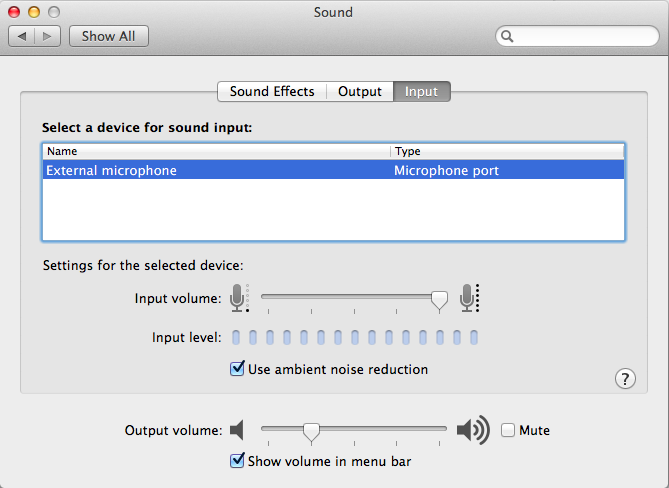
I tried testing this in bootcamp to see if this could be a hardware or software issue however, the bootcamp audio drivers for this Macbook Air (and a couple of other macbooks) do not support external mic input. Instead they use the in-built mic even after headphones are plugged in. Thus, I am unable to confirm this.
It might be the way the 2013 Macbook detects external mics or something but I hope Apple fixes this with an update.
Let me know if this works for you, Cheers!
