What is the shortcut to insert rows in Numbers?

I know I can use the arrow on the row number to insert rows, but I need to insert a bunch of rows. What is the keyboard shortcut to insert rows? I don't understand what the screen tip says is the shortcut. Thanks for your help 🙂

iPod touch, iOS 5.0.1

Posted on Sep 19, 2013 5:12 PM

Reply
Question marked as Top-ranking reply

Posted on Sep 19, 2013 9:42 PM

Hi angneld,


The keyboard shortcut for Add Row(s) is option-arrow, where 'arrow' is one of the four arrow keys.


To add one row above the current row:


  • Select any cell in the current row.
  • Press option-up arrow.


To add four rows:


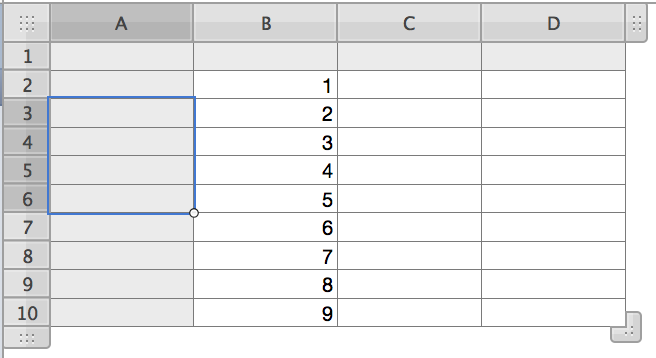
  • Select a stack of four cells, ending with the one after which you want the new rows inserted:
    User uploaded file
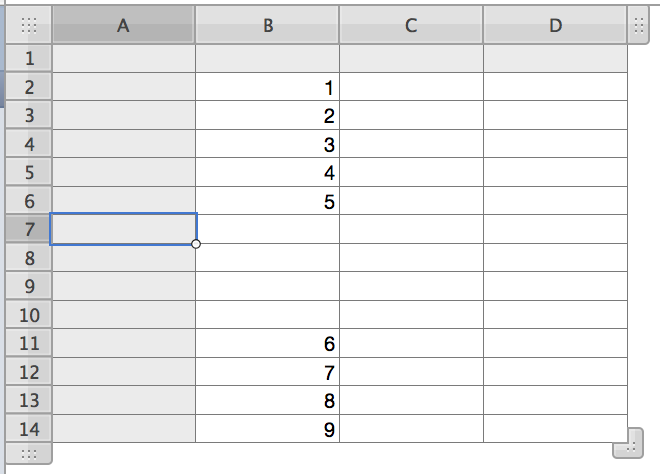
  • Press option-down arrow:
    User uploaded file
  • Done.


As you've probably guessed, using the left or right arrow (with option) inserts column(s) left or right of the selected cell(s).


This was done in Numbers '09, a Mac application. I don't know if this process is supported on Numbers iCloud.


Regards,

Barry

2 replies
Question marked as Top-ranking reply

Sep 19, 2013 9:42 PM in response to angneld

Hi angneld,


The keyboard shortcut for Add Row(s) is option-arrow, where 'arrow' is one of the four arrow keys.


To add one row above the current row:


  • Select any cell in the current row.
  • Press option-up arrow.


To add four rows:


  • Select a stack of four cells, ending with the one after which you want the new rows inserted:
    User uploaded file
  • Press option-down arrow:
    User uploaded file
  • Done.


As you've probably guessed, using the left or right arrow (with option) inserts column(s) left or right of the selected cell(s).


This was done in Numbers '09, a Mac application. I don't know if this process is supported on Numbers iCloud.


Regards,

Barry

This thread has been closed by the system or the community team. You may vote for any posts you find helpful, or search the Community for additional answers.

What is the shortcut to insert rows in Numbers?

Welcome to Apple Support Community
A forum where Apple customers help each other with their products. Get started with your Apple Account.