Hello Normrd,
Thank you for your question, and I found a few settings that I think will help increase the visibility.
You can adjust the text and contrast in Settings:
Large and bold text
Display larger text in alerts, and in apps such as Calendar, Contacts, Mail, Messages, and Notes.
Go to Settings > General > Accessibility > Larger Type, where you can turn on Larger Dynamic Type and adjust the font size.
Display bolder text for all items on iPhone. Go to Settings > General > Accessibility and turn on Bold Text.
Increase text contrast on difficult backgrounds when possible. Go to Settings > General > Accessibility and turn on Increase Contrast.
Those steps are from page 131 of the iPhone User Guide:
iPhone User Guide
http://manuals.info.apple.com/MANUALS/1000/MA1565/en_US/iphone_user_guide.pdf
Additionally, you can adjust the brightness at any time using the Control Center in iOS 7:
You can access Control Center from anywhere in iOS—including the Lock screen. To access Control Center, swipe up from the bottom of the screen.To close Control Center, swipe down, tap the top of the screen, or press the Home button.
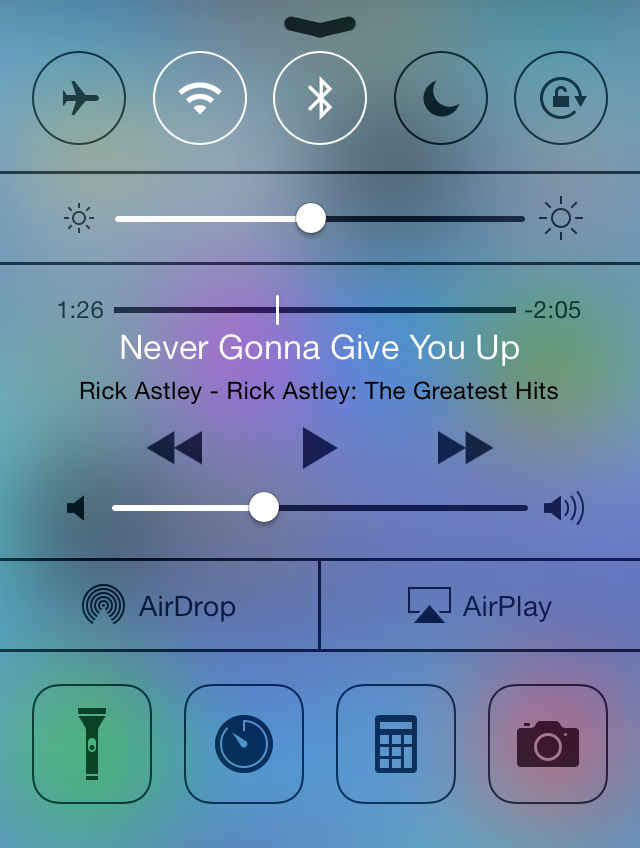
Find out more about Control Center here:
iOS: Understanding Control Center
http://support.apple.com/kb/HT5858
Thank you for using Apple Support Communities.
Best,
Sheila M.


