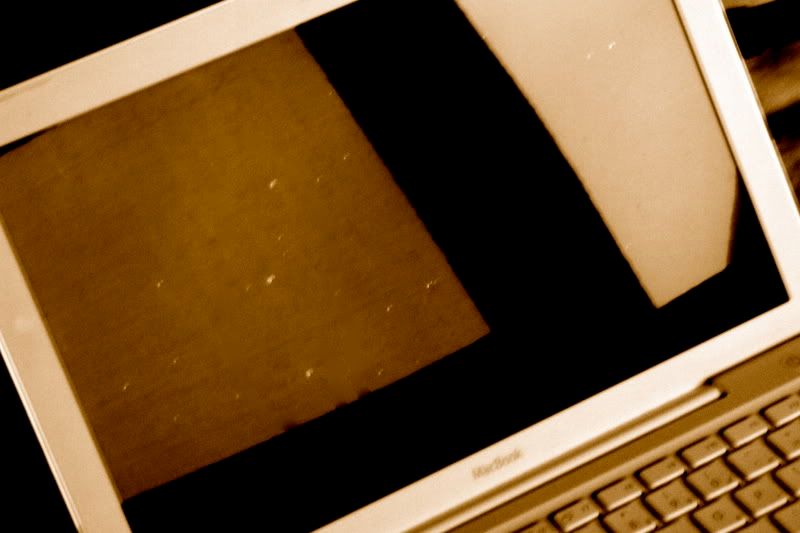
Bubbles in screen???

I own a white, week 25 MacBook, and this is my first Mac. At first, I was delighted with the sleek design and glossy screen. However, about two weeks ago, I noticed several tiny (about 1-3mm diameter) bubbles beginning to form under the glossy screen. It is especially noticeable when the Mac is turned off. I am hoping that this is just an isolated occurence, but is this happening to anyone else out there?

MacBook Mac OS X (10.4.7)

Posted on Aug 8, 2006 7:27 PM

Reply
13 replies

Aug 14, 2006 8:55 AM in response to cchiras

Are you sure they're actually bubbles and not (sorry for this) the results of either sneezing, coughing or otherwise just talking in front of it? Have you tried buffing them out with a nice microfiber cloth (like an eyeglass cleaning cloth)?

Do you have pictures of this posted somewhere?

It sounds (to me) a lot like little dots of saliva that sometimes get on the screen. I've never read anything on any forum here (or anywhere) about Apple LCDs developing bubbles.

Aug 14, 2006 9:00 AM in response to RADe8

I do have a polishing cloth that I use on most of my devices, PDA, iPod, etc. and I tried buffing these spots out yesterday and they wouldn't come out. I will try to take a few pictures of this. I don't believe I throw out a lot of spit when talking but you never know. But like I said, I did try using my microfiber cloth on these, and it just doesn't do anything. They look kind of like little air bubbles that you get when you apply tint, or graphics to glass, you can work those out, but I don't think an exacto knife and a MacBook screen would be good friends.

Aug 18, 2006 8:24 PM in response to cchiras

I'm sorry I wasn't able to post any pictures. The bubbles are tiny and slightly greenish in color when the laptop is turned off or held at an angle away from your eyes. When I made my post, my Mac was being serviced for the problem that I was describing. Thankfully, AppleCare was able to fix it, and now I have a beatiful, bubble-free screen.

If any of you are having this problem, call AppleCare about it, and try to tell them the estimated location of the bubbles, if possible. (e.g. lower left screen, top right corner, etc.) At first, they insisted that they couldn't find them, but then I told them the location of the bubbles and to hold the computer up at an angle to see them. They finally fixed it.

Aug 19, 2006 9:08 PM in response to cchiras

Okay, everyone seems pretty convinced that the "bubbles" are some sort of crud on the screen, so i'll leave it at that and won't argue/protest otherwise.

Either way, bubbles or not, Apple definitely replaced the screen; the old one previously also had noticeable scratches on it, and they are no longer there.

Anyway, the "damage" inflicted upon my screen is gone, so I at least am contented. Others with bubbles or other stuff on you screen try cleaning it first, then call AppleCare if it seems more serious.

Everyone, thanks for your input!

Sep 18, 2006 2:37 PM in response to Chris Smosarski

I have this problem as well, and believe you me its not salvia, i have tried to buff these out with micro-fiber cloths but it doesn't work, I'm calling the place that i bought my macbook from today. i have a picture of them that i have had change the colour with to see them but they are there.... so here....

http://i15.photobucket.com/albums/a385/t_dimock/DSCF0004.jpg

troy

This thread has been closed by the system or the community team. You may vote for any posts you find helpful, or search the Community for additional answers.

Bubbles in screen???

Welcome to Apple Support Community
A forum where Apple customers help each other with their products. Get started with your Apple Account.