I would like certain titles in a cell to link to other "Numbers" documents on the computer. To open the referanced document when clicked on.
Actually, this is easily done with Numbers 3. You just need to use a feature built into all Macs. Instead of clicking a cell to open other document, you click once on the cell, hit a keyboard shortcut, and the other Numbers document (actually you can specify any other file too) opens.
First you need to install this Open File Automator Service (Dropbox download). Just double-click (and if necessary click "Download Anyway" in System Preferences > Privacy & Security).
Then assign a keyboard shortcut at System Preferences > Keyboard > Shortcuts.
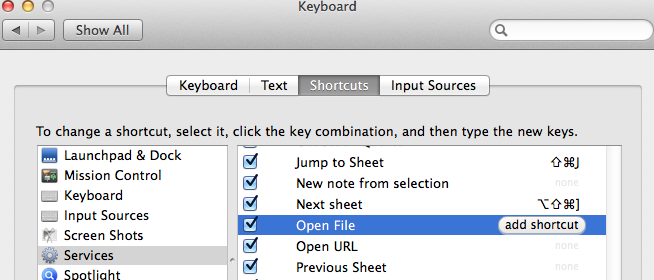
Your Numbers Services menu will now look something like this:

After this one-time, two-minute set-up, now all you have to do is select a Numbers cell containing a file's address and hit option-shift-command-l (or whatever keyboard shortcut you have chosen) and the Numbers document (or other file) pops open.
To get a proper file address to paste into a Number's cell you can use a script like this (just paste into AppleScript Editor to run, or you can easily install it in your menu as an Automator Service):
set f to choose file with prompt "Choose a file" --of type {"numbers"}
set myPath to POSIX path of f as text
set the clipboard tomyPath
Again, very easy to use. Run, select a file when prompted, click a cell in Numbers, and command-v to paste. The format will be as shown in the screenshot (ie., with the / rather than the : that you sometimes see).
SG
