I'll try to address the most common issues.
Are you running the latest version of FCPX (10.1.3)? I created the effect with the latest version of Motion and it might not be compatible with older versions of FCPX.
Is this the first plugin you've installed?
Inside your user/home folder, there is a Movies folder. Inside there is a Motion Templates folder and inside that are the Effects, Generators, Titles and Transitions folders (if they don't exist, you may create them yourself — they are case sensitive). All of these folders need to be localized. Right click on each and select Get Info. In the Name & Extension section, make sure that these folders have been .localized:
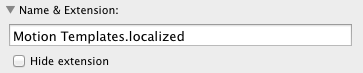
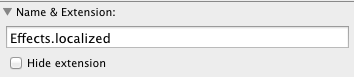 (applies to Generators, Titles and Transitions as well.)
Add the .localized in the Get Info dialog and not in the Finder (notice that Hide Extension is not checked and in the finder, .localized will not appear as part of the name.)
Inside the Effects, Generators... folders are Category folders. These can have any name you like and it is important that when installing an effect inside a category that the folder structure of the effect is maintained: that is, a folder that has the name of the effect containing the motion project with the same name (and the extensions: moef, moti, motr, or motn), two PNG files ("large" and "small"), an optional preview .mov file and another folder called Media containing any extra media the project may need. It is also important that the correct TYPE of effect goes into the corresponding effect path (Effects, Generators... etc.)
If you're still having trouble, let me know.


