how do you remove facebook contacts from contact list in IOS 8?

Got a new 6+ today and it loaded all my facebook contacts in my contact list. How do you remove them. In IOS7 you used to go to settings/facebook/groups in upper left corner and uncheck face book, but its not there in IOS 8

iPhone 6 Plus, iOS 8

Posted on Sep 30, 2014 11:53 PM

Reply
2 replies

Oct 3, 2014 12:16 PM in response to mmoore216

Hey mmoore216,


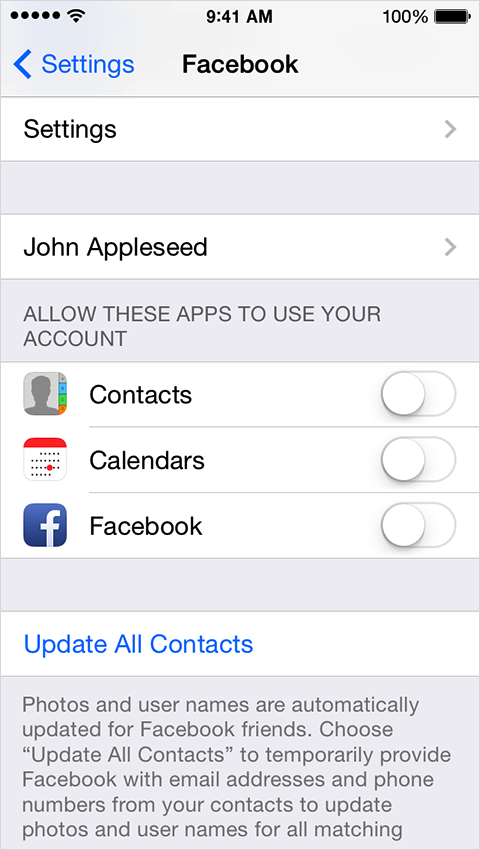
Great question! You can disable your Facebook contacts from syncing with your Contacts application in the following location:


iOS: Using Facebook, Twitter, and other social network accounts


http://support.apple.com/kb/HT5500


Sync contacts and calendars


iOS can sync your Facebook contacts and calendars with your device. This feature is off by default, but you can enable it in Settings > Facebook after adding your account.


User uploaded file


Thanks,


Matt M.

This thread has been closed by the system or the community team. You may vote for any posts you find helpful, or search the Community for additional answers.

how do you remove facebook contacts from contact list in IOS 8?

Welcome to Apple Support Community
A forum where Apple customers help each other with their products. Get started with your Apple Account.