pomme4moi

Q: Family Sharing and family calendar ???

I've read that the Family Sharing feature in iOS 8 offers a family calendar.  Looking for some guidance on how it works pls.


We have four family members in our household, and each person has their own separate iCloud ID: person1@icloud.com, person2@icloud.com, person3@icloud.com and person4@icloud.com  This allows each of us to have a separate email address, separate 5GB of storage, etc.  I have set up Family Sharing on all our devices.  I am the Family Organizer (in Apple terminology).


In addition to the separate calendar that each of us has with our individual iCloud ID's, my understanding is that we also can have a family calendar that all four of us can share.  I guess this would be a 5th calendar in our case: our four individual calendars plus the family calendar.  But I do not know how to set up the family calendar.  And once set up, I do not know how to specify that an entry should go on the family calendar versus going on my individual calendar.


Advice welcome.

iMac (27-inch, Late 2012), OS X Mavericks (10.9)

Posted on Oct 12, 2014 5:03 PM

Close

Q: Family Sharing and family calendar ???

  • All replies
  • Helpful answers

  • by jeremy_v,

    jeremy_v jeremy_v Oct 14, 2014 10:35 AM in response to pomme4moi
    Community Specialists
    Oct 14, 2014 10:35 AM in response to pomme4moi

    Hi pomme4moi,


    Thanks for visiting Apple Support Communities.


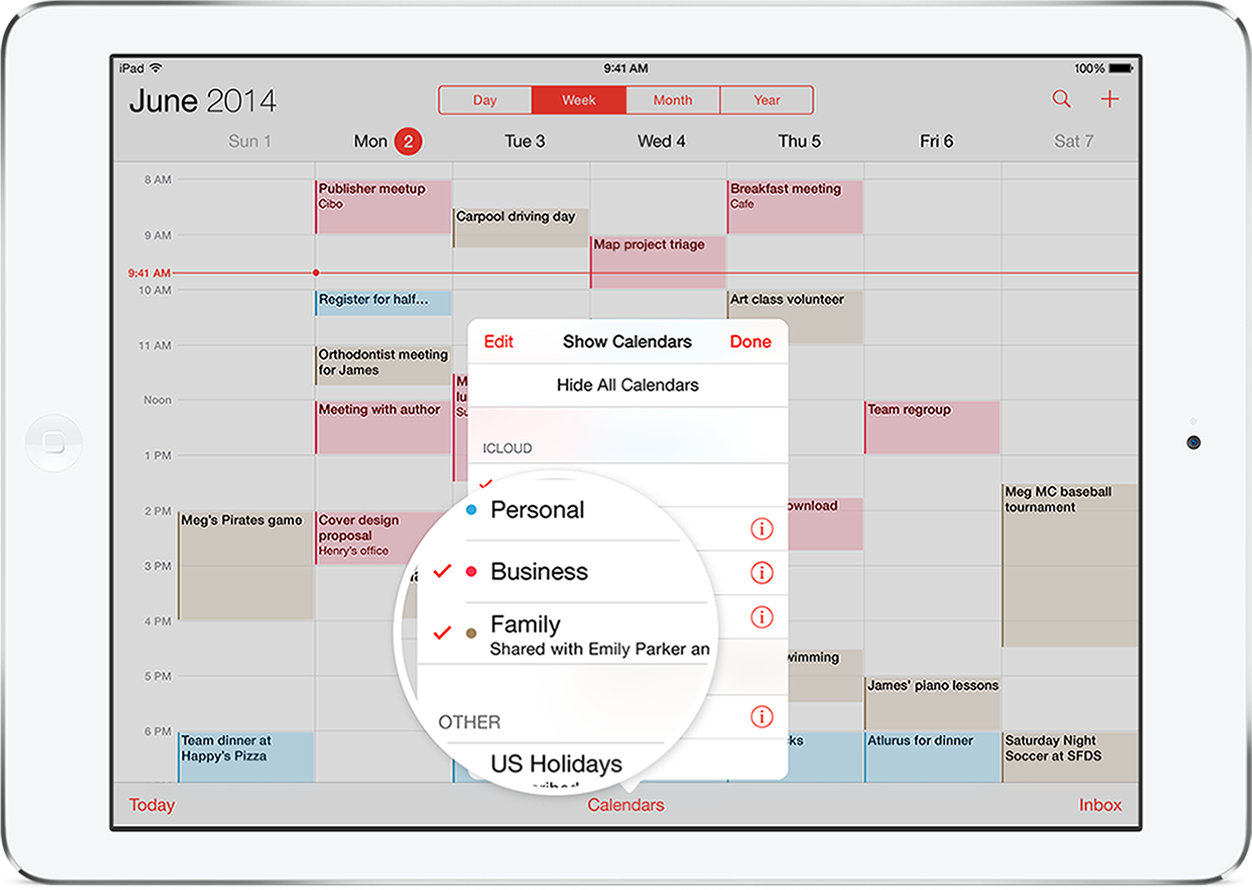
    When you set up Family Sharing and added your family members, this should have created a shared iCloud calendar called Family that the other four iCloud accounts can use.

    Family Sharing creates a family calendar where everyone can view, add, or change events and appointments, and they can also get an alert when something changes. And anyone can use the Reminders app to send time or location reminders to the family. So when it’s picture day, pizza night, or just a trip to the beach, everyone’s in the know.

    From:


    Family Sharing


    You can add an event to the Family calendar by adding the event as normal:

    Add an event. Tap the add button, then fill in the event details.

    From:


    Calendar at a glance - iPhone


    From the add an event screen, swipe down and tap Calendar, then choose Family to add the event you're creating to the shared family calendar.


    Best Regards,


    Jeremy

  • by Hayinge,

    Hayinge Hayinge Jul 21, 2015 12:55 PM in response to jeremy_v
    Level 1 (0 points)
    Jul 21, 2015 12:55 PM in response to jeremy_v

    MY problem is that it did not automatically create the family shared calendar on my kids iPads. I added them to the family but their calendars do not have the option of the family shared calendar. How do I activate it?

  • by Anchann,

    Anchann Anchann Oct 8, 2015 7:43 AM in response to pomme4moi
    Level 1 (18 points)
    iTunes
    Oct 8, 2015 7:43 AM in response to pomme4moi

    Was this problem ever solved for this user? I have added my wife to my family, but calendars and reminders do not show her as added. Everything else seems to be functioning properly. What bothers me is when I first set this up with iOS 8 a year ago, it worked very well until recently. Then she was dropped from the family for an unknown reason. Adding her back was tedious and has not worked out.

  • by lldwst,

    lldwst lldwst Apr 13, 2016 11:23 AM in response to Anchann
    Level 1 (8 points)
    iCloud
    Apr 13, 2016 11:23 AM in response to Anchann

    We recently switched iPhones and now I can't get the family calendar and contacts to load onto the other member's calendars; they do not appear on my wife's iPhone, iPad, and Mac.  She seems to have lost her contacts also.  I have tried most of the suggestions in other strings but none have worked, including signing out, rebooting, and reclogging in again, rebooting all devices, etc.  Nothing has worked.