I have an old ipad with iOS 5.1.1, how do i download latest operating system so i can down load apps
I have an old ipad with iOS 5.1.1, how do i download latest operating system so i can down load apps
iPad, iOS 5.1.1
I have an old ipad with iOS 5.1.1, how do i download latest operating system so i can down load apps
iPad, iOS 5.1.1
Hello chong62,
After reviewing your post, I have located an article that can help with iOS software updates:
Update the iOS software on your iPhone, iPad, and iPod touch
Before you update
Back up your device to iCloud or iTunes.
If you use your device's Personal Hotspot for your computer's Internet connection, update your device wirelesslyor connect your computer to another network.
The easiest way to update your device is wirelessly, also called “over the air.” Here’s how:
- Plug in your device to a power source.
- Tap Settings > General > Software Update.
- Tap Download and Install. Updates might download automatically while your device is connected to Wi-Fi and a power source.
- Tap Install, or tap Later to install the update later. If you use a passcode, you'll need to enter it before installing the update.
If you have some free space, but not enough to update over the air, you can either update using iTunes or delete content manually from your device. Whether you use iTunes or update over the air, you'll have the same amount of free space on your device after you update.
Some iOS software updates aren't available as over-the-air updates. VPN or proxy connections might prevent your device from contacting the iOS update servers.
Update your device using iTunes
If you can’t update wirelessly, or if you want to update with iTunes, follow these steps:
- Install the latest version of iTunes on your computer.
- Plug in your device to your computer.
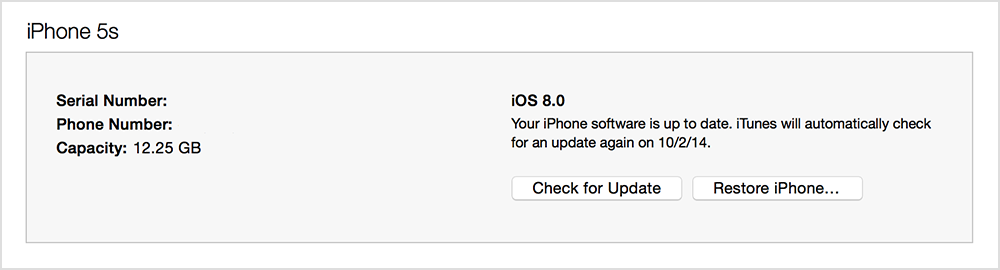
- In iTunes, select your device.
- In the Summary pane, click Check for Update.
- Click Download and Update.
If you don't have enough free space to update using iTunes, you'll need to delete content manually from your device.
Find out what to do if you get other error messages while updating your device.
Thank you for contributing to Apple Support Communities.
Cheers,
BobbyD
Please note that the iPad 1 can not be upgraded beyond iOS 5.1.1.
You can see on this list what models of iPad can run what systems ...
http://en.wikipedia.org/wiki/List_of_iOS_devices#iPad
I have an old ipad with iOS 5.1.1, how do i download latest operating system so i can down load apps