Start up screen stuck in large mode.
3 taps dosen't work and restart does not fix. What now?
iPhone 5
3 taps dosen't work and restart does not fix. What now?
iPhone 5
Hi, bilbio.
Thank you for visiting Apple Support Communities.
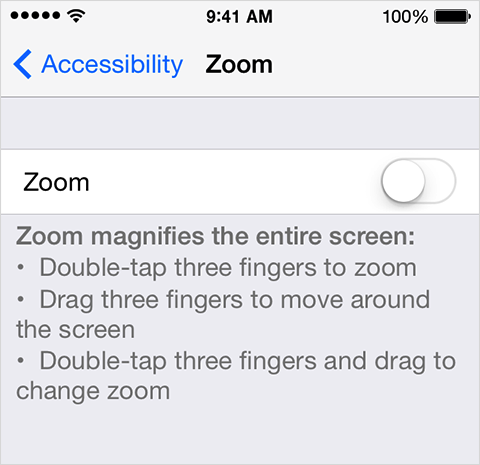
I see the Zoom feature is enabled and you tried the triple tap option with no success. There are a couple more options to disable this feature in the article below.
You can turn zoom off at Settings > General > Accessibility > Zoom.
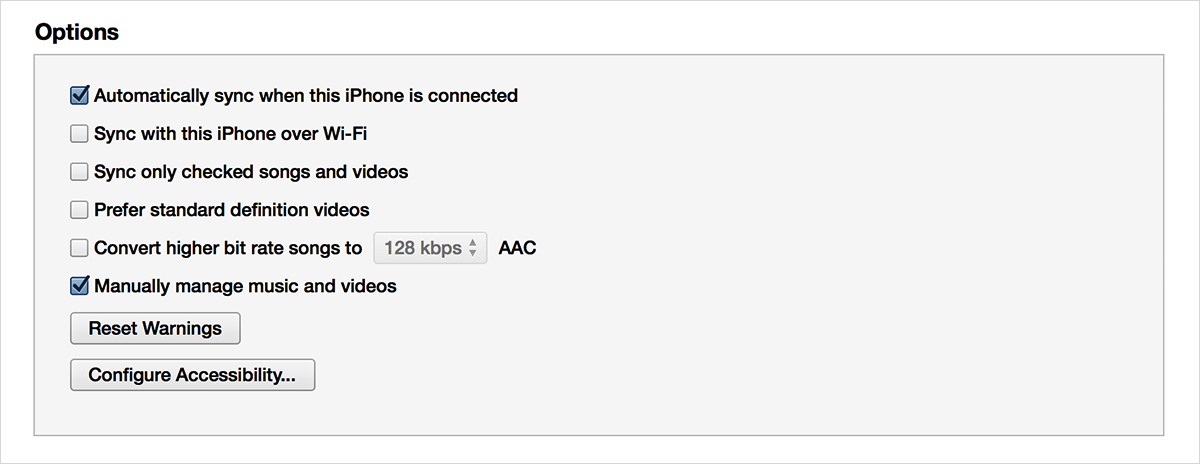
You can also use iTunes to turn off zoom:
- Connect the device to any computer with iTunes.
- Select the device when it appears.
- Select Configure Accessibility on the device summary page:
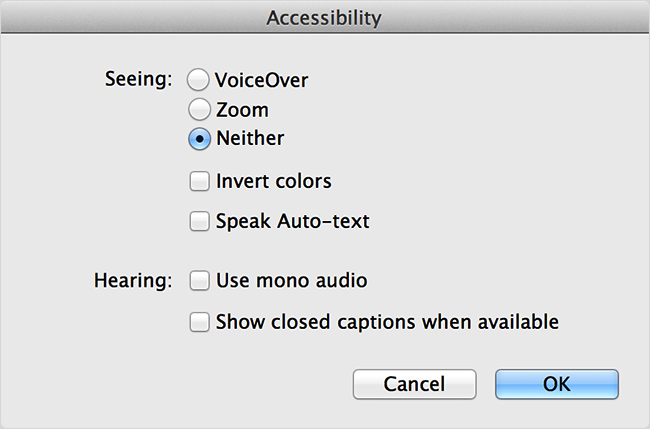
- Select Neither to disable zoom:
- Click OK.
iOS: Home screen icons are magnified or large
http://support.apple.com/kb/ts3129
Cheers,
Jason H.
bilbio wrote:
3 taps dosen't work and restart does not fix. What now?
DOUBLE tap with THREE fingers. It's not 3 taps that's required.
Start up screen stuck in large mode.