My ipod 5 won't update to 8.1.2
My iPod 5th generation told me I have to update my iPod to IOS 8.1.2. I tried updatinh it and my iPod keeps saying there is an error and I can't update it.
iPod touch, iOS 8.1.1
My iPod 5th generation told me I have to update my iPod to IOS 8.1.2. I tried updatinh it and my iPod keeps saying there is an error and I can't update it.
iPod touch, iOS 8.1.1
Hello there, michmex2.
When having issues with not being able to update your iOS device, the following Knowledge Base article offers up some great steps for troubleshooting:
If you can't update or restore your iPhone, iPad, or iPod touch - Apple Support
Use recovery mode
You might need to use recovery mode to restore your device in these cases:
- iTunes doesn't recognize your device or says it's in recovery mode.
- You see the Apple logo onscreen for several minutes with no progress bar.
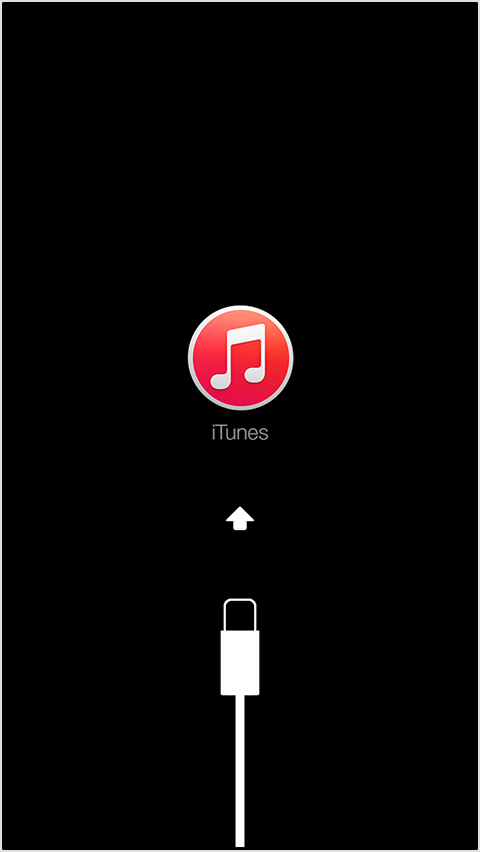
- You see the Connect to iTunes screen.
Learn what to do if you see the progress bar onscreen for several minutes.
To put your device into recovery mode, follow these steps:
- Turn off your device and leave it off.
- Plug in your device's USB cable to a computer with iTunes.
- Hold down the Home button on your device as you connect the USB cable. Keep holding down the Home button until you see the Connect to iTunes screen.
- When you see this screen, release the Home button. If you don't see this screen, try steps 1 through 3 again.
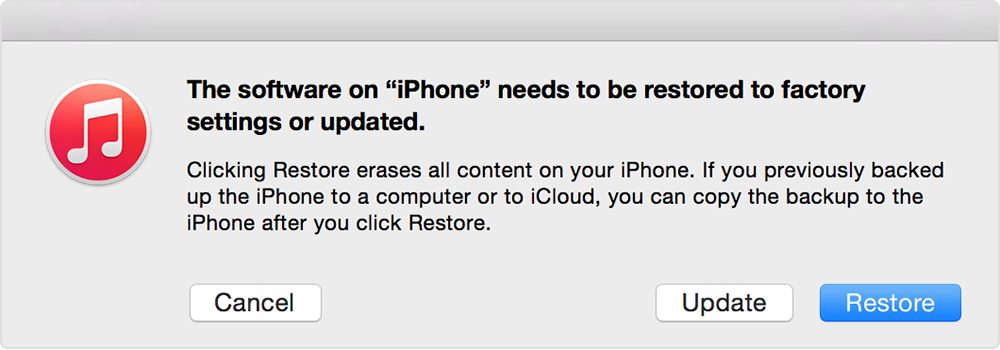
When your device is connected, iTunes will open. You'll see a message saying that iTunes has detected an iPhone, iPad, or iPod touch in recovery mode.
Use iTunes to restore your device. Restoring in recovery mode will erase your device. If you previously synced with iTunes or iCloud, you might be able to restore from your backup.
Thanks for reaching out to Apple Support Communities.
Cheers,
Pedro.
What is the exact wording of the error message?
My ipod 5 won't update to 8.1.2