Text tone set correctly, but another tone is what I hear

I have iOS 8.1.2 on iPhone 6. I have purchased tones. I have set a pacman tone for my texts. It's been fine, until last night when all of a sudden I started hearing a single ding for texts. I haven't updated in over a month, and I haven't changed any settings in a couple weeks. I went into my settings and pacman is still there. I went to make sure it still sounds right and it does. My ringtone for calls is a purchased one tjats a song, and it's still fine. Can someone help Get my text tone back to sounding normal? its annoying me because I can barely hear the single ding.

iPhone 6, iOS 8.1.2

Posted on Jan 7, 2015 8:59 AM

Reply
3 replies

Aug 25, 2017 12:53 PM in response to LadyTweak

Hi! Same thing happened to me!

I went back to the store to download the sound again. I was informed that I had already downloaded and asked if I just wanted to download again and make default. I said yes. Looked and text was back on "ding" again. 🙄


I shut the phone down and I was back in business! Very frustrating. Hope you get yours straightened out too! I have the iPhone 6 also.

Jan 8, 2015 9:34 AM in response to LadyTweak

Hi LadyTweak,

Welcome to the Support Communities! If the tone that you have chosen for texting is not playing correctly, I would suggest you restart or reset the iPhone first.

Restart or reset your iPhone, iPad, or iPod touch - Apple Support
http://support.apple.com/en-us/HT201559

If that doesn't work, then change the ringtone for texts to a different tone, restart the iPhone and test the new tone; then change the default ringtone for texts back to your pacman song.

iTunes: Using the iTunes Store for iPhone, iPad, and iPod touch - Apple Support
http://support.apple.com/en-us/HT201574


Tones

You can't purchase ringtones and alert tones from your computer, but you can purchase them using your iOS device with iOS 5 or later.

To locate tones in iTunes on an iOS device:


  1. Tap the iTunes Store app.
  2. Tap Tones. If Tones isn't visible, tap More > Tones.
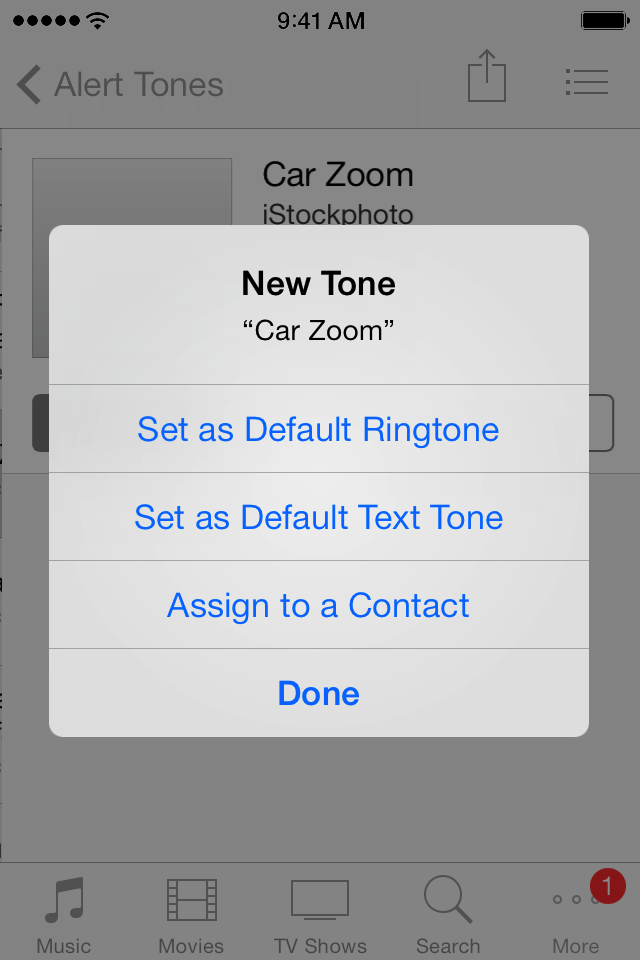
  3. Browse for tones. Once you purchase a tone, a dialog appears.
  4. Choose to set your new tone as your default ringtone or assign it to a contact. If you don't want to do anything with the tone, tap Done.
    User uploaded file
  5. Tones you purchase using your iOS device sync to your iTunes library when you connect your device to your computer. You can find tones on your device in Settings > Sounds.


It's possible there is an issue with the pacman tone itself. If so, report the issue to the iTunes Store:


Report a problem with an item purchased from the iTunes Store, App Store, Mac App Store, or iBooks Store - Apple Support
http://support.apple.com/en-us/HT204084


I hope this information helps ....


- Judy

This thread has been closed by the system or the community team. You may vote for any posts you find helpful, or search the Community for additional answers.

Text tone set correctly, but another tone is what I hear

Welcome to Apple Support Community
A forum where Apple customers help each other with their products. Get started with your Apple Account.
