Hello Gurt123123,
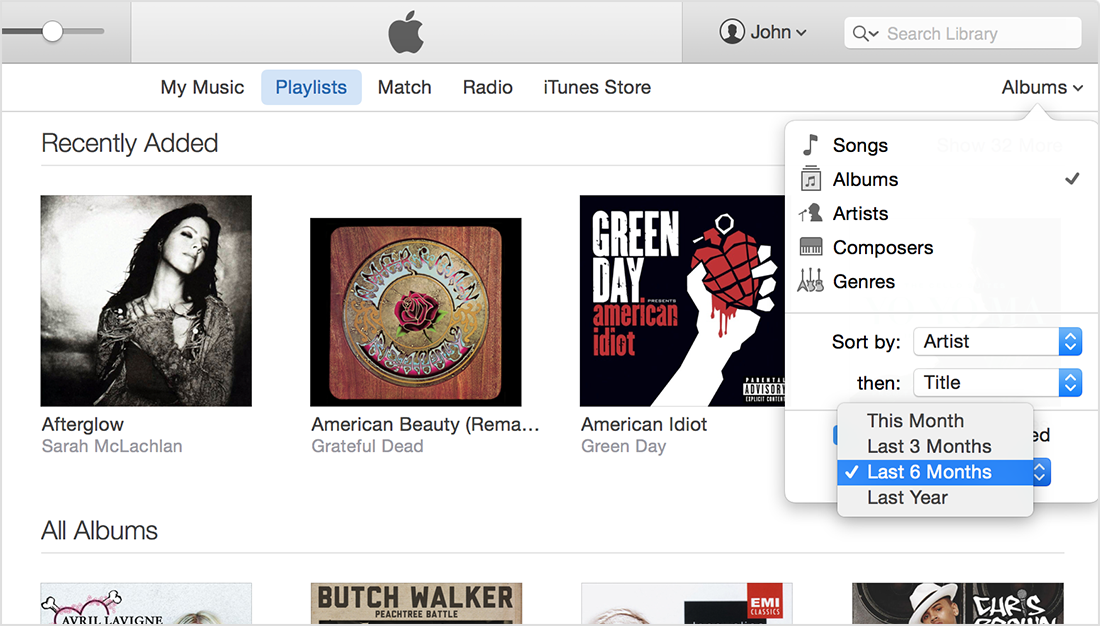
Look in the Album View in the upper right hand corner of the iTunes window and in the Albums view you will see an option for Recently Added and an option to turn it off will be there. The information below will give more information.
Using the new iTunes
http://support.apple.com/en-us/HT203128
Recently Added
iTunes puts recently added albums, movies, or TV shows at the top of your library, so that you can always find something new to play.
You can change the frequency Recently Added updates or turn it off completely in the view pop-up menu. The frequency options are This Month, Last 3 Months, Last 6 Months, and Last Year. Uncheck the box next to Show Recently Added to turn it off.
Regards,
-Norm G.


