How do you 'overlay' one graph onto another in Numbers?

I'm working on a survey and I want to show that the composition of my sample is representative of national trends in terms of gender, occupation, religious affiliation, etc. And I want to represent this graphically by, e.g., displaying the proportion of males and females in the UK population in a bar chart (49% and 51%), and then overlaying onto that the proportion of males and females in my survey (which is more like 40% and 60%), so that the two sets of figures are on top of one another and the reader can judge from that how representative my group is.


How do I do that in Numbers?

MacBook Pro (Retina, 13-inch, Late 2013), OS X Mavericks (10.9.1)

Posted on Feb 10, 2015 5:12 AM

Reply
4 replies

Feb 10, 2015 6:15 AM in response to Yellowbox

The problem with just dragging one on top of the other is that they still act as 2 different graphs. It's also difficult to make the one underneath visible.


A stacked column graph doesn't work either because that puts one column on top of the other. I want them laying on top of one another so that it's easier to compare their relative size. The best near solution I've found so far is to simply use a standard column graph, but with two series (one with the population data, one with my sample data). That puts the two columns for each category (male and female) side-by-side so you can compare easily, but it's not quite what I want.


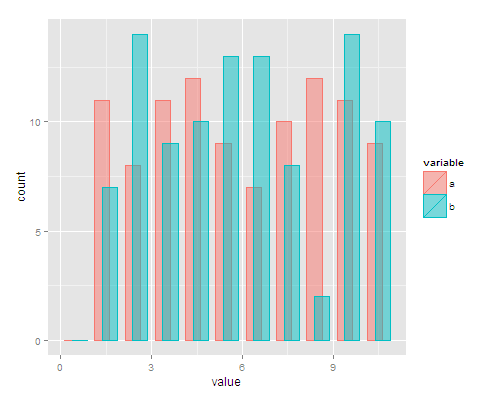
I want something more like this:


http://i.stack.imgur.com/0YGFD.png


It doesn't have to look exactly like that but hopefully you can see what I mean.

This thread has been closed by the system or the community team. You may vote for any posts you find helpful, or search the Community for additional answers.

How do you 'overlay' one graph onto another in Numbers?

Welcome to Apple Support Community
A forum where Apple customers help each other with their products. Get started with your Apple Account.