-
All replies
-
Helpful answers
-
May 26, 2015 7:27 AM in response to samplaireby joe_7399,Hi samplaire,
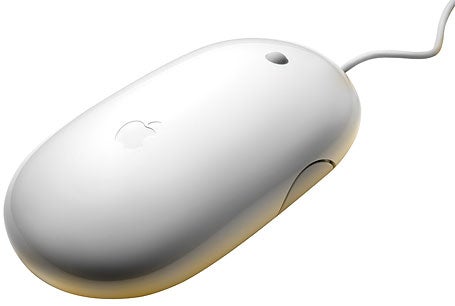
I understand that your USB Apple Mouse is not tracking the way you would like it to either vertically or horizontally. In this situation, I would recommend reading over the attached article for information on how to troubleshoot your mouse.
Troubleshooting wireless mouse and keyboard issues - Apple Support
Mouse does not track as expected (jittery, jumpy, slow, fast).
The Apple Wireless Mouse can be used on most smooth surfaces, however if tracking issues occur try these options:
- Choose System Preferences from the Apple () menu, then choose Mouse from the View menu. Set the Tracking slider to adjust how fast the pointer moves as you move the mouse.
- Try using a different surface to see if the tracking improves.
- Turn the mouse over and inspect the sensor window. Use compressed air to gently clean the sensor window if dust or debris is present.
- If multiple Bluetooth wireless devices are in use nearby, try turning them off one at a time to see if the issue improves. Bandwidth intensive devices could affect tracking.
Best regards,
Joe
-
May 30, 2015 6:18 AM in response to joe_7399by samplaire,Hi,
Thank you for your answer but as I wrote, I know where to change the mouse settings.
I have to add I was not precise in my question, sorry. I should have asked it in another subforum (Logic Pro X) but perhaps I'll find the answer here. So my problem is related with Logic X only. Every vertical scroll is ok but when it comes to a horizontal one I have to work hard to scroll - in the past, I believe in Logic 9 everything was ok and snooth. Now when I set the scrolling speed for the horizontal to be ok, the vertical is waaaaay to fast (not to mention other programs where I have to set the scroll speed to default to be able to operate). Can anybody help?
-
Jun 29, 2015 5:17 AM in response to joe_7399by TrimSail30,Had the exact same problem with the mouse tracking poorly, and occasionally not at all. Checked that Bluetooth was turned on, Checked Mouse in Preferences and it said batteries are 100%. Turned off mouse, removed battery cover, blew off sensor with compressed air can, and reassembeled Everything suddenly works normally. Thanks..
-
Dec 10, 2015 12:30 AM in response to samplaireby zmip,I find it quite amazing that there are no more people complaining about this. What samplaire is describing here, is exactly what I've noticed using a Logitech laser mouse (using shift-scrollwheel). I think it indeed changed in 10.9. And no, the Logitech Control center also doesn't allow me to change the vertical scroll speed independently from the horizontal scroll speed. This is really annoying, but luckily I don't use many applications that require me to scroll horizontally.
Before anyone jumping on this thread with well-meant advice on cleaning my mouse or changing the surface: this is a *software* issue, without doubt.
-
Dec 10, 2015 1:26 AM in response to zmipby zmip,Okay, I solved my particular case by purchasing a 3rd party mouse driver (USB Overdrive). Apparently, the Logitech Control Center driver is problematic on Mac OS X. But I'm still quite sure that a Mac OS X upgrade broke horizontal scrolling. Which doesn't mean it's Apple's fault, it could well be sloppy coding on Logitech's part.
-
Dec 10, 2015 3:07 AM in response to zmipby samplaire,This IS Apple's fault. I use the Apple wired mouse to find this behaviour. And I reproduced it on 3 or 4 computers after switching from 10.6.8 to 10.10 (10.9 too). Each of the computers was equipped with the same Apple mouse (not the same device but the same model). And NO, the systems are not upgraded ones but fresh clean installations. So I'll have a go with the USB overdrive while it sounds funny to fix inner Apple problem with a third party utility ;-)
-
Dec 10, 2015 3:20 AM in response to samplaireby zmip,You could be right. Using an original Apple mouse should work as before, but apparently it doesn't. But I do find it strange that there are not more people complaining. Maybe it's something particular to our setup. Or maybe hardly anyone scrolls horizontally (I think only a minute fraction of Mac users know that you can scroll horizontally with a scroll wheel-mouse using shift).
-
Jul 21, 2016 4:09 AM in response to zmipby Fieldman,I second to that. USB Overdrive set to scroll unaccelerated by 2 lines per signal works just so so... Not a permanent solution but gives me time to wage war with support for permanent solution.