Hi,
If you cannot Video Chat or Audio Chat using and AIM or Jabber account then Screen Sharing for those Accounst also will not work.
Current evidence is pointing to the SNATMAP server run that connects these chats.
This is being reported from iChat 5.0.3 in Snow Leopard upwards irrespective of updates.
However Starting an iMessages Video Chat invokes FaceTime (So does the Audio)
Since Yosemite the iMessages account can also Screen Share but like the Audio and Video chat it invokes an App Ouside Messages.
This needs to be Enabled.
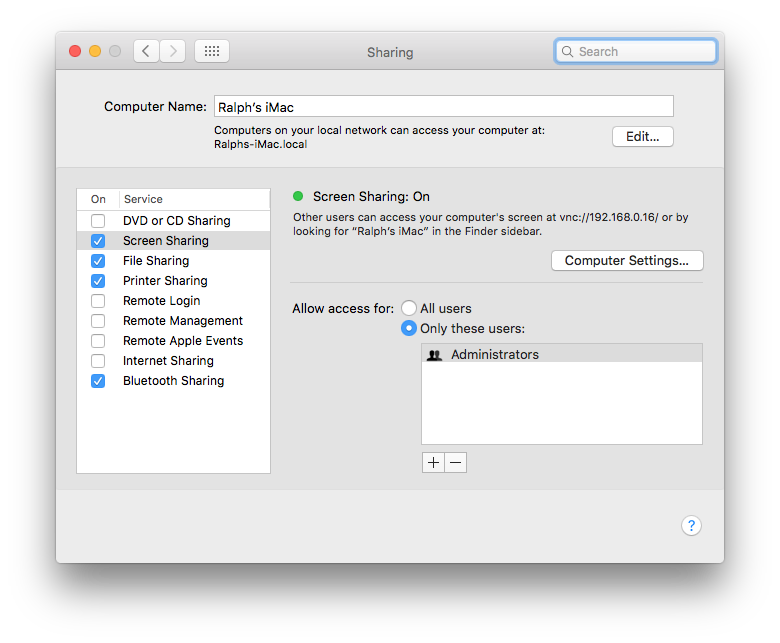
This is Screen Sharing in System Preferences > Sharing.
You probably need to change it to All Users as the other needs to have accounts on your Mac.
As you can see this make it a VNC connection.
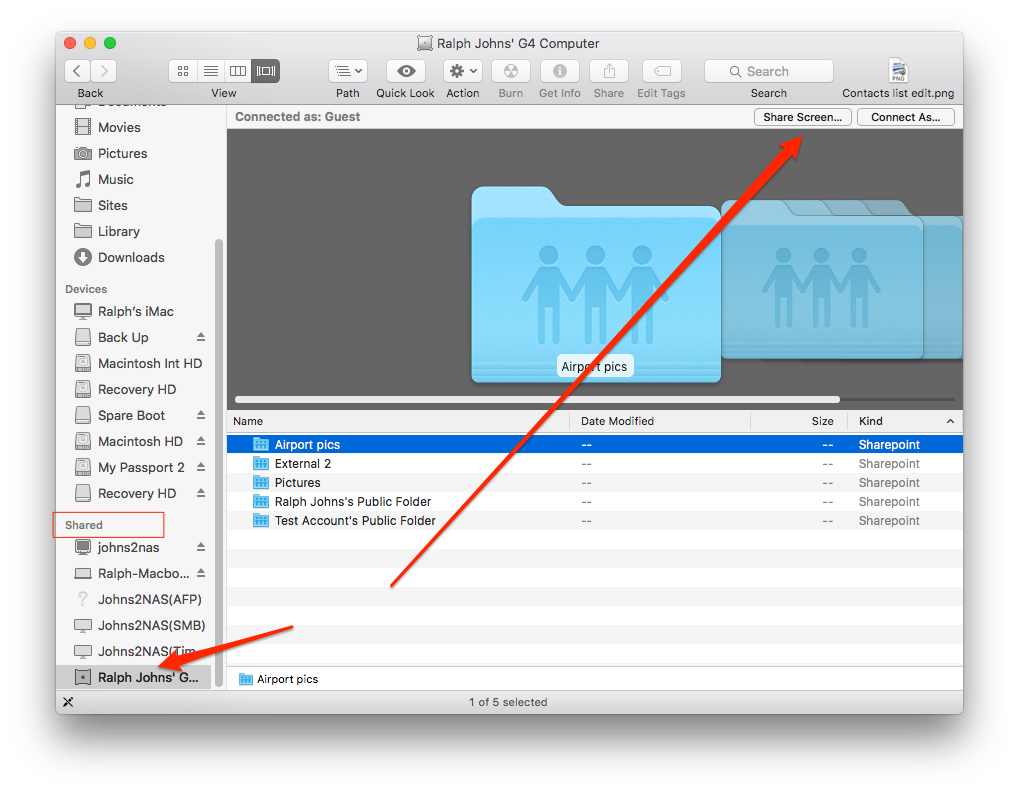
This is what the Finder's Side Bar uses when you use a Share in the List and click the Screen Share button
You can also use the Finder > Go Menu > Connect to Server and start the Server Address with VNC
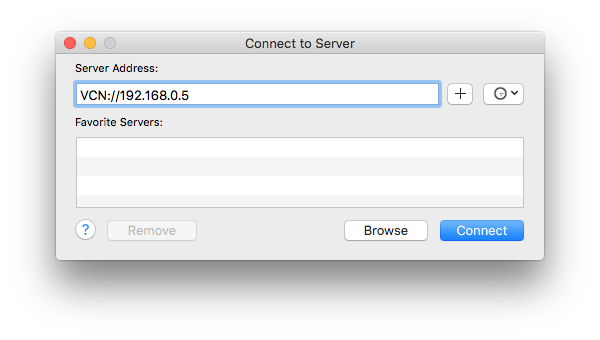
This Address is Local like the Shares in the Finder's Side bar.
You can use it over the internet but your have to have the ports open the Screen Sharing App uses in your routing device (and at the other end).
The Screen Sharing app is found in Hard Drive Name/System/Library/Core Services/Applications in Yosemite
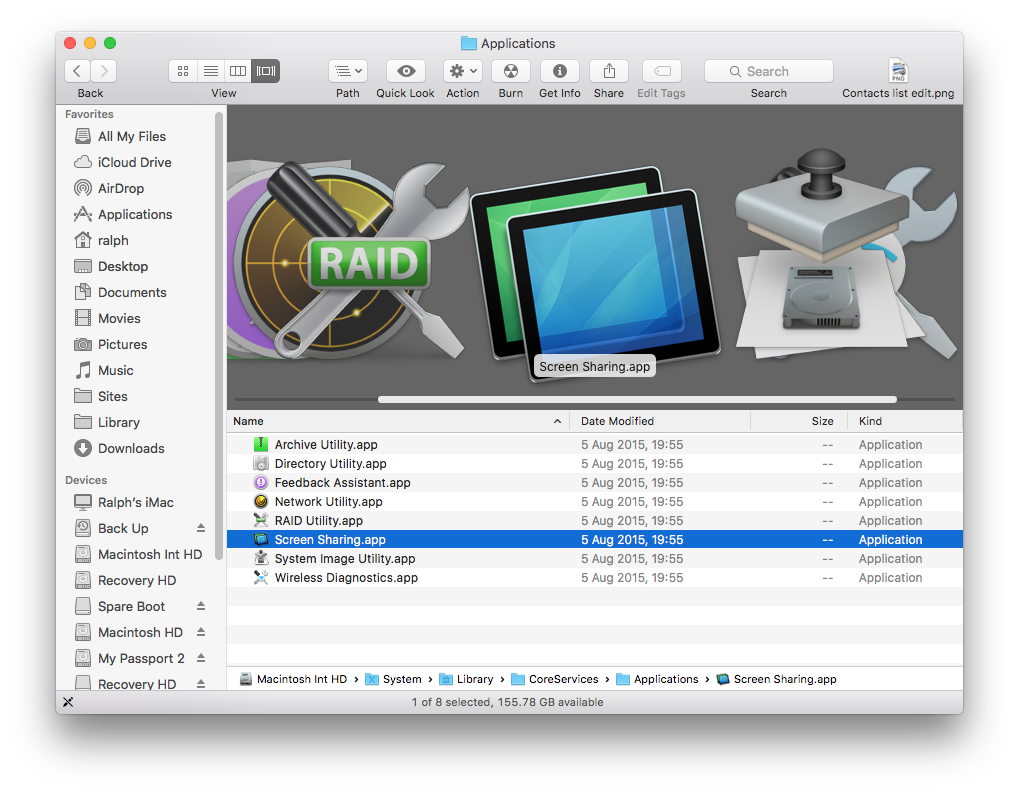
When iMessages starts this App it will appear in the DOCK.
So.
1) you have to be using the right account to the right person (Contact or Buddy)
2) You have to have Screen Sharing ON if iMessages (It is in the Video Menu for AIM and Jabber).
3) the Contact (if we are still talking iMessages) has to have the same things Enabled.
At this point the Details option should show the Screen Sharing icon as "live".
EDIT.
AS Any email can be an Apple ID anyone you add to a potential iMessages Chat will appear to be valid until you send a iMessages item.
If it is returned as "Not Delivered" or "Not Registered with iMessages" then it may not be an iMessages Contact.
trying to Video or Screen Share before texting is not advised.

8:36 p.m. Thursday; August 13, 2015
iMac 2.5Ghz i5 2011 (Mavericks 10.9)
G4/1GhzDual MDD (Leopard 10.5.8)
MacBookPro 2Gb (Snow Leopard 10.6.8)
Mac OS X (10.6.8),
Couple of iPhones and an iPad

