Howdy Alan,
Thanks for using the Apple Support Communities.
From your post I understand that you and your wife are seeing each other's call history. To start troubleshooting this issue, I'd like you to verify your iCloud settings are configured correctly on both iPhones. If your iPhone and your wife's iPhone are signed into the same iCloud account, then information is syncing between your devices.
- Tap Settings > iCloud on your iOS device. If you see the option to sign in, you can change your Apple ID now.
- Scroll down and tap Sign Out. In iOS 7 or earlier, tap Delete Account. After you sign out of iCloud, you might not be able to access some of your data that's stored in iCloud until you sign in again. If you're part of a family, you'll need to sign back in to use Family Sharing.
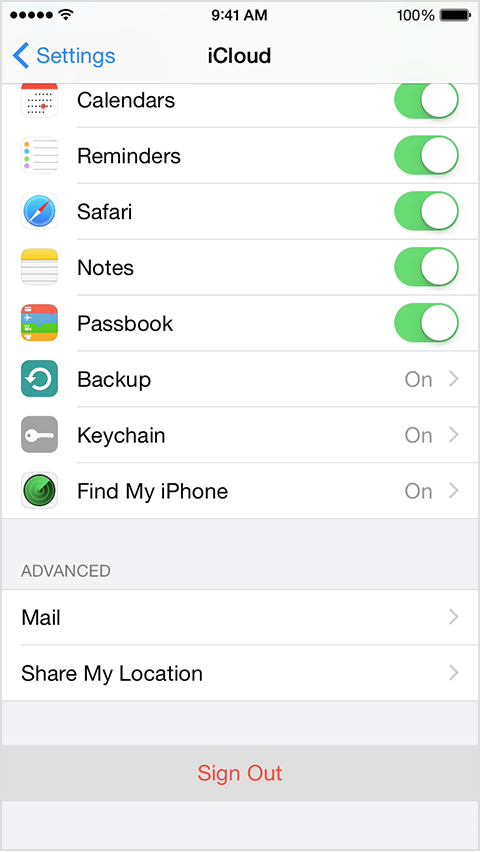
- Choose Keep on My iPhone or Delete from My iPhone.
- Enter your password.
- Go to Settings > iCloud and enter your Apple ID and password.
- Tap Sign In.
If you updated your Apple ID email address and your device repeatedly asks for the password to your previous Apple ID, you can temporarily change your Apple ID to resolve the issue.
Sign in with a different Apple ID on your iPhone, iPad, or iPod touch - Apple Support
Take care.


