Hello there, niloss.
From what you've described your friend would like to restore her iPhone 6 with a backup from her iPhone 5. To accomplish this, you must first get the iPhone 6 to the most recent version of the OS. The following Knowledge Base article walks through the two options available for doing that:
Update the iOS software on your iPhone, iPad, and iPod touch - Apple Support
The easiest way to update your device is wirelessly, also called “over the air.” Here’s how:
- Plug in your device to a power source.
- Tap Settings > General > Software Update.

- Tap Download and Install. Updates might download automatically while your device is connected to Wi-Fi and a power source.
- Tap Install, or tap Later to install the update later. If you use a passcode, you'll need to enter it before installing the update.
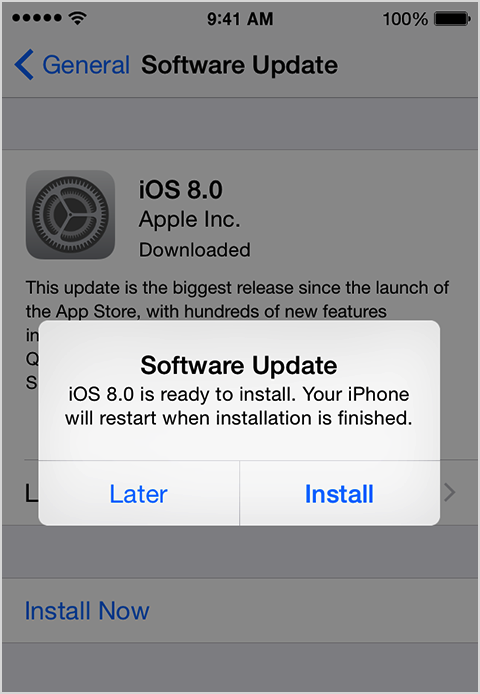
If you have some free space, but not enough to update over the air, you can either update using iTunes or delete content manually from your device. Whether you use iTunes or update over the air, you'll have the same amount of free space on your device after you update.
Some iOS software updates aren't available as over-the-air updates. VPN or proxy connections might prevent your device from contacting the iOS update servers.
If you can’t update wirelessly, or if you want to update with iTunes, follow these steps:
- Install the latest version of iTunes on your computer.
- Plug in your device to your computer.
- In iTunes, select your device.
- In the Summary pane, click Check for Update.
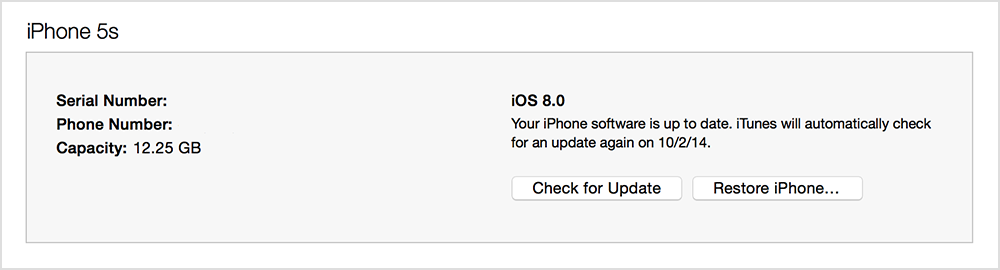
- Click Download and Update.
If you don't have enough free space to update using iTunes, you'll need to delete content manually from your device.
Find out what to do if you get other error messages while updating your device.
Once you've gotten the new iPhone up-to-date, then use the guidance from this article to restore from the backup:
Restore your device from an iCloud or iTunes backup - Apple Support
Thanks for being a part of Apple Support Communities.
Cheers.


