Accidentally deleted keynote, pages & numbers during resetting of macbook air

Hi everyone,


Anyone could help me on how to reinstall the keynote, pages, and numbers (iWork) on my macbook air without any payment required?


The story was.... I did a reset few weeks ago because i wanted to have it new again (like brandnew). Unfortunately, i accidentally pressed something that deleted all the applications and even the whole files stored. I went to authorised apple service, and they installed all the applications which EXCLUDES the iWork applications (they also collected payment). They advised me that i need to purchase and pay the complete iWork applications. Even though i explained that when i bought my macbook this March 2015 it has already iWork been installed. I refused to purchase.


Can anyone help me with this matter? Appreciate your kindness Friends.


Thank you so much..

Chen

MacBook Air (13-inch, Early 2014), iOS 8.4

Posted on Jul 20, 2015 7:22 AM

Reply
2 replies

Jul 22, 2015 6:48 AM in response to najij2

Hello Chen,

Thanks for using Apple Support Communities.


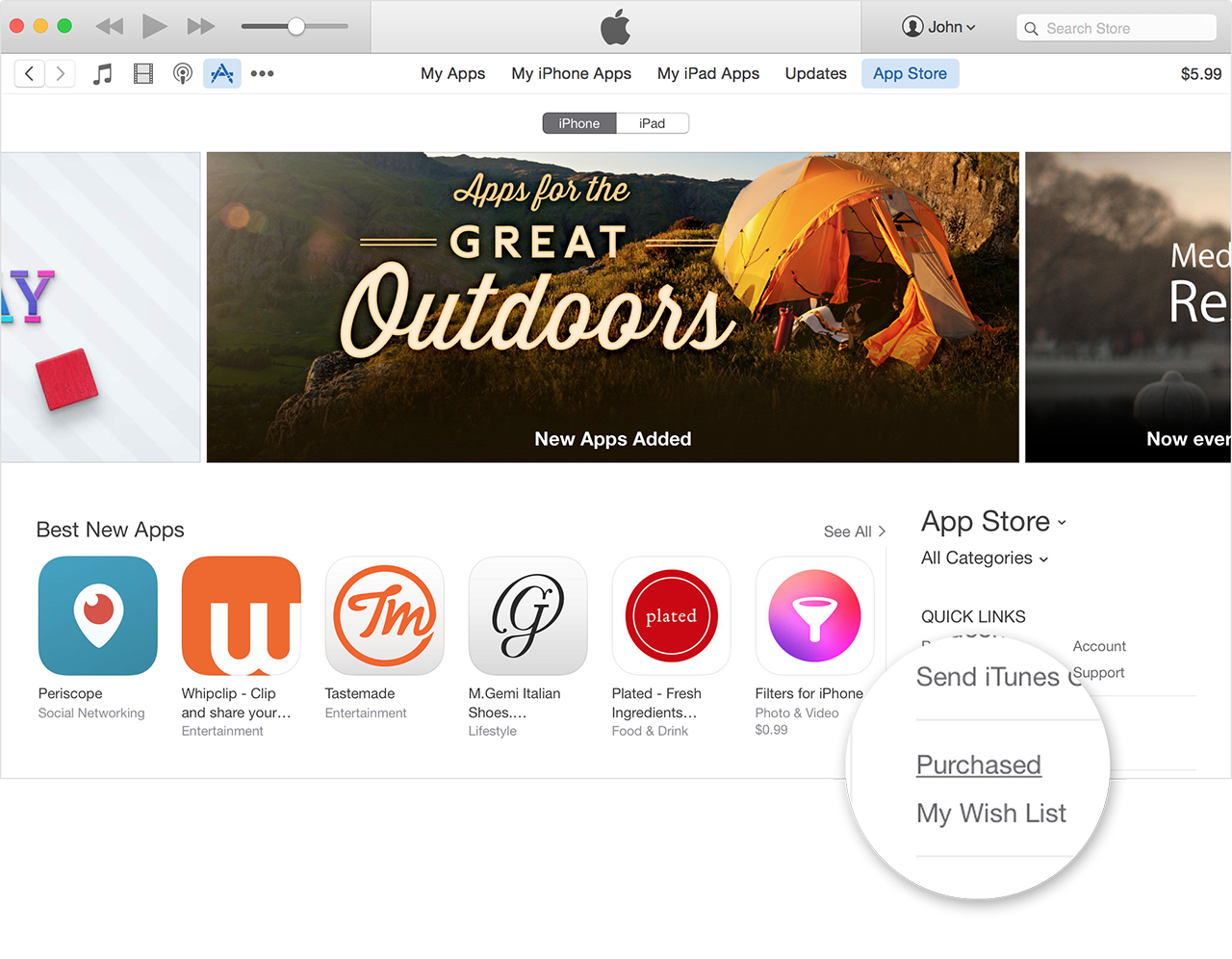
If Pages, Numbers, and Keynote came with your Mac, then all you need to do is download them from your previous purchases in the App Store. To download these apps please follow the steps below.


On a Mac or PC

  1. Open iTunes.
  2. Click More (three dots) in the upper-left corner.
  3. Choose Apps User uploaded file from the pop-up menu.
  4. If prompted, sign in with your Apple ID and password.
  5. Under Quick Links on the right side of the App Store, click Purchased.
    User uploaded file

Download past purchases from iTunes in the Cloud - Apple Support


Take care.

This thread has been closed by the system or the community team. You may vote for any posts you find helpful, or search the Community for additional answers.

Accidentally deleted keynote, pages & numbers during resetting of macbook air

Welcome to Apple Support Community
A forum where Apple customers help each other with their products. Get started with your Apple Account.