Hi Doughnut93,
If you don't want to be charged for the monthly Spotify subscription, you can turn off the Automatic renewal in your iTunes Store account.
View, change, or cancel your subscriptions - Apple Support
https://support.apple.com/en-us/HT202039
Subscriptions that renew automatically include:
Online memberships or subscriptions to services such as HBO NOW, Spotify, Netflix, Pandora, Hulu, etc.
Click to open iTunes and sign in to your Account Information, or use the steps below:
- Open iTunes.
- Click Sign In and enter your Apple ID.

- Click your name, and select Account Info from the drop-down menu.
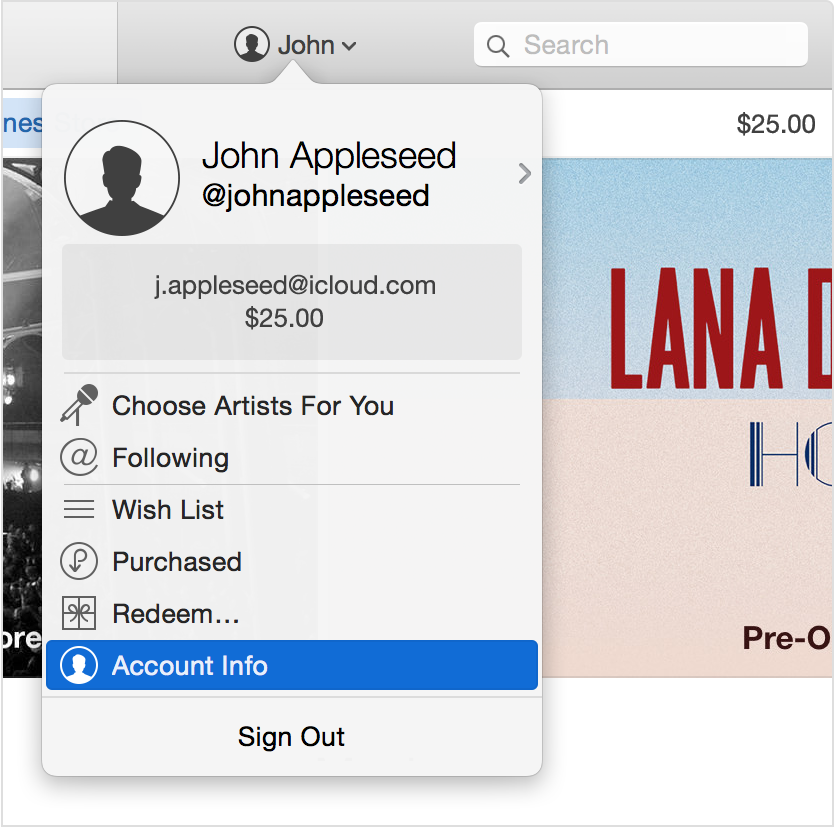
- Enter your password again.
On the Account Information screen:
- Scroll to the Settings section.
- To the right of Subscriptions, click Manage.
If you don't see a subscription in iTunes and are still being charged, make sure that you're signed in with the correct Apple ID. If so, you might have subscribed directly with the provider and not through iTunes. In this case, please contact the content publisher or app developer directly to cancel your subscription.
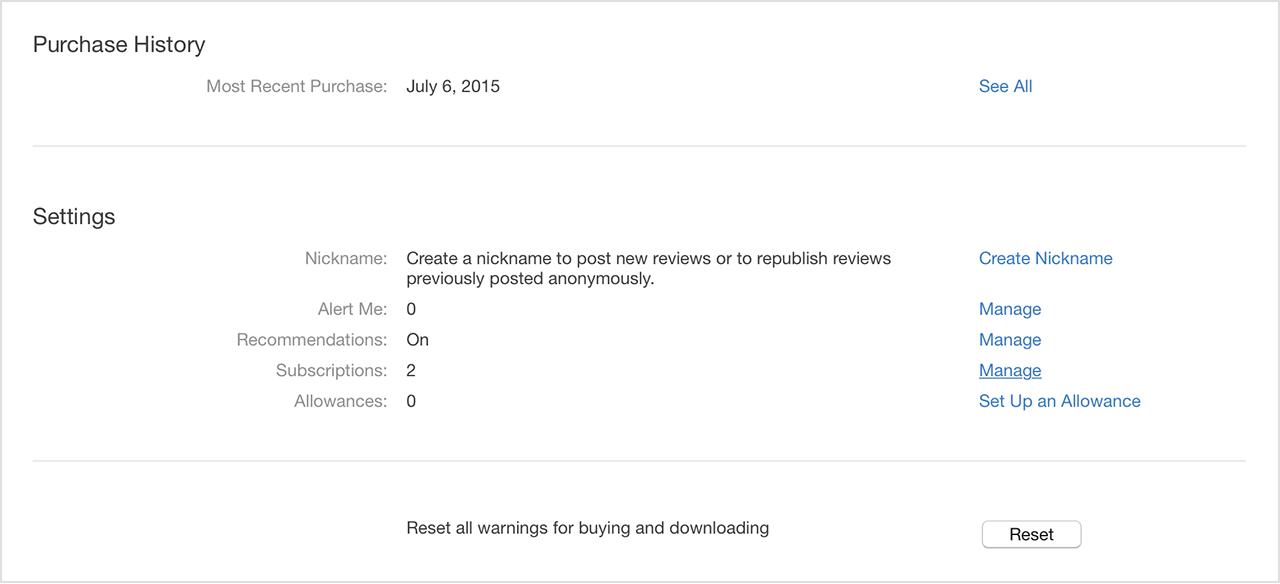
- Choose the subscription you want to manage.
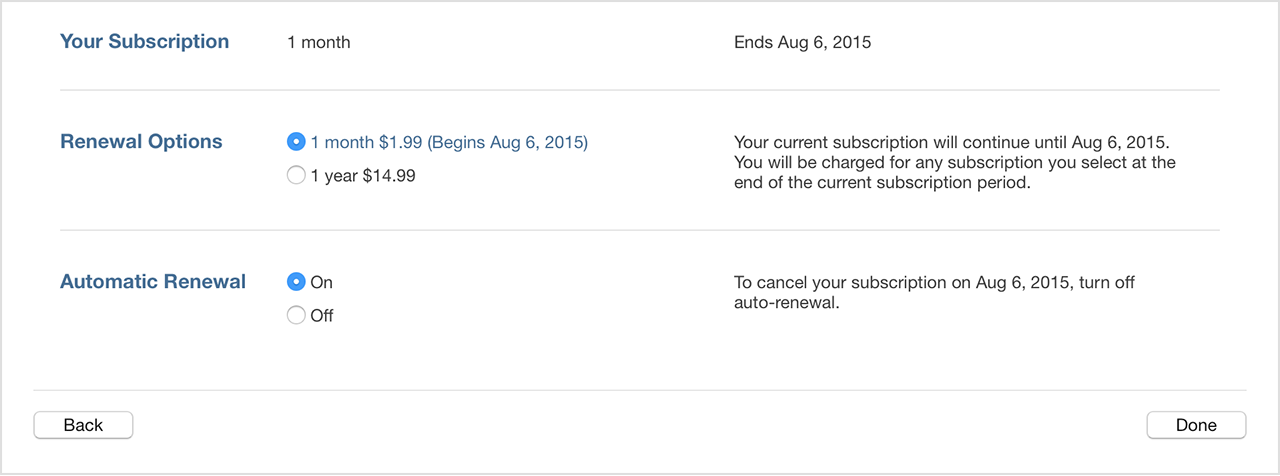
- Use the options to manage your subscription. You can choose a different subscription period, or turn off Automatic Renewal.
Turn off Automatic Renewal to cancel a subscription. Your subscription will stop at the end of the current billing cycle.

iTunes Store charges on credit and debit card statements - Apple Support
https://support.apple.com/en-us/HT201382
If you have any questions about the Spotify service, you can contact the app developer:
https://itunes.apple.com/us/app/spotify-music/id324684580?mt=8
Regards,


