Xo.diosa

Q: Screen unresponsive and battery drained

I'm not sure if these issues are linked to one another, but I'll go ahead and list them within this Same thread in case they are.


Lately, my screen will randomly become unresponsive. The light will dim slightly & then the screen will be frozen. Either I wait a second And it becomes responsive again, or I have to lock and then unlock it.


Last night I charged my phone to 100% and then took if off the charger. I fell asleep & when I woke up 2 hours later, my phone was very hot, the battery had drained to 19%, a text I tried to send was still "sending" and apparently I received 2 FaceTime calls (but there was no notification of this). I turned my phone off, let it cool down, then turned it back on to let it charge again, and everything was fine after that.


when I turn my phone off, it dies, or restarts in order to update, I receive a notification "unable to download item, please try again". The software is updated, but I'm Not sure what "item" my phone is constantly trying to download.


Im wondering if any of this has to do with my charger. I'm not using an Apple charger, but it is made for my iphone5s. It's not one of the flat cord chargers (because I heard those can cause over heating).


Im not sure if any of these things are related, but if anyone has any insight, that would be great!

thank you.

iPhone 5s, iOS 8.4

Posted on Aug 12, 2015 6:55 AM

Close

Q: Screen unresponsive and battery drained

  • All replies
  • Helpful answers

  • by brenden dv,

    brenden dv brenden dv Aug 14, 2015 6:51 AM in response to Xo.diosa
    Community Specialists
    Aug 14, 2015 6:51 AM in response to Xo.diosa

    Hi Xo.diosa,


    I'm sorry to hear you are having these issues with your iPhone. Given the charging/power issues you are describing, if at all possible you may want to test with an Apple manufactured charger and cable, or at least double-check that your current 3rd party charger/cable are Apple certified, as noted in the following article:


    Charge your iPhone and iPod touch - Apple Support


    If you continue to have multiple power or user interface issues, you may want to make sure you have a current backup of your data, then try reinstalling a fresh copy of the operating system as outlined in this article (the article is aimed at a slightly different issue, but the steps are still useful in a situation such as this):


    If your device turns on but gets stuck during start up

    You might see the Apple logo or a red or blue screen for a long time during start up. Try these steps:

    1. Connect your device to a computer and open iTunes. If you don't have a computer, you can borrow one, or go to an Apple Retail Store or Apple Authorized Service Provider for help. 
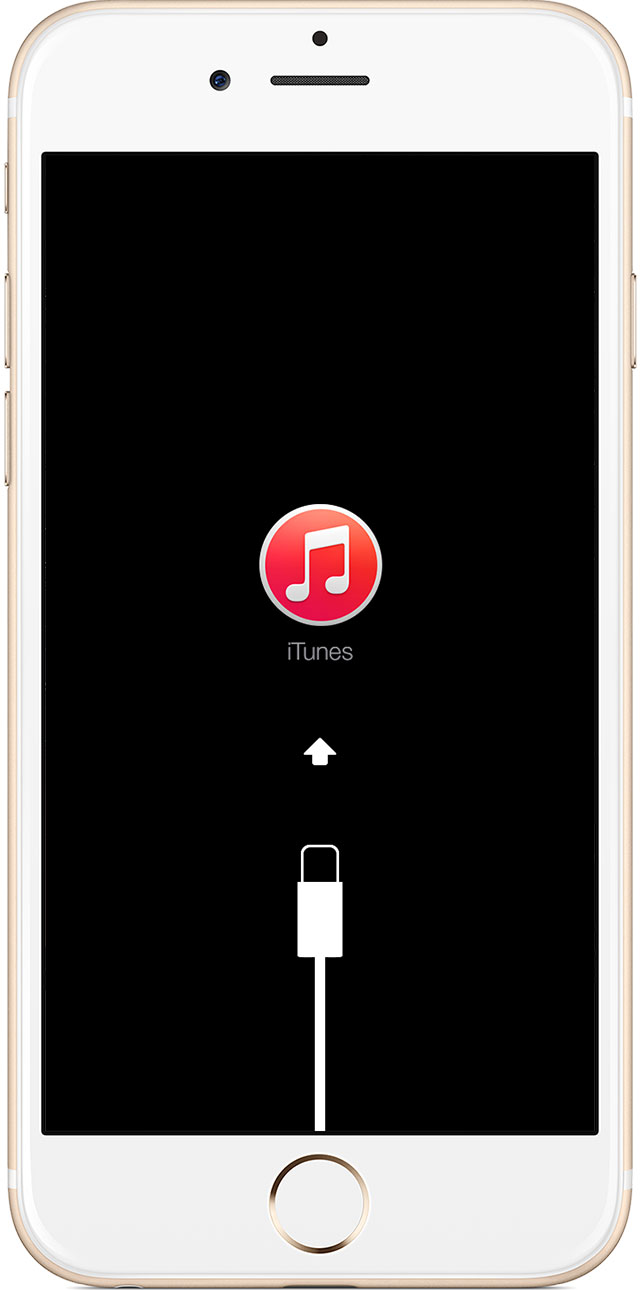
    2. While your device is connected, force it to restart. Press and hold the Sleep/Wake and Home buttons at the same time. Don't release when you see the Apple logo. Keep holding until you see the Recovery mode screen.
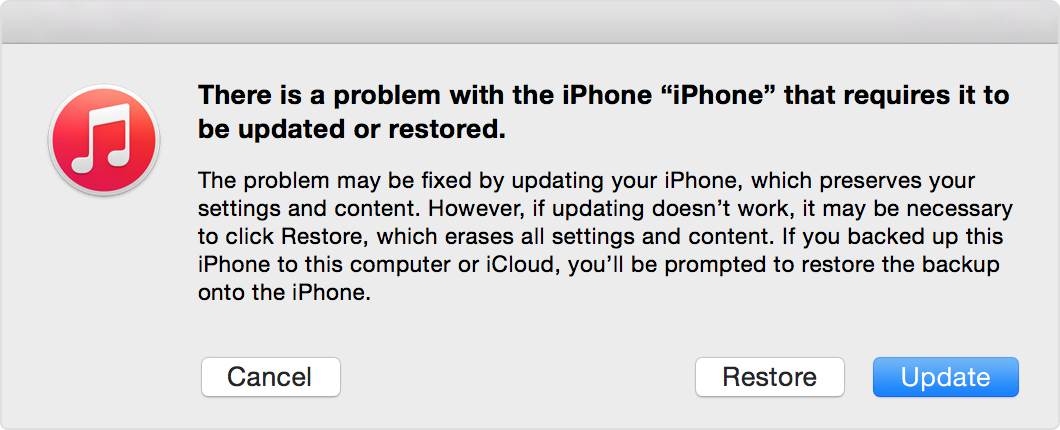
    3. When you get the option to restore or update, choose Update. iTunes will try to reinstall iOS without erasing your data.

    iTunes will download the software for your device. If it takes more than 15 minutes, your device will exit recovery mode and you'll need to repeat steps 2 and 3 again.


    If your iPhone, iPad, or iPod touch doesn't respond or doesn't turn on - Apple Support


    Regards