Try holding the home and power buttons down simultaneously until you see the Apple logo.
If that doesn't work, you can try this method (it will completely erase the device):
If you've synced your device with iTunes, you can restore your device.
- Connect your device to the computer you synced with.
- Open iTunes. If asked for a passcode, try another computer you've synced with, or use recovery mode.
- Wait for iTunes to sync your device and make a backup. If it doesn't, learn what to do.
- Once the sync and backup have finished,click Restore [your device].
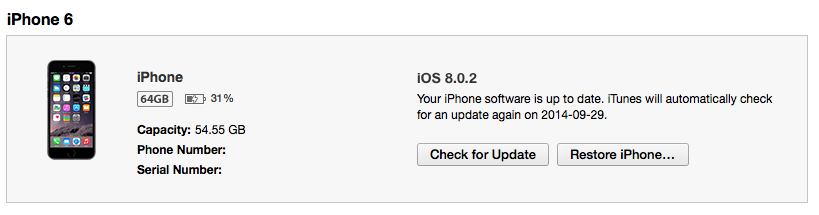
- When you reach the Set Up screen while restoring your iOS device, tap Restore from iTunes backup.
- Select your device in iTunes. Look at the date and size of each backup and pick the most relevant one.
If that doesn't work, click here.