reset all setting without success. Any advice?
Since installing iOS 8.4.1, my iCloud has been constantly upgrading. I cannot access iCloud. I have reset all setting without success. Any advice?
iPad Air, iOS 8.4.1
Since installing iOS 8.4.1, my iCloud has been constantly upgrading. I cannot access iCloud. I have reset all setting without success. Any advice?
iPad Air, iOS 8.4.1
What do you mean by "Constantly Upgrading"?
Click on setting, click on iCloud, look at the iCloud tab - it indicates that it's "upgrading"
it it has been upgrading for several day!
Follow these steps (it will completely erase the device)
Restore using recovery mode
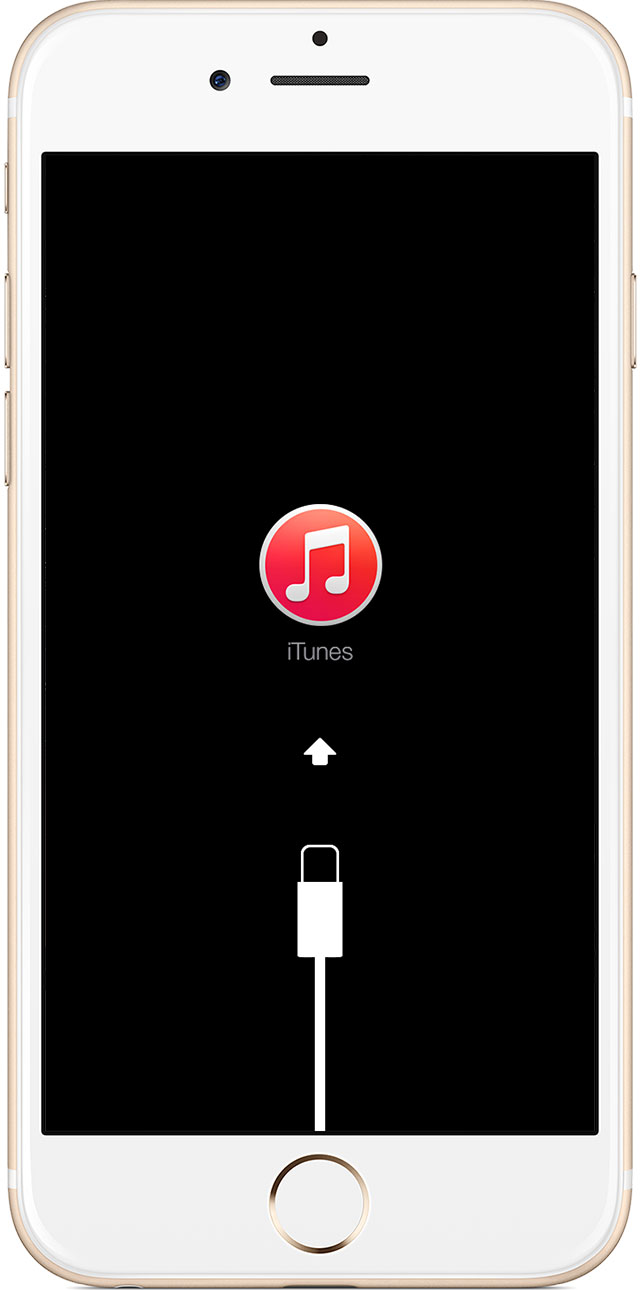
If you've never synced with iTunes or set up Find My iPhone in iCloud, you'll need to use recovery mode to restore your device. This will erase the device and its passcode.
- Connect your iOS device to your computer and open iTunes. If you don't have a computer, borrow one from a friend, or go to an Apple Retail Store or Apple Authorized Service Provider.
- While your device is connected, force restart it: Press and hold the Sleep/Wake and Home buttons at the same time. Don't let go when you see the Apple logo — keep holding until you see the recovery mode screen.
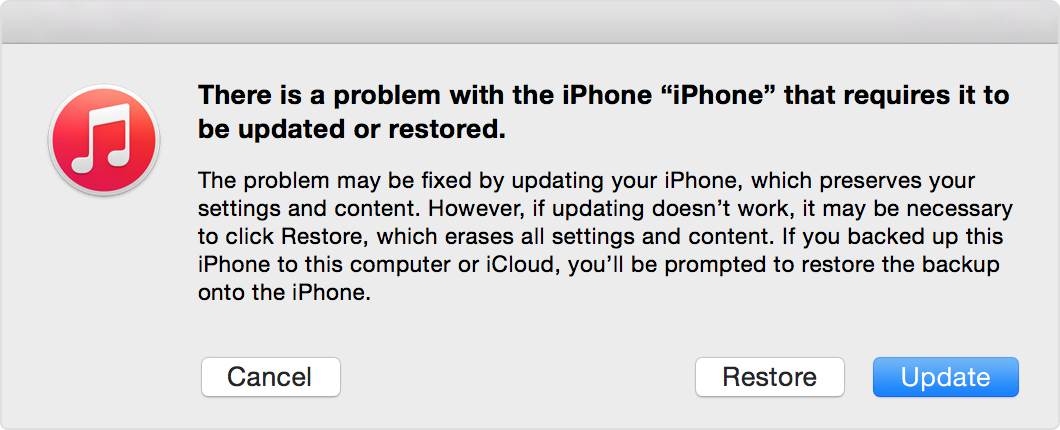
- When you see the option to Restore or Update, choose Restore.
iTunes will download software for your device. If it takes more than 15 minutes, your device will exit recovery mode and you'll need to repeat steps 2 and 3.- Wait for the process to finish. Then you can set up and use your device.
Note - I was told in the Apple Store to reset all settings to try and get the iCloud application operational.
that is the only reason why I'm resetting my iPad Air 2
reset all setting without success. Any advice?