how to get photos from lock phone
hi
i have i phone 6 & it has touch issue
so is there any trick to backup my photos & data from that
iPhone 6, iOS 8.4.1
hi
i have i phone 6 & it has touch issue
so is there any trick to backup my photos & data from that
iPhone 6, iOS 8.4.1
Hello aditya81,
Thanks for using Apple Support Communities.
If your iPhone's screen is unresponsive and you're trying to back up your data before getting it serviced, then you can try plugging the device into the computer that you sync with, and then back it up using iTunes.
Make a backup using iTunes
- Open iTunes and connect your device to your computer.
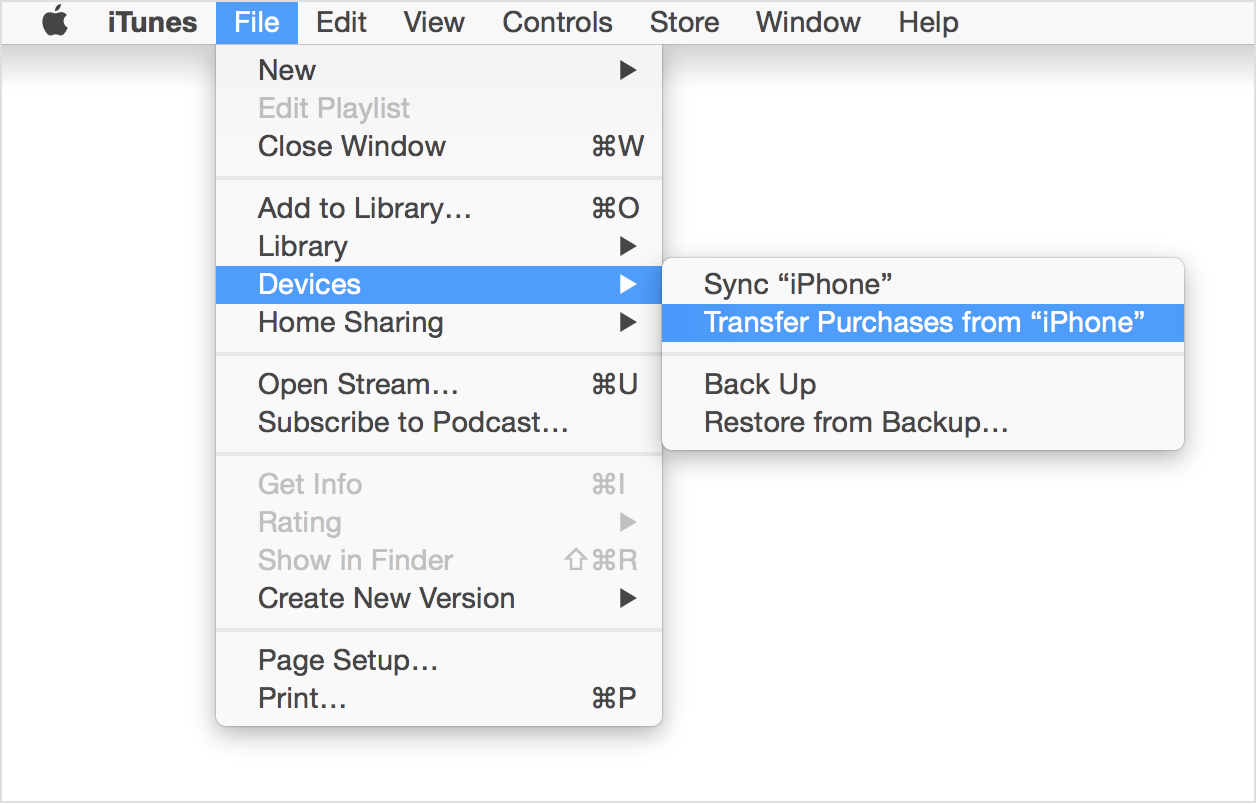
- Save content that you downloaded from the iTunes Store or App Store by clicking File > Devices > Transfer Purchases. If you're using Windows and you don't see a File menu, press the Alt key.
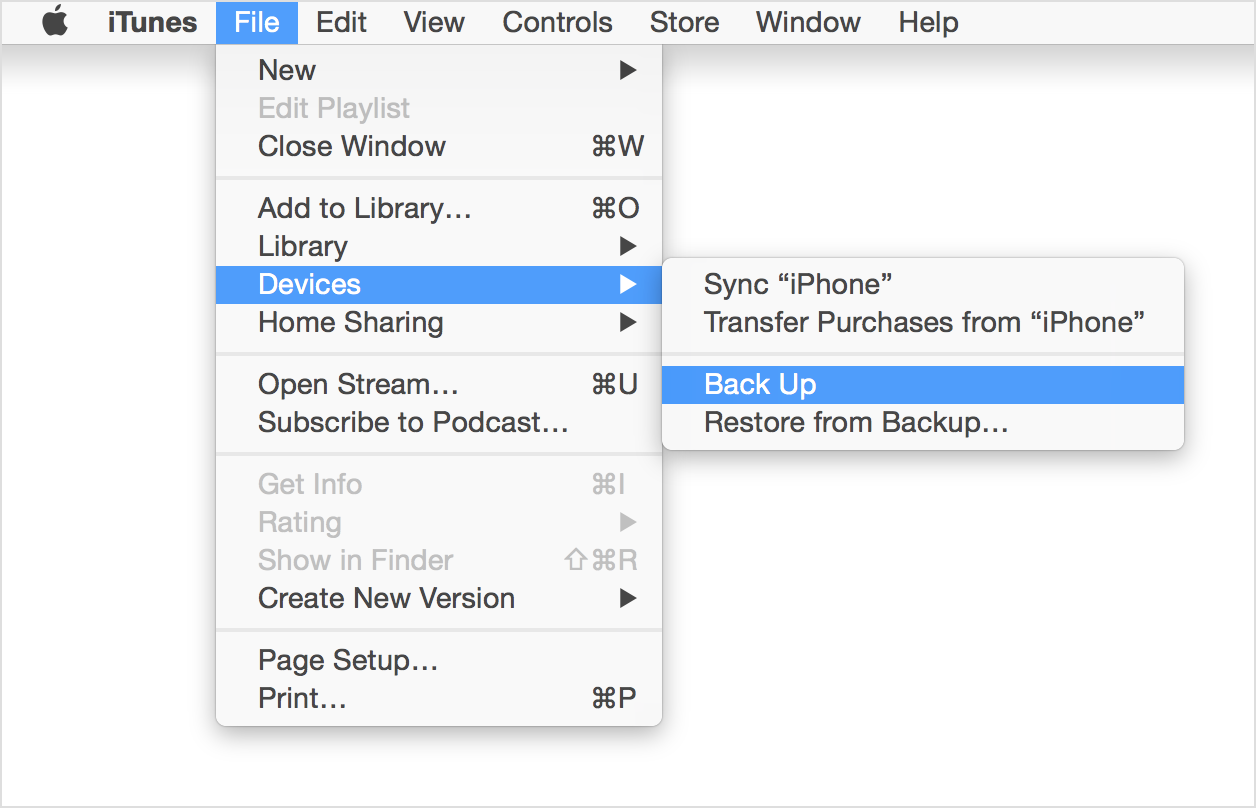
- Wait for iTunes to finish transferring your purchases. Then, click File > Devices > Back up. If you're using Windows and you don't see a File menu, press the Alt key.
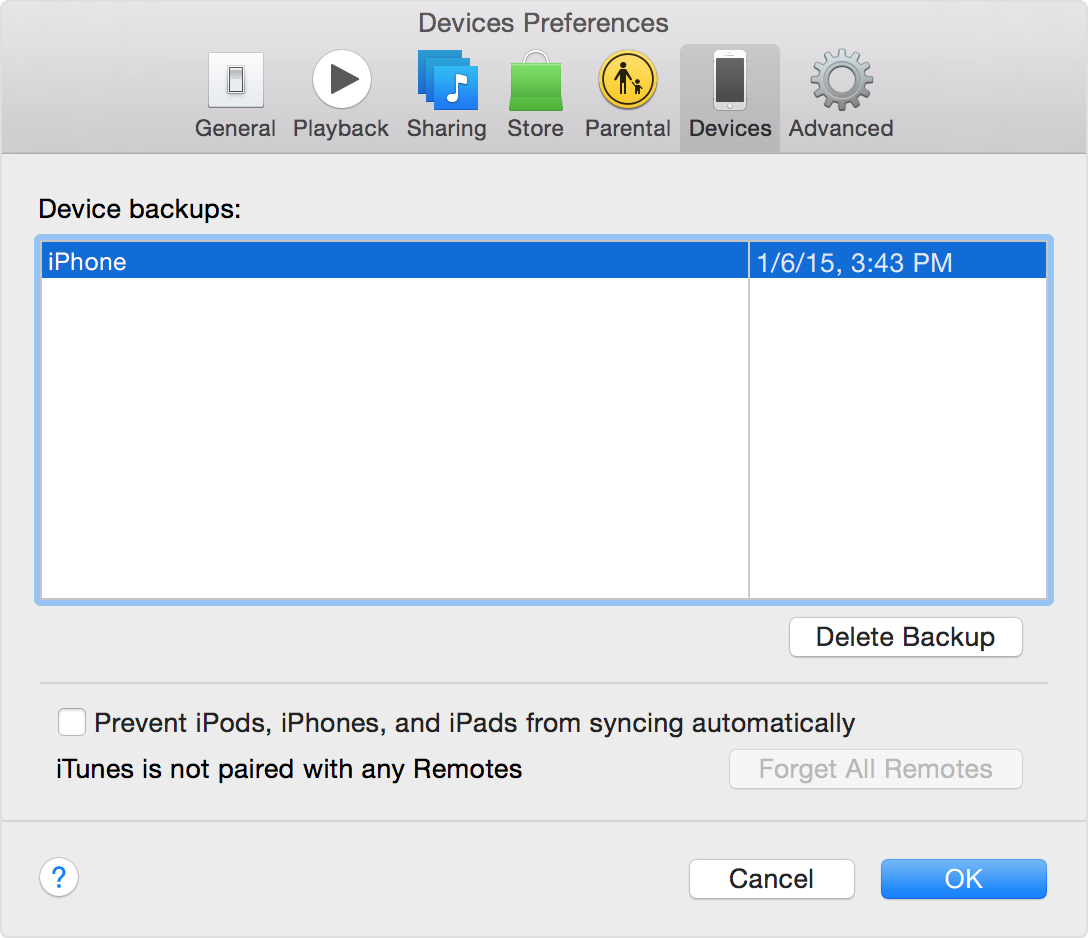
- After the process ends, you can see if your backup finished successfully by clicking iTunes Preferences > Devices. You should see the name of your device with the date and time that iTunes created the backup.
How to back up your devices using iCloud or iTunes - Apple Support
Take care.
how to get photos from lock phone