I created a master pw to keep my daughter for loading apps. I cannot remember it now. How can I recover that pw or reset?

We need to access the app store to download app for school but cannot access the store. Where is settings can I reset the master password?

iPad Air Wi-Fi, iOS 7.0.1

Posted on Aug 28, 2015 1:34 PM

Reply
1 reply

Aug 28, 2015 1:57 PM in response to Spinner roo

You can change that restrictions in Settings>>General>>Restrictions. If you've forgotten that passcode, you will need to erase the device and set up as NEW. Restoring from backup will only restore the restrictions passcode.

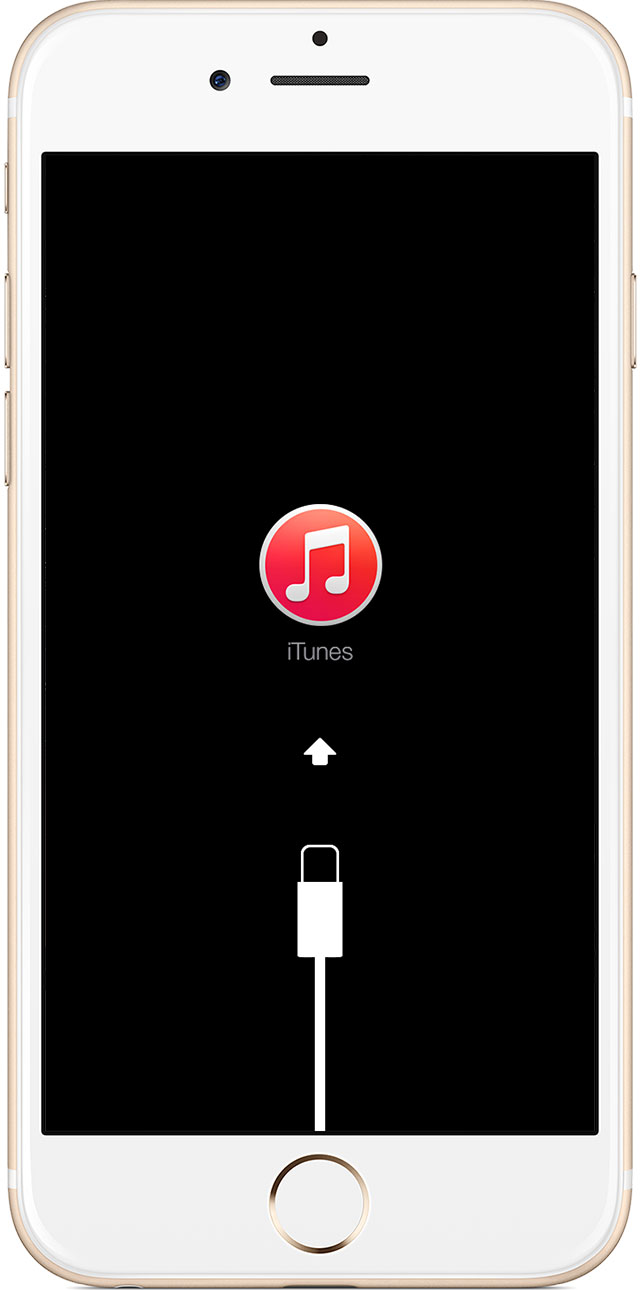
Restore using recovery mode


  1. Connect your iOS device to your computer and open iTunes. If you don't have a computer, borrow one from a friend, or go to an Apple Retail Store or Apple Authorized Service Provider.
  2. While your device is connected, force restart it: Press and hold the Sleep/Wake and Home buttons at the same time. Don't let go when you see the Apple logo — keep holding until you see the recovery mode screen.
    User uploaded file
  3. When you see the option to Restore or Update, choose Restore.
    User uploaded file
  4. If the process takes more than 15 minutes, iTunes will automatically exit Recovery Mode and you'll have to start again.

This thread has been closed by the system or the community team. You may vote for any posts you find helpful, or search the Community for additional answers.

I created a master pw to keep my daughter for loading apps. I cannot remember it now. How can I recover that pw or reset?

Welcome to Apple Support Community
A forum where Apple customers help each other with their products. Get started with your Apple Account.