Hello there, KBol02.
It sounds like you're having issues changing your payment information for the iTunes Store. The following Knowledge Base article proves to be a great resource for how to accomplish this:
Change or remove your Apple ID payment information in the iTunes Store - Apple Support
Click to open iTunes and sign in from the Account Information page, or use the steps below:
- Open iTunes.
- Click Sign In and enter your Apple ID.

- Click your name and select Account Info from the drop-down menu. You'll be asked to sign in again.
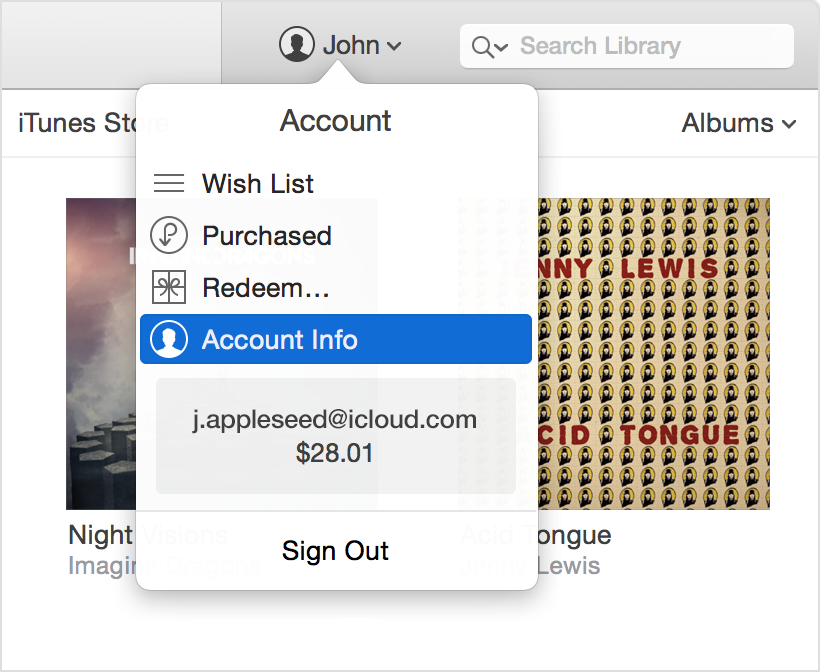
Then use these steps to update your payment information:
- From the Account Information page, click Edit to the right of Payment Type. You can see which payment methods the iTunes Store accepts in the Payment Type section. If you're using Family Sharing, only the family organizer can update the payment information. Learn more about payment information and Family Sharing.

- Change or remove your information. To remove the payment method, select None.
See what to do if you don't see None or can't select it.

- Click Done.
After you change your payment information, the iTunes Store places a temporary authorization hold on your credit card to verify your updated account information.
Additionally:
If you need help changing your payment information, credit card details, or billing information, contact iTunes Store support.
Thanks for being a part of Apple Support Communities.
Cheers.


