iPhone 6s Plus not turning on

Got my iPhone 6s Plus today, very impressed.


Finally got all the apps installed to mirror my previous iPhone and decided to switch it off to see how the start up times compare to my last iPhone.


Now the phone will not switch on, screen is blank, nothing happens when I press the home button.

If I press the on/off button for 2 seconds the apple logo displays on the screen for 30 seconds and then returns to a blank screen.

IF I press the home and on/off button together for 5 seconds Apple logo appears for 30 seconds and then returns to blank screen.


HELP!!!

Posted on Sep 25, 2015 9:42 AM

Reply
3 replies

Sep 26, 2015 10:07 AM in response to trev6262

Hello trev6262,
Congrats on your new iPhone 6s Plus and glad you like. I know that having issues with it right of the gate is not fun, but let's see if we can get this sorted out.
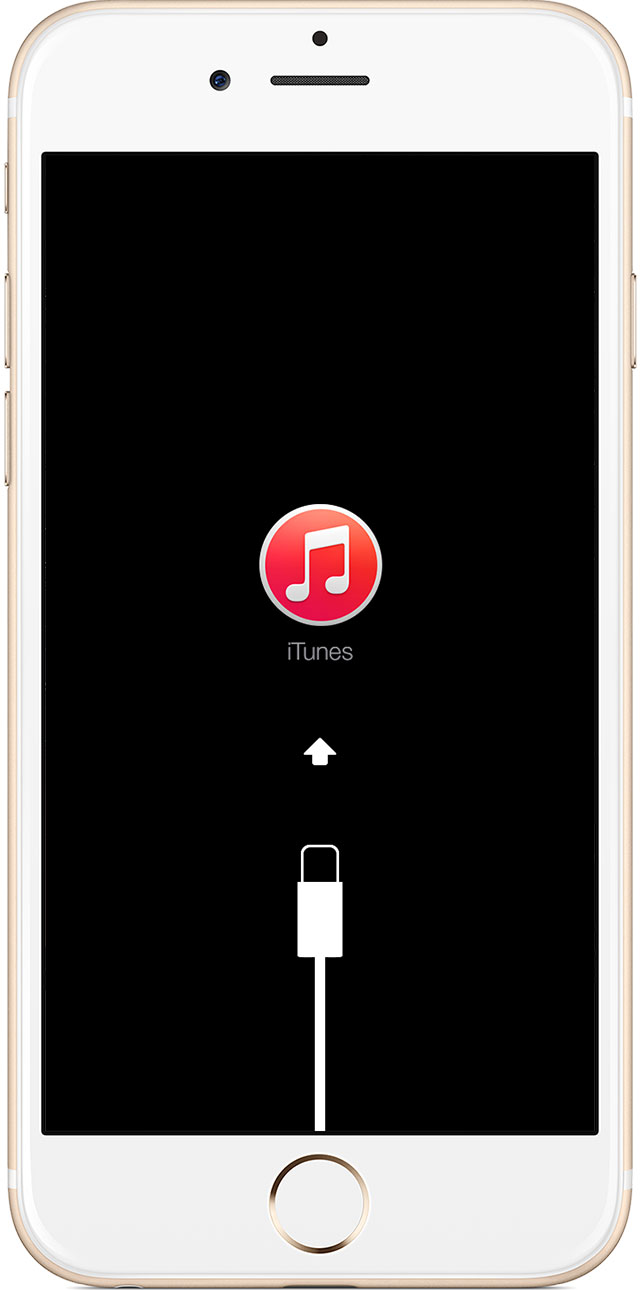
Because you are continuously getting the Apple logo and nothing further, then you will need to put your iPhone into recovery mode and then plug it into your computer to either update or restore it. For more details take a look at the information below.
If your iPhone, iPad, or iPod touch doesn't respond or doesn't turn on
https://support.apple.com/en-us/HT201412

If your device turns on but gets stuck during start up

You might see the Apple logo or a red or blue screen for a long time during start up. Try these steps:

  1. Connect your device to a computer and open iTunes. If you don't have a computer, you can borrow one, or go to an Apple Retail Store or Apple Authorized Service Provider for help.
  2. While your device is connected, force it to restart. Press and hold the Sleep/Wake and Home buttons at the same time. Don't release when you see the Apple logo. Keep holding until you see the Recovery mode screen.
    User uploaded file
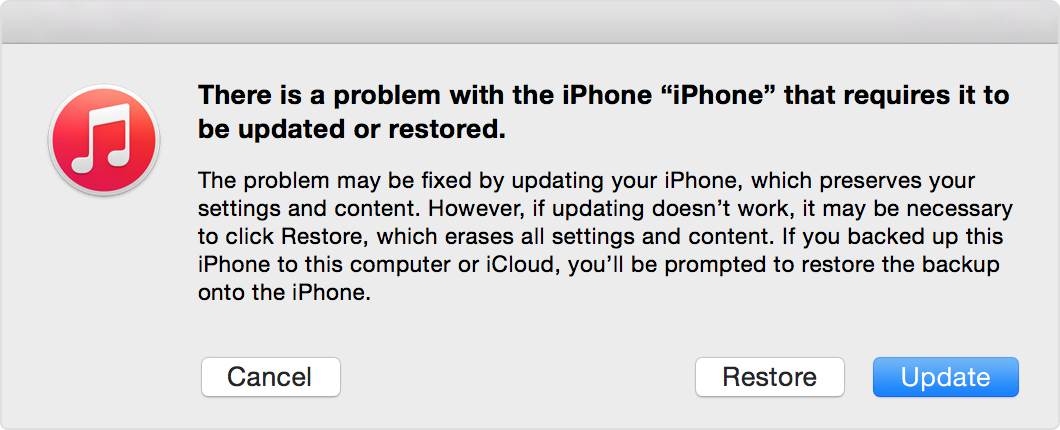
  3. When you get the option to restore or update, choose Update. iTunes will try to reinstall iOS without erasing your data.
    User uploaded file

iTunes will download the software for your device. If it takes more than 15 minutes, your device will exit recovery mode and you'll need to repeat steps 2 and 3 again.

Take care

Sep 27, 2015 7:19 AM in response to norm123

Sorted it out on Friday night after my original post. Had to switch on the iMac and plug it in. Sure enough it did the sequence that you described above.


Only after I had seen the prompt on the Mac did I remember that after I had everything loaded up the first time, I started the update to v9.0.1 and I remember it really didn't take very long, now in hineside I figure the update must have failed, only partly updating, this probably didn't impact the phone until I switched it off and on.


Anyway updated via iTunes on the iMac and now we are all sorted. Thanks.

This thread has been closed by the system or the community team. You may vote for any posts you find helpful, or search the Community for additional answers.

iPhone 6s Plus not turning on

Welcome to Apple Support Community
A forum where Apple customers help each other with their products. Get started with your Apple Account.