Half lock screen and half notification screen show up together but are inaccessible on iPhone 6 after ios9.1 upgrade

After the second update ios9 my iPhone 6 didn't work properly as it used to. Yesterday, the notification screen and lock screen show up at the same time with half of each covered or hidden by the other so it is impossible to access neither with touch. When I triple click the home button, all open apps show up with only half of it to be seen but i cant do anything. How do I fix this problem.. I tried turning the phone off but I cannot access the slide button as it is under the notification screen. The arrow to open/hide the notification screen had disappeared too so there no way to slide it back up....HELP

iPhone 6, iOS 9.0.1

Posted on Sep 28, 2015 3:54 PM

Reply
2 replies

Sep 29, 2015 10:05 PM in response to Lisada

Howdy Lisada,

Welcome to Apple Support Communities.


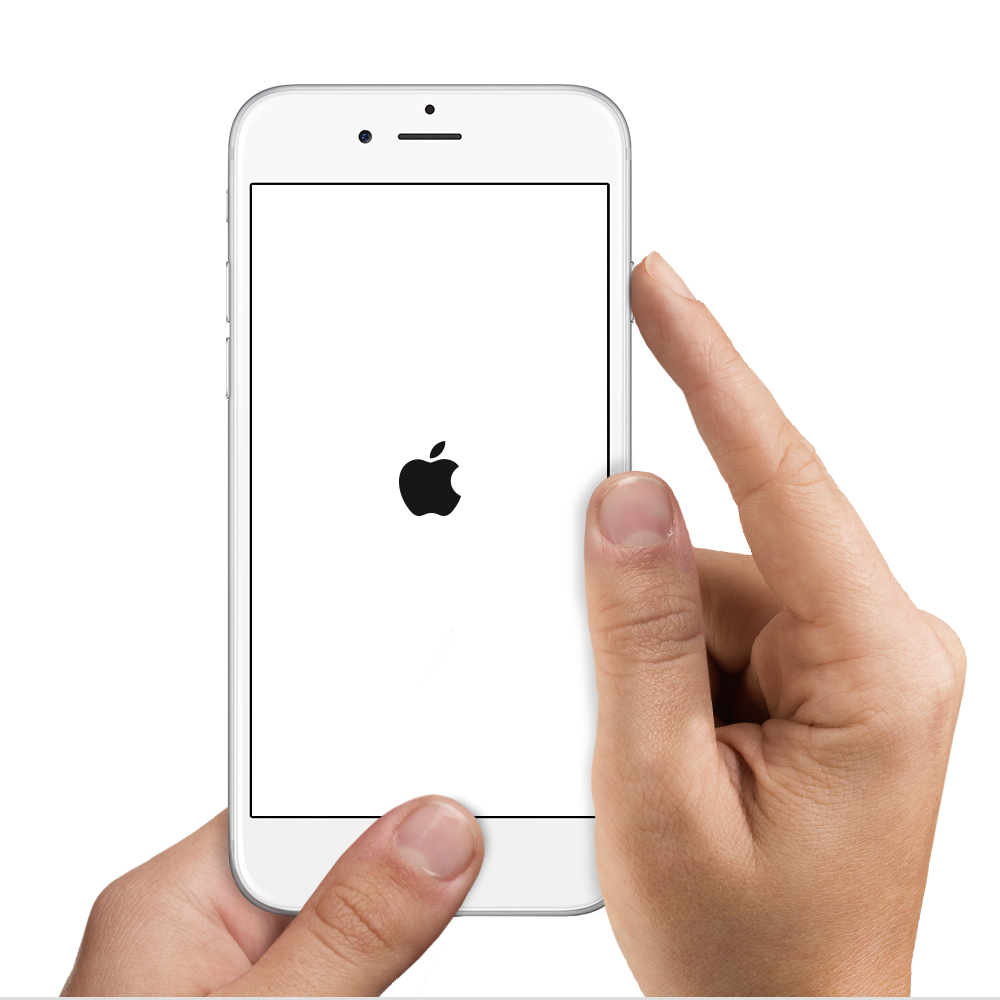
If I understand correctly, portions of screen aren't being displayed as expected on your iPhone 6 and you aren't able to turn the device off. Try force restarting your iPhone as shown here:

Restart your iPhone, iPad, or iPod touch - Apple Support

How to force restart

You should force restart your iPhone, iPad, or iPod touch as a last resort, and only if it's not responding. To force restart your device, press and hold both the Sleep/Wake and Home buttons for at least ten seconds, until you see the Apple logo.

User uploaded file


If the issue persists, try restoring your iPhone as described in the article below.

Use iTunes to restore your iPhone, iPad, or iPod to factory settings - Apple Support


Ciao.

This thread has been closed by the system or the community team. You may vote for any posts you find helpful, or search the Community for additional answers.

Half lock screen and half notification screen show up together but are inaccessible on iPhone 6 after ios9.1 upgrade

Welcome to Apple Support Community
A forum where Apple customers help each other with their products. Get started with your Apple Account.