Hi there logres,
It sounds like you're trying to access a website but you are repeatedly prompted with this error about needing a certificate. What I would do is check in Keychain access whether or not the certificate is trusted with this article. Be sure to quit Safari first:
OS X Yosemite: If your certificate isn’t being accepted
The most common reason a certificate isn’t accepted is that the certificate authority’s root certificate isn’t trusted by your computer. To have your computer trust a certificate authority, you must add the certificate authority to a keychain and set the certificate trust settings.
-
If an app (such as Safari) displays the root certificate from the certificate authority as part of the message from the certificate authority. Drag the root certificate icon to the desktop.
-
Drag the certificate file onto the Keychain Access icon, or double-click the certificate file.
-
Click the keychain pop-up menu, choose a keychain, then click OK.
If you’re asked, enter the name and password for an administrator user on this computer.
-
Select the certificate, then choose File > Get Info.
-
Click the Trust disclosure triangle to display the trust policies for the certificate.
-
To override the trust policies, choose the trust settings you want to override from the pop-up menus.
For more information, see Certificate trust policies.
If that was the case then test the issue again. If it persists then I would quit Safari again, and remove the certificate data from Keychain Access.
1. Open Keychain Access which is in the Utilities folder within the Applications folder
2. Click Certificates in the lower right hand corner of the application:
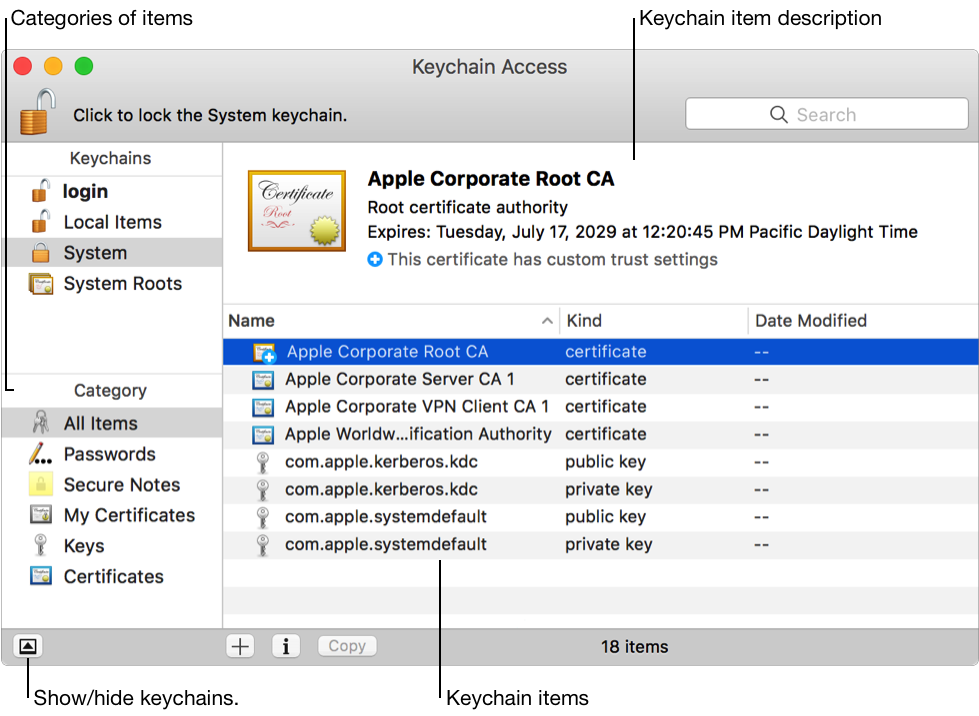
From: Keychain Access overview - Keychain Access Help
3. Find the certificate for the website you are trying to access and click it
4. Press the delete key on your keyboard to delete the certificate.
That should refresh the certificate and allow you to access the website.
Thank you for using Apple Support Communities.



