iTunes won't let me cancel my apple music subscription
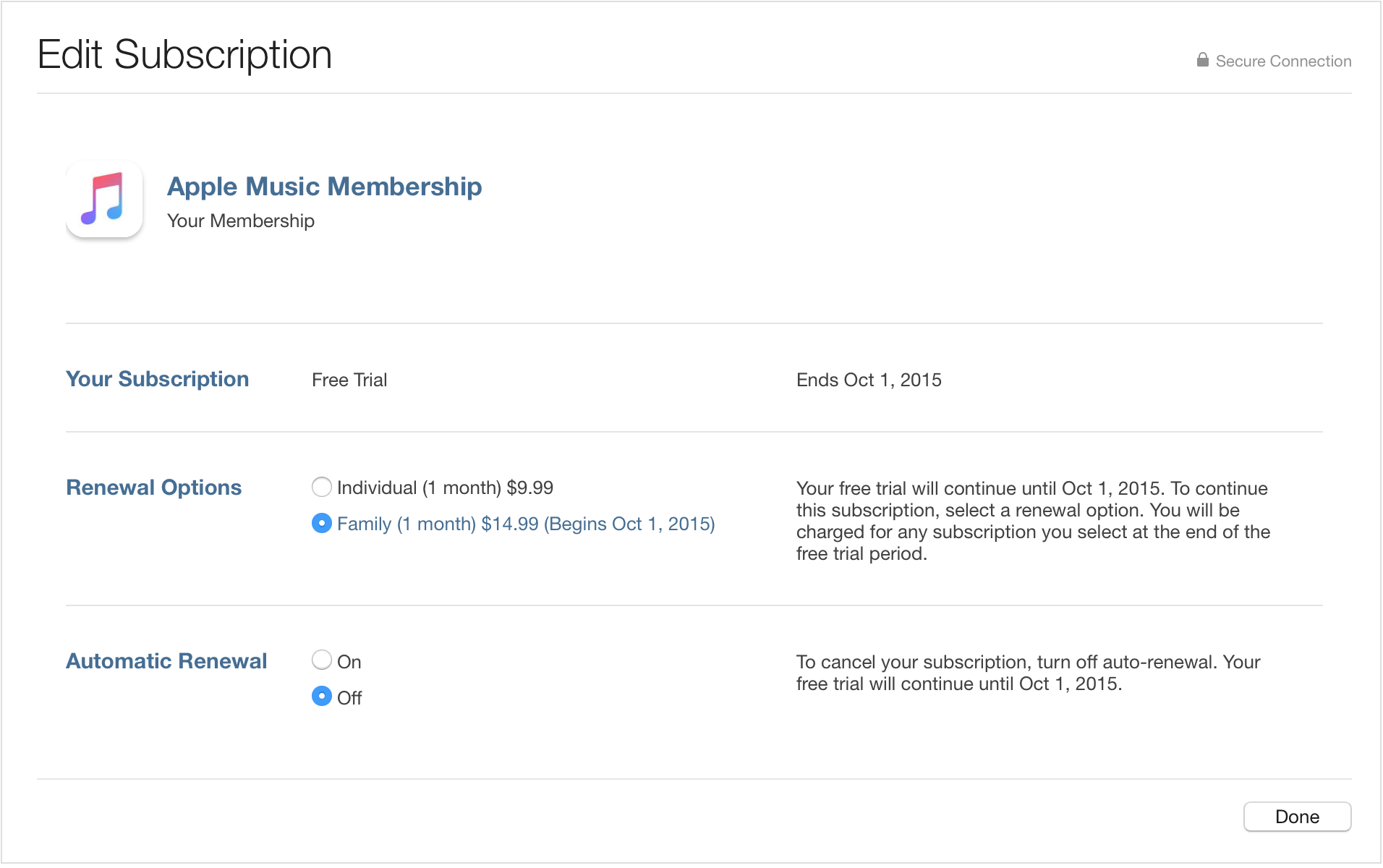
so when i go into my account and go into manage subscription i can't find the turn off out renewal button
so when i go into my account and go into manage subscription i can't find the turn off out renewal button
Hi jabtab101,
If you are not able to turn off Automatic Renewal of your Apple Music subscription either from your computer or your iOS device, I will include a link to the iTunes Store Support staff to delve into this a little further for you.
Manage your Apple Music membership
https://support.apple.com/en-us/HT204939
Turn off automatic renewal to cancel your membership
If you want to cancel your Apple Music membership, turn off Automatic Renewal.
On your iPhone, iPad, or iPod touch:
- In the Music app, tap your profile icon in the upper-left corner.
- Tap View Apple ID.
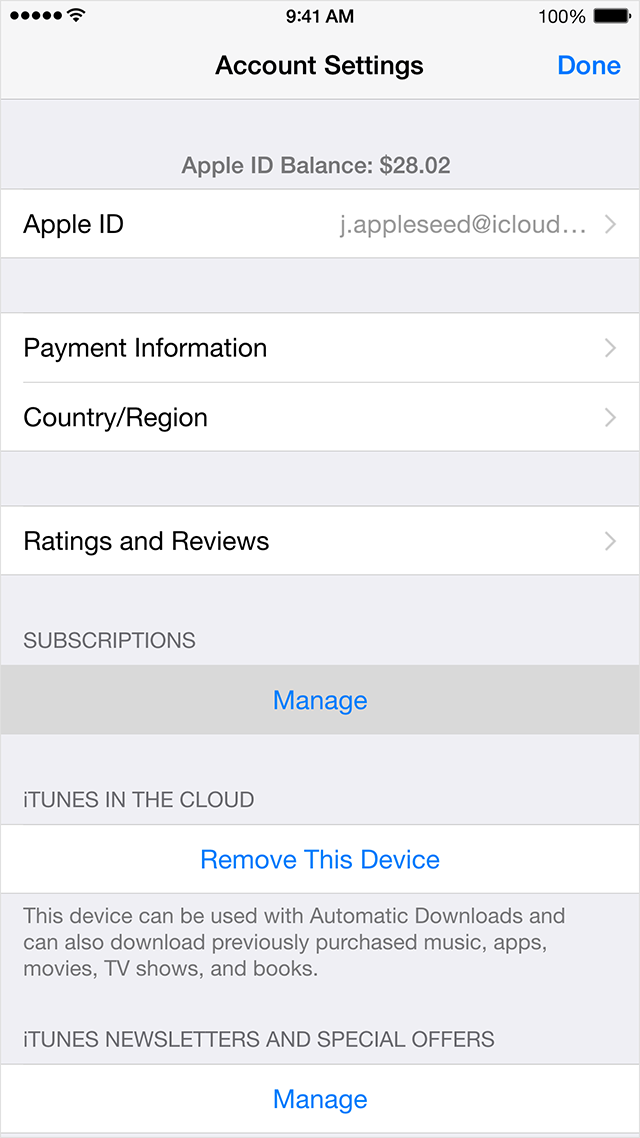
- Under Subscriptions, tap Manage. If you have more than one subscription, tap Your Membership (Apple Music Membership) to see your membership options.
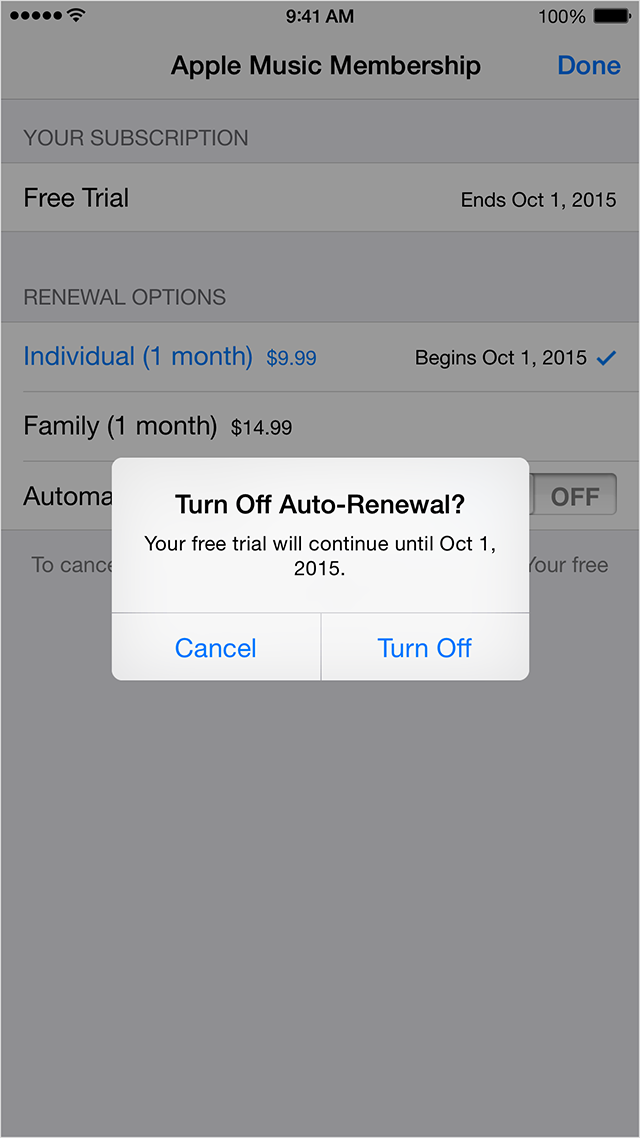
- Under Renewal Options, turn off Automatic Renewal. Confirm your selection, then tap Done.
- Tap Done to return to your Account screen, and then tap Done to return to the app.
On your Mac or PC:
Click to open iTunes and sign in to your Account Information, or use the steps below:
- Open iTunes.
- Click Sign In and enter your Apple ID.
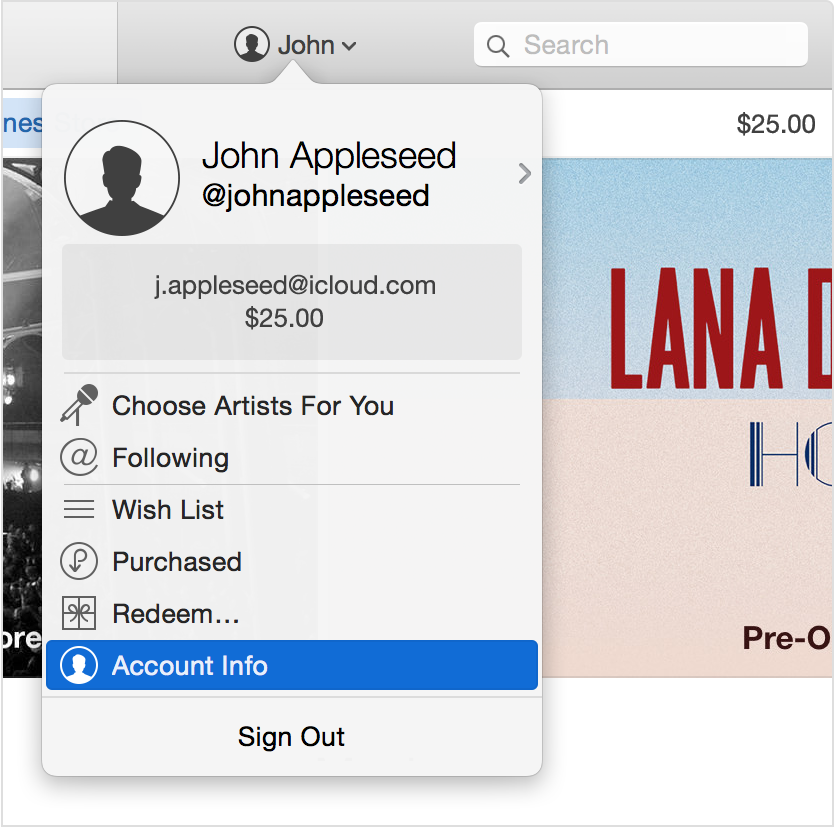
- Click your name, and select Account Info from the menu.
- Enter your password again.
On the Account Information screen:
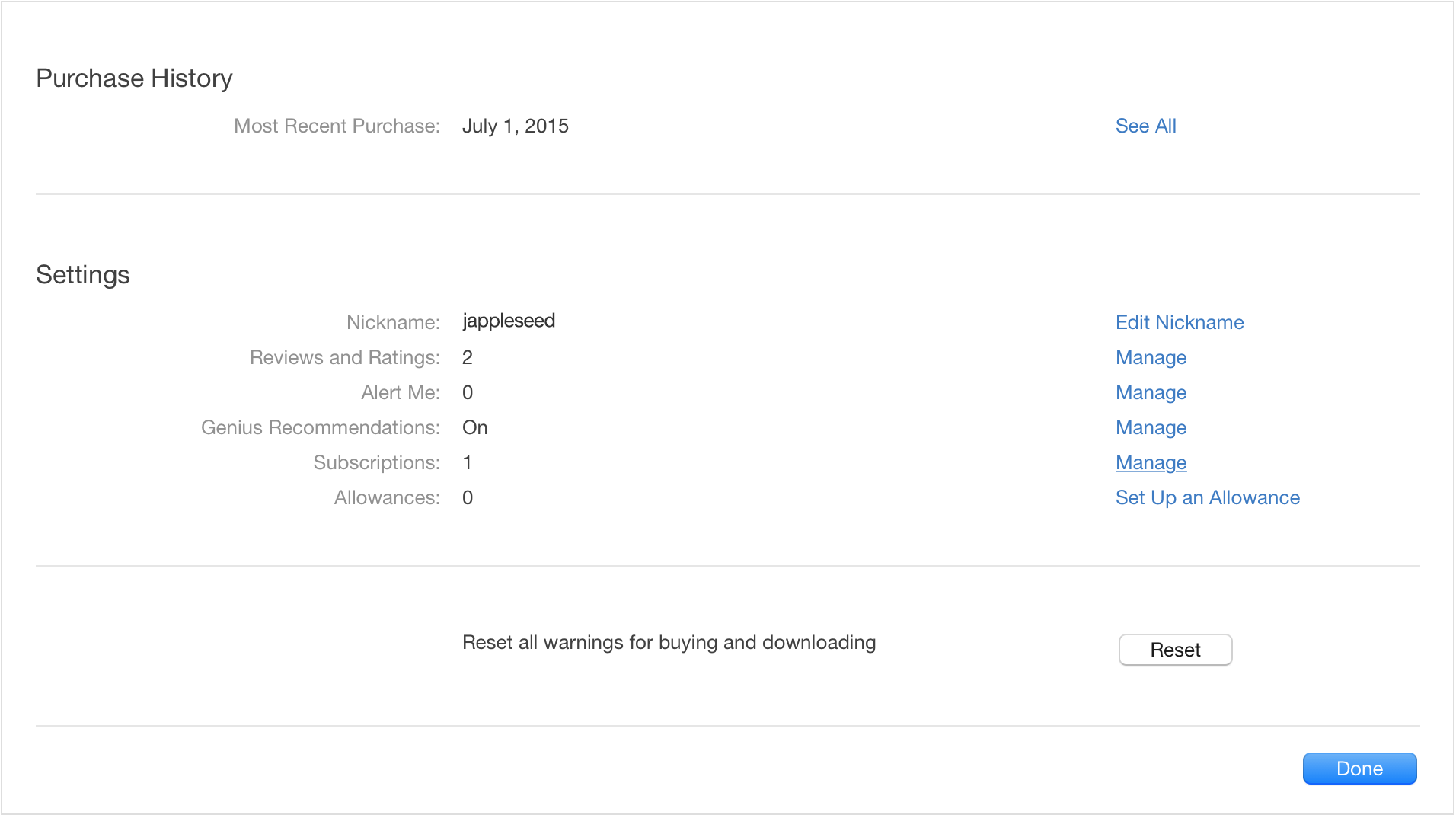
- Scroll to the Settings section.
- To the right of Subscriptions, click Manage. If you have more than one subscription, then click Edit to the right of Your Membership (Apple Music Membership).
- To the right of Automatic Renewal, select Off. When asked to confirm, click Turn Off.
- Click Done to return to Account Information, and then click Done to return to the iTunes Store.
Contact Apple Support
https://getsupport.apple.com
Take care,
iTunes won't let me cancel my apple music subscription