Can't reply to sms with continuity from an old iPhone 5 and my new 6s

Hi there!
I got an iPhone 6s and an iPhone 5, both on iOS 9.1.
I can receive sms and receive calls on my iPhone 5 using continuity (my nano-Sim is of course in the 6s) but it won't let me send sms or call from the iPhone 5. Anyone knows this problem? I never managed to make it work, not even once. I tried logging out and in again on icloud, disabling and enabling handoff & continuity (which work fine between my iPhone 6s and my mac, from my mac I can both make calls and send sms). I tried a clean restore on both iPhones. What's next?
EDIT: Maybe it's worth saying that there's no sim in my old iPhone 5, but given that it's still able to receive calls and sms I don't see why that would be a problem)
Thanks!

iPhone 5, iOS 9.1, null

Posted on Nov 17, 2015 10:13 AM

Reply
10 replies

Nov 17, 2015 11:22 AM in response to razmee209

I don't have another nanosim and would have to get it, and I will if it fixes my problem. What will happen? Will it work? And how will I be able to tell my iPhone 5 to send sms using the other phone's number and sim? Sorry if there's a reference in the link you sent me before but I can't seem to find it, it would be really useful if you could show me what would happen putting a sim in my iPhone 5...

Nov 17, 2015 11:29 AM in response to EmaNoel94

iPhone Cellular Calls

User uploaded file

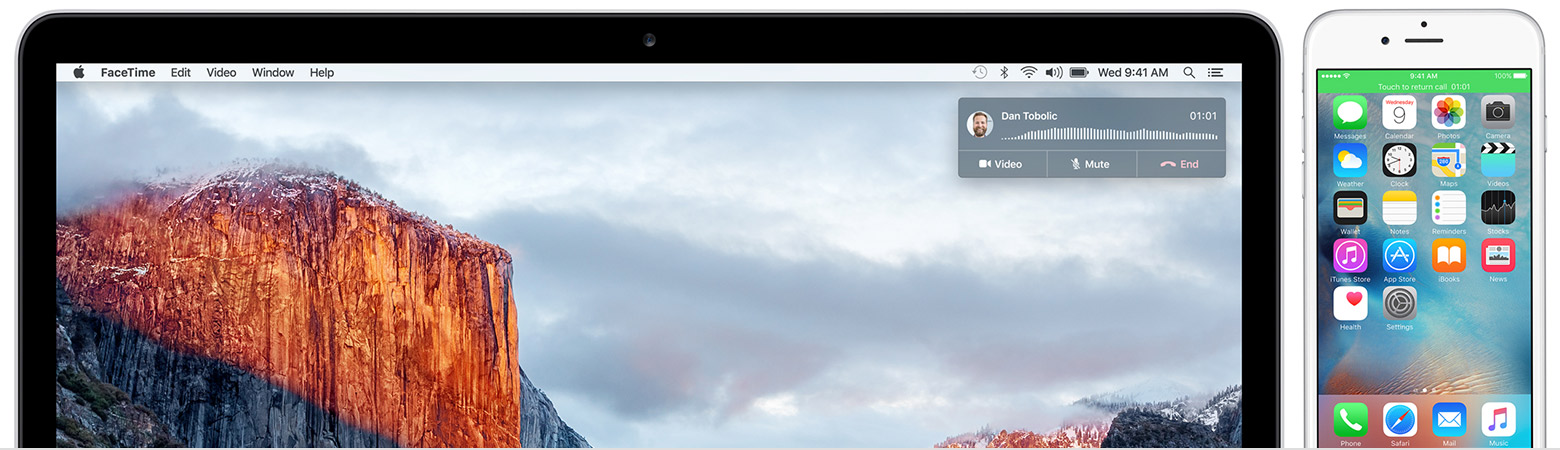
With Continuity, you can make and receive cellular phone calls from your iPad, iPod touch, or Mac when your iPhone is on the same Wi-Fi network.

Your carrier might support Wi-Fi calling on other devices. If so, you can set up your Mac and other iOS devices to make and receive calls even when your iPhone isn't on or nearby.

Set up iPhone Cellular Calls

  • You need iOS 8 or later on your iOS devices and OS X Yosemite or later on your Mac.
  • Check that you're signed in to iCloud with the same Apple ID on all of your devices.
  • Use the same Wi-Fi network on all of your devices.
  • Sign in to FaceTime with the same Apple ID on all of your devices. This means any device that shares your Apple ID will get your phone calls. If you don't want to receive calls on your other devices, learn what to do.

Make a call or answer a call

  • To make a phone call on your Mac, find a contact's phone number in Contacts, Calendar, or Safari. Hover over the number and click the phone icon that appears to the right of the number.
  • To make a phone call on your iPad or iPod touch, tap or click a phone number in Contacts, Calendar, or Safari.
  • On your iPad or iPod touch, you can slide to answer a phone call. On your Mac, a notification appears when someone calls your iPhone. Then you can answer the call, send it to voicemail, or send the caller a message, right from your Mac.

Turn off iPhone Cellular Calls

To turn off iPhone cellular calls on your iPad or iPod touch, go to Settings > FaceTime and turn off iPhone Cellular Calls.

On your Mac, open the FaceTime app and go to FaceTime > Preferences. Click Settings and deselect the iPhone Cellular Calls option.

This thread has been closed by the system or the community team. You may vote for any posts you find helpful, or search the Community for additional answers.

Can't reply to sms with continuity from an old iPhone 5 and my new 6s

Welcome to Apple Support Community
A forum where Apple customers help each other with their products. Get started with your Apple Account.