J.H.Yan

Q: Purchased App cannot download from iTune

Hi,


I am having problem with an app.


I had already purchased (downloaded) the app in my iPhone.

I tried, sync and back up but the app ( api file) doesn't appear inside my iTune library.

I try to download from iTune (its showing cloud symbol 'cause i had already downloaded it) but then i got the error as shown.

Please help me solve. This app error is irritating!


"There were problems downloading some purchased items.

There were problems downloading some purchased items.


There was a problem downloading “Lazada - Shopping & Deals”.

There was a problem downloading “Lazada - Shopping & Deals”.


There was a problem downloading “Lazada - Shopping & Deals”.

There was a problem downloading “Lazada - Shopping & Deals”."


Screen Shot 2015-11-25 at 1.44.48 AM.png

iOS 9.1

Posted on Nov 24, 2015 9:50 AM

Close

Q: Purchased App cannot download from iTune

  • All replies
  • Helpful answers

  • by judysings,

    judysings judysings Nov 25, 2015 2:57 PM in response to J.H.Yan
    Community Specialists
    Nov 25, 2015 2:57 PM in response to J.H.Yan

    Hi J.H.Yan,

    The resources below will explain how to re-download an app that you have purchased, or how to report a problem to the iTunes Store Support team:

    Download your past purchases
    https://support.apple.com/en-us/HT201272


    Redownload an app

    On an iPhone, iPad, or iPod touch

    1. Tap App Store.
    2. On an iPhone or iPod touch: Tap Updates, then tap Purchased.
      On an iPad: Tap Purchased.
    3. Scroll to find the app that you want to download.
    4. Tap the Download icon  . After the app downloads, you can open it from your Home screen.

    On a Mac or PC

    You can redownload apps for iOS devices in iTunes and apps for you computer in the Mac App Store.

    From iTunes:

    1. Open iTunes.
    2. Click More   in the upper-left corner.
    3. Choose Apps   from the menu.
    4. If prompted, sign in with your Apple ID and password.
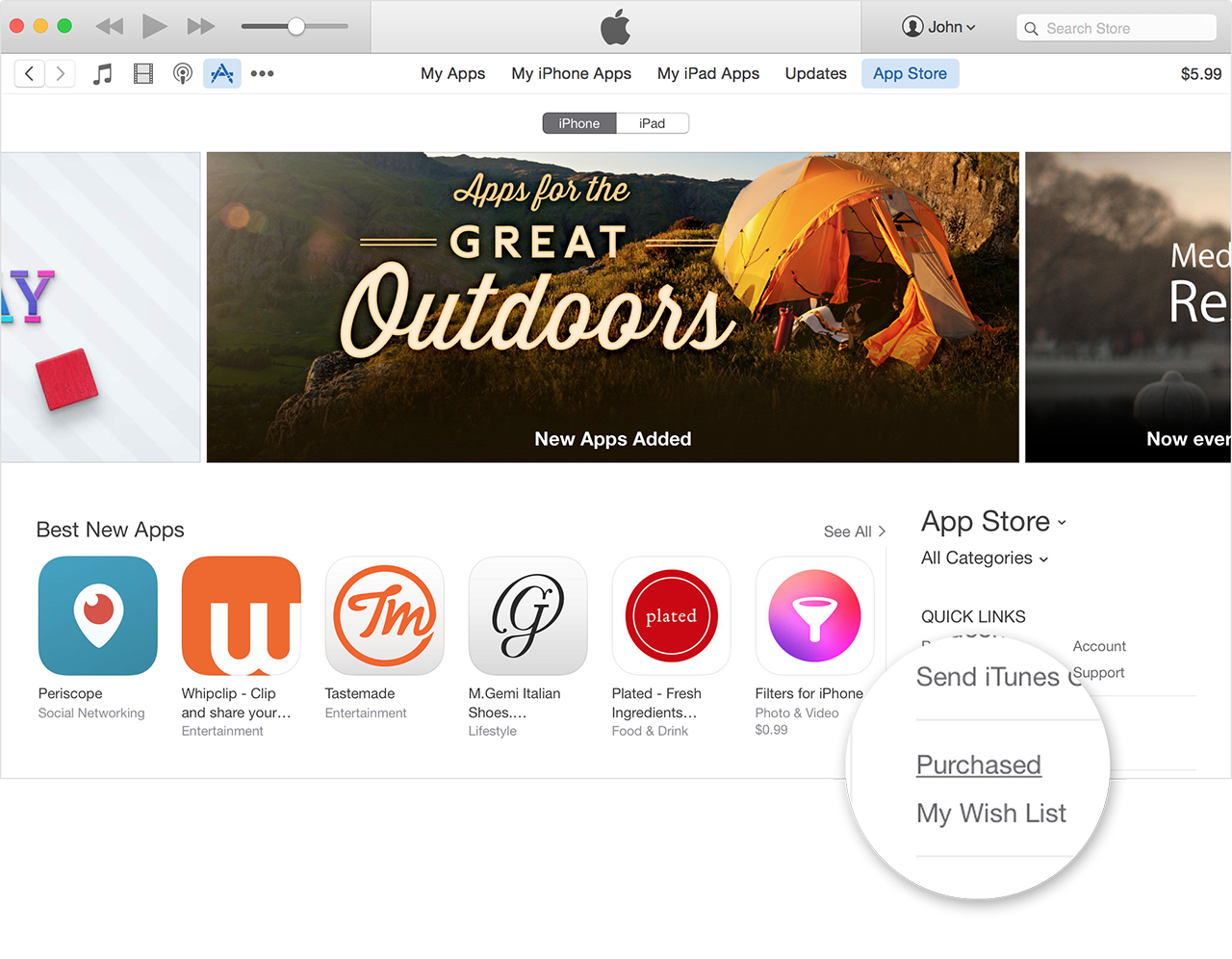
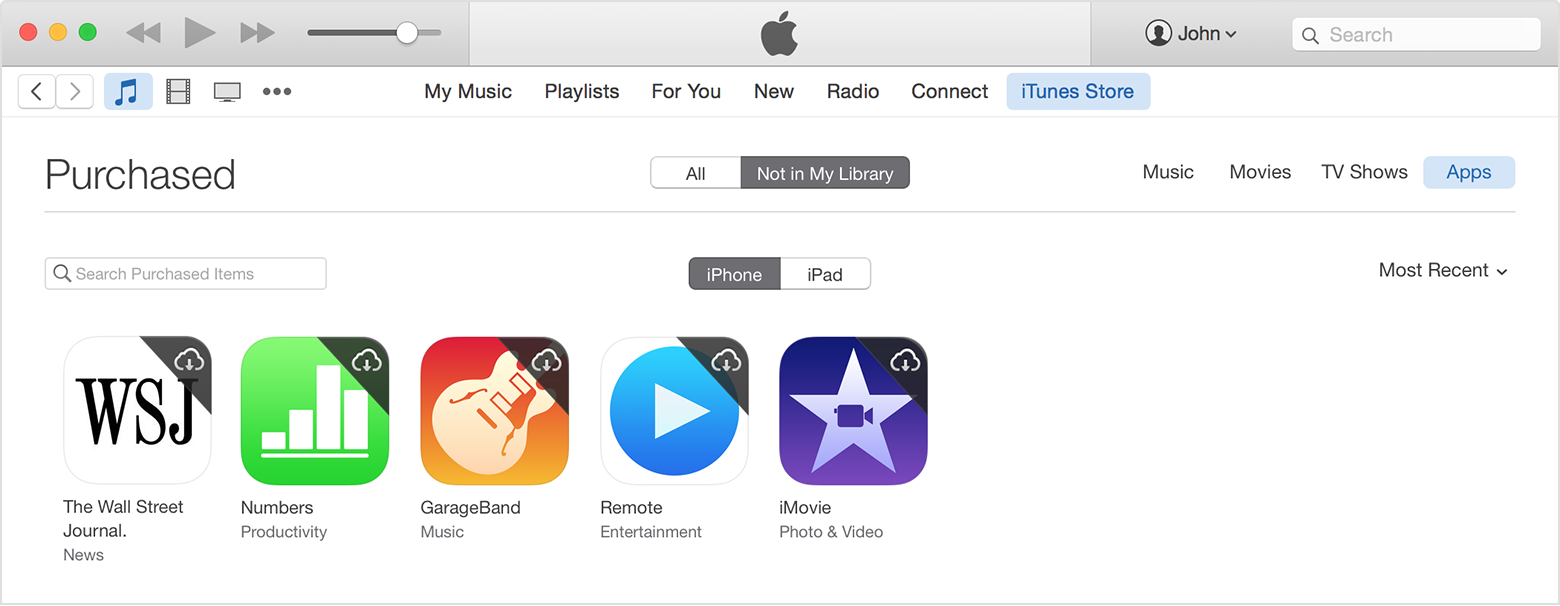
    5. Under Quick Links on the right side of the App Store, click Purchased.


    6. Select Not in My Library to view purchased content that isn't on your computer.


    7. Scroll to find the item that you want to download.
    8. Click the Download icon   in the upper-right corner of the item you want to download. Your app downloads to your library. If an app is already in your library, the Download icon won't appear.

    Redownload in-app purchases

    Some in-app purchases like game currency or hints are consumable, which means that they run out as you use them. You can only restore non-consumable purchases. Learn more about in-app purchases.


    If you are still unable to download and install an app that you purchased, report the issue to the iTunes Store Support team:

    See your purchase history in the iTunes Store on a Mac or PC
    https://support.apple.com/en-us/HT204088


    If you can't view your purchase history on your computer, or you need to report a problem, you can see your purchases from the past 90 days at reportaproblem.apple.com.


    Take care,