I'm unable to update my iPhone 5s, it says "unable to check for update"
unable to check for new update
iPhone 5s, iOS 9.1
unable to check for new update
iPhone 5s, iOS 9.1
Hi Ahmed Elshrkawy11,
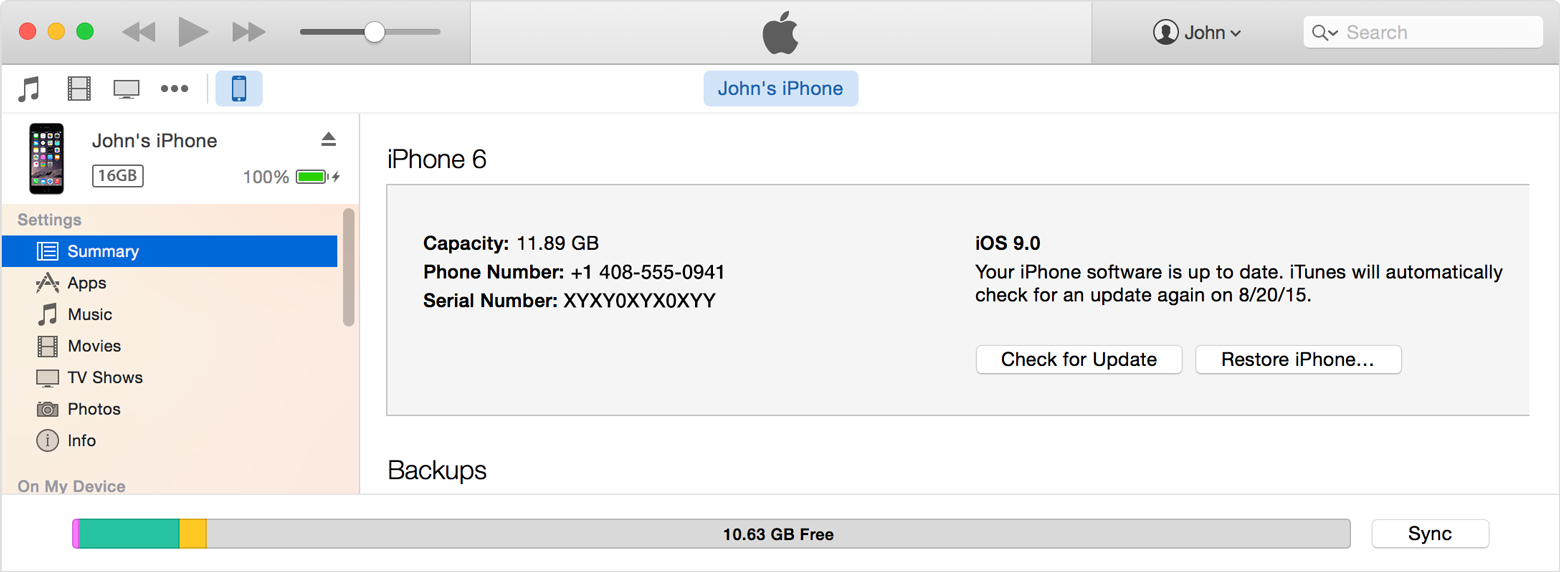
If you are having trouble updating your iPhone over the air, try updating the device using iTunes.
Update the iOS software on your iPhone, iPad, or iPod touch
https://support.apple.com/en-us/HT204204
Update your device using iTunes
If you can’t update wirelessly, you can update with iTunes. If your computer uses the Personal Hotspot on the iOS device that you’re updating, connect your computer to a different network.
- Install the latest version of iTunes on your computer.
- Connect your device to your computer.
- Open iTunes and select your device.
- Click Summary, then click Check for Update.
- Click Download and Update.
If you see error messages in iTunes or need more space to update
Get help when you see error messages while updating your device with iTunes. Or if you need more space for an update, you can delete content from your device manually.
Last Modified: Sep 16, 2015
Take care,
Maybe this will help---Check the amount of storage you have left on your phone---mine was very little so I kept getting the same error message as all of you.
I deleted some videos which freed up some space, and then I could check for updates with no problems.. Hope this helps....
I'm unable to update my iPhone 5s, it says "unable to check for update"