OrigDeadPool

Q: Why does my phone's memory keep disappearing?

For a while now my phone says phone memory low yada yada yada. So I usually ignore it and such. But like  week ago I was like ok I'll delete something things and it should be better. Well it deleted the stuff but then when I went back to check how much memory I had after. It was going down like if I was downloading something which I wasn't. I think it was going down by like 2mb a sec or so. So I was like ok? Maybe a glitch so I left it alone. For a lil bit. Then a day later it says same message. I didn't one of my big apps and all 663mb disappeared like in mins. I was confused as heck. Now anytime  delete an app to make room the memory never a goes back. It just goes away like it's being used. I have no clue why. I'm at 0gb usa and 12gb used somehow when I liter have no apps. PLEASE HELP! Do I perhaps have a virus or something??

iPhone 5s, iOS 9.2

Posted on Dec 16, 2015 8:59 PM

Close

Q: Why does my phone's memory keep disappearing?

  • All replies
  • Helpful answers

  • by alex_h1,

    alex_h1 alex_h1 Dec 18, 2015 9:01 AM in response to OrigDeadPool
    Community Specialists
    Dec 18, 2015 9:01 AM in response to OrigDeadPool

    Hello OrigDeadPool,

    Thanks for using Apple Support Communities.


    I understand you're having an issue with the storage space on your iPhone.  To get started, I suggest that you find out what is taking up the space.  You can do this by following the steps below.

    Use your iOS device to check its storage

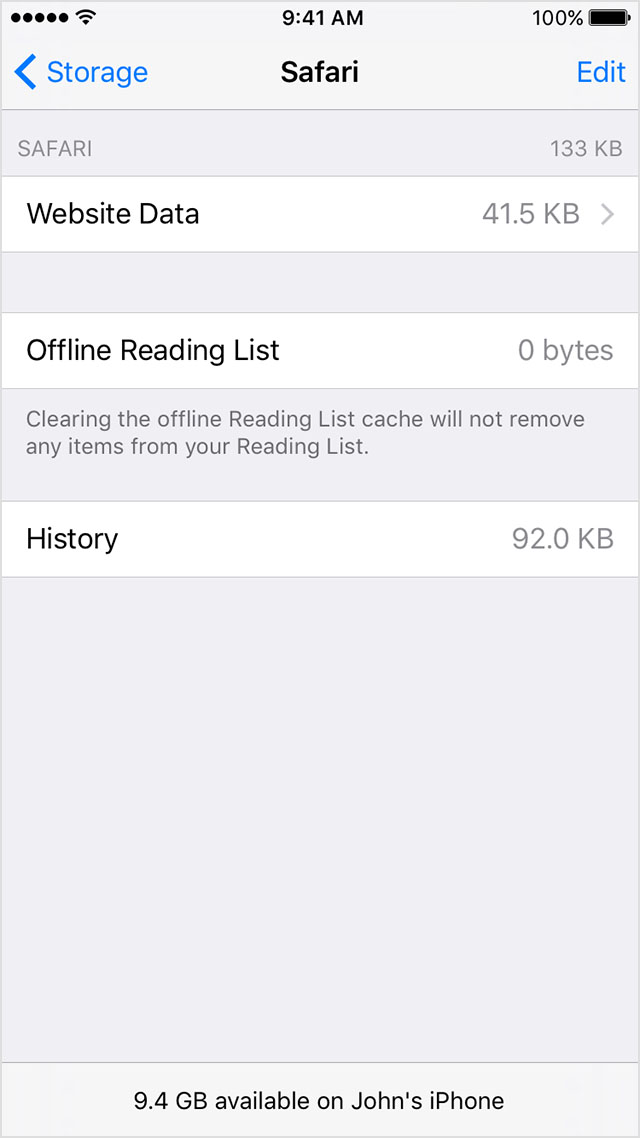
    Tap Settings > General > Storage & iCloud Usage > Manage Storage. 

    You'll see a list of your apps, and how much storage each one uses. Tap an app for more detailed information about its usage.


    Depending on the app, you might be able to delete some of its content, or delete the app and all of its content. If your device is almost full, or you get a Storage Almost Full alert, remove some less-used content.

    Check your storage on your iPhone, iPad, and iPod touch


    Take care.

  • by maxispin,

    maxispin maxispin Dec 20, 2015 1:53 PM in response to alex_h1
    Level 1 (0 points)
    Dec 20, 2015 1:53 PM in response to alex_h1

    I have the very same problem. After 9.2 upgrade memory started to go nill. it doesn't help deleting things. Everything is used what I release. I cant understand where. Syncios shows "other" part grows.


    FIx this please.

  • by Cfj003,

    Cfj003 Cfj003 Feb 3, 2016 11:44 PM in response to alex_h1
    Level 1 (0 points)
    Feb 3, 2016 11:44 PM in response to alex_h1

    He didn't ask you how to see app memory usage, he already did that and deleted apps! His problem and mine is that our phones keep eating up the memory we clear up and its not showing anywhere! What is silently using up our mem

  • by CatAZ,

    CatAZ CatAZ Apr 4, 2016 9:32 AM in response to alex_h1
    Level 1 (18 points)
    iPhone
    Apr 4, 2016 9:32 AM in response to alex_h1

    I have a problem of available space fluctuating from one minute to the next. I'm constantly warned that the available space is low.  One minute it tells me I've got 8.5 GB available space, and five minutes later it's only got 2.8 - 0 GB!!  I have NO music on my iPad, it's all in iCloud.  I have 8 photos on the iPad.  I've permanently deleted all deleted photos in iCloud photos. I've checked all the apps to see who is gobbling up space, and no one is the culprit, even when the reading is 2.8 -0.  I am at a loss.