Hello skibekks,
Thanks for using Apple Support Communities.
I understand you're not seeing "Battery" in your Settings. As a first step, please make sure that your iOS version is up to date. You should be running iOS 9.2.
- Plug your device in to power and connect to the Internet with Wi-Fi.
- Tap Settings > General > Software Update.
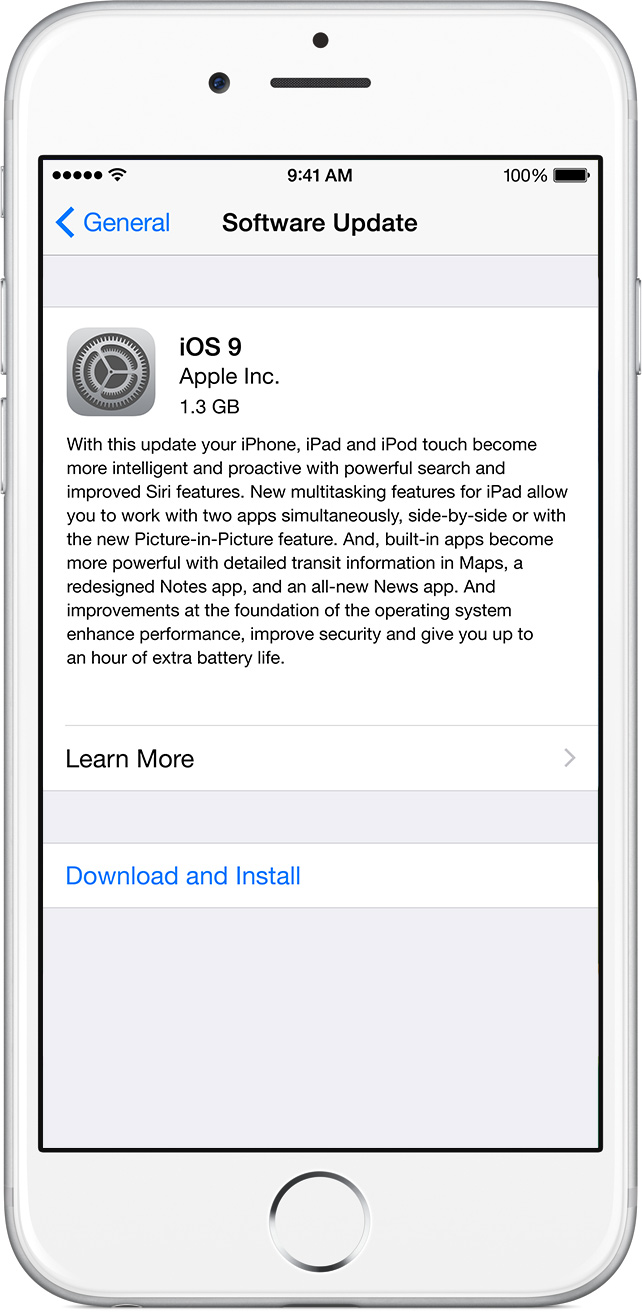
- Tap Download and Install. If a message asks to temporarily remove apps because iOS needs more space for the update, tap Continue or Cancel. Later, iOS will reinstall apps that it removed. If you tap Cancel, learn what to do next.
- To update now, tap Install. Or you can tap Later and choose Install Tonight or Remind Me Later. If you tap Install Tonight, just plug your iOS device in to power before you go to sleep. Overnight, your device will update automatically.
- If asked, enter your passcode.
Update the iOS software on your iPhone, iPad, or iPod touch
If you're already up to date, then you can reinstall iOS by following the directions below:
- Connect your device to a computer and open iTunes. If you don't have a computer, you can borrow one, or go to an Apple Retail Store or Apple Authorized Service Provider for help.
- While your device is connected, force it to restart. Press and hold the Sleep/Wake and Home buttons at the same time. Don't release when you see the Apple logo. Keep holding until you see the Recovery mode screen.
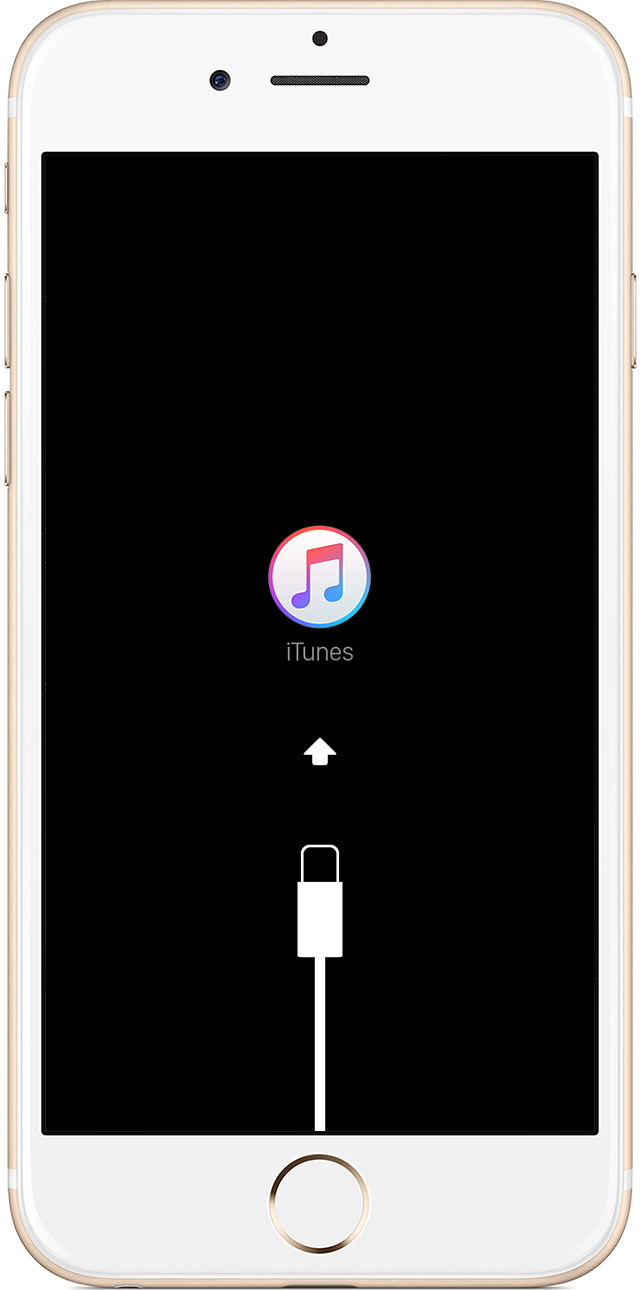
- When you get the option to restore or update, choose Update. iTunes will try to reinstall iOS without erasing your data.

iTunes will download the software for your device. If it takes more than 15 minutes, your device will exit recovery mode and you'll need to repeat steps 2 and 3 again.
If your iPhone, iPad, or iPod touch doesn‘t respond or won‘t turn on
Take care.


