MinerCat05

Q: My IPad got locked out.

So i got a new iPad and I'm trying to transfer my old iPad mini's things to this iPad, i accidentally put in the wrong passcode and now i don't remember it, and when i try to do the recover procedure it just says "cannot recover IPad Mini because it has a passcode, unlock your passcode first." THE REASON IM RECOVERING IT IS FOR A NEW PASSWORD!! can anyone help??? thank you.

iPad Mini, iOS 9.1

Posted on Jan 3, 2016 8:53 AM

Close

Q: My IPad got locked out.

  • All replies
  • Helpful answers

  • by AJ397,Solvedanswer

    AJ397 AJ397 Jan 3, 2016 8:59 AM in response to MinerCat05
    Level 5 (6,244 points)
    Accessibility
    Jan 3, 2016 8:59 AM in response to MinerCat05

    Follow the directions here: https://support.apple.com/en-us/HT204306

    You may need to use the recovery mode option listed. To get the passcode off everything will be erased from the iPad. -AJ

  • by MinerCat05,

    MinerCat05 MinerCat05 Jan 3, 2016 9:01 AM in response to AJ397
    Level 1 (0 points)
    Jan 3, 2016 9:01 AM in response to AJ397

    sorry i accidently clicked "this solved my problem" didnt mean too. i have tried that but it says, and i quote "iTunes could not connect to the iPad “Lili's Ipad” because it is locked with a passcode. You must enter your passcode on the iPad before it can be used with iTunes."

  • by AJ397,

    AJ397 AJ397 Jan 3, 2016 9:05 AM in response to MinerCat05
    Level 5 (6,244 points)
    Accessibility
    Jan 3, 2016 9:05 AM in response to MinerCat05

    Did you try this way (may take a few tries):

    Erase your device with recovery mode

    If you've never synced with iTunes or set up Find My iPhone in iCloud, you'll need to use recovery mode to restore your device. This will erase the device and its passcode.

    1. Connect your iOS device to your computer and open iTunes. If you don't have a computer, borrow one from a friend, or go to an Apple Retail Store or Apple Authorized Service Provider.
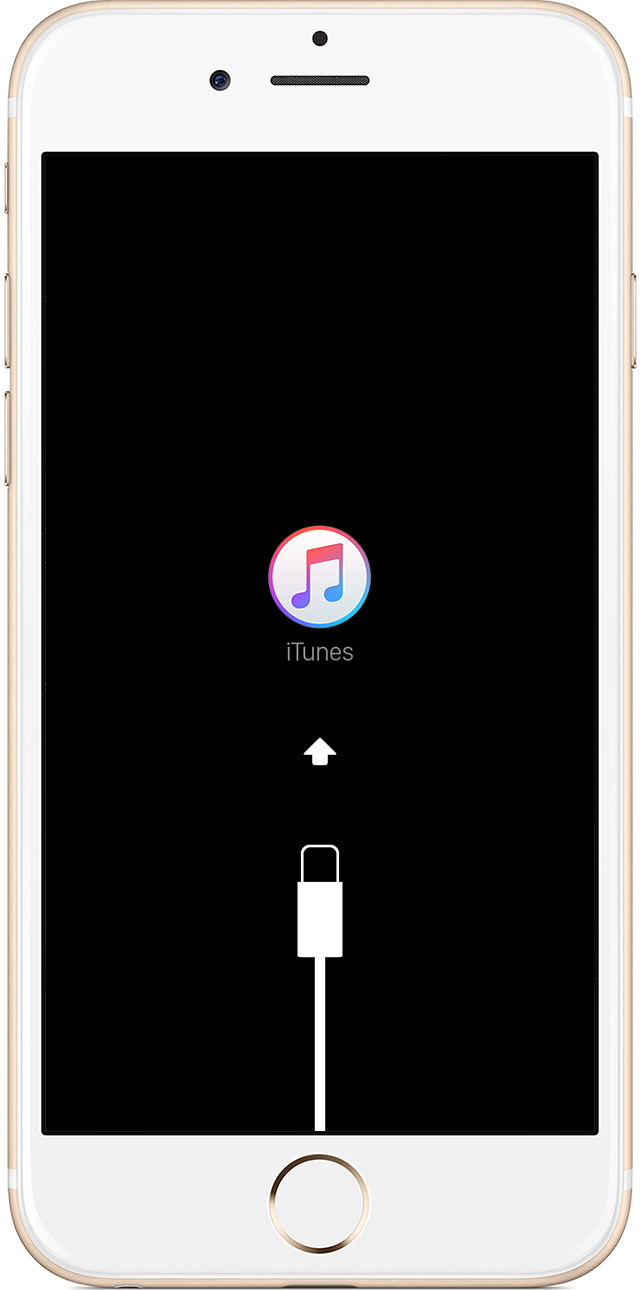
    2. While your device is connected, force restart it: Press and hold the Sleep/Wake and Home buttons at the same time. Don't let go when you see the Apple logo — keep holding until you see the recovery mode screen.
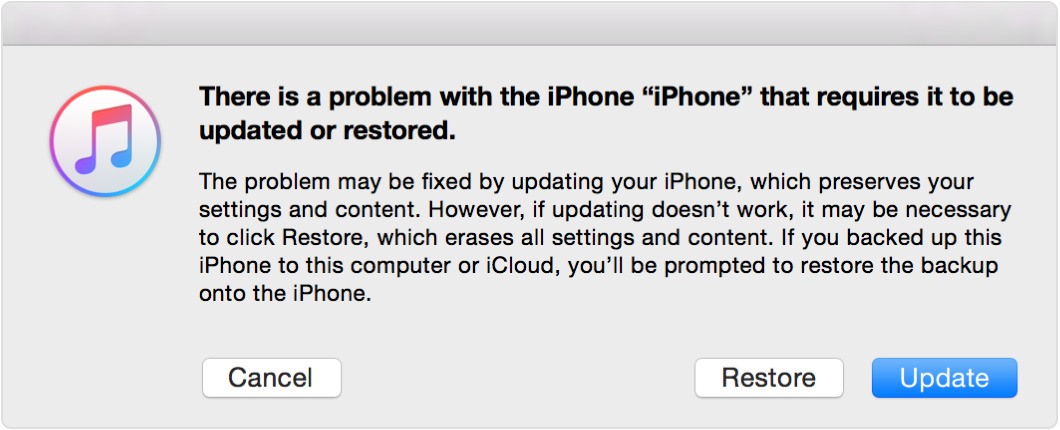
    3. When you see the option to Restore or Update, choose Restore.

      iTunes will download software for your device. If it takes more than 15 minutes, your device will exit recovery mode and you'll need to repeat steps 2 and 3.

    4. Wait for the process to finish. Then you can set up and use your device.

    This is from the article linked in my first post.

  • by MinerCat05,

    MinerCat05 MinerCat05 Jan 3, 2016 9:16 AM in response to AJ397
    Level 1 (0 points)
    Jan 3, 2016 9:16 AM in response to AJ397

    ive tried that about three times and im trying it again right now and it says it wasnt updated..?

  • by AJ397,Helpful

    AJ397 AJ397 Jan 3, 2016 10:15 AM in response to MinerCat05
    Level 5 (6,244 points)
    Accessibility
    Jan 3, 2016 10:15 AM in response to MinerCat05

    You may not be able to choose update, you may need to choose restore. If you try again and can't get it to restore I would give Apple Support a call. -AJ

  • by MinerCat05,

    MinerCat05 MinerCat05 Jan 3, 2016 10:15 AM in response to AJ397
    Level 1 (0 points)
    Jan 3, 2016 10:15 AM in response to AJ397

    thanks so much AJ i have a faint idea of what the password would be, but i might call apple support instaid, thanks!! oh and by the way i have tried both options, none of them work.

  • by jwkmeadows,

    jwkmeadows jwkmeadows Jan 25, 2016 1:36 PM in response to AJ397
    Level 1 (0 points)
    Jan 25, 2016 1:36 PM in response to AJ397

    I have to same problem and is currently trying the recovery mode  idea as suggested by Apple support. I've had to repeat it 4x steps 2-3 and have yet to see the restore screen. Any suggestions?

  • by MinerCat05,

    MinerCat05 MinerCat05 Jan 25, 2016 1:56 PM in response to jwkmeadows
    Level 1 (0 points)
    Jan 25, 2016 1:56 PM in response to jwkmeadows

    It has happened to me and I got my sister to go out and restore it in an apple store. I believe they do it for free, but the only downside is it takes 20 min to restore. Hope I could help (-=