Howdy Grant,
So rather than showing you how much space is being taken by the various categories of data iTunes seems to have lumped them all together into the Other category? That's a bit frustrating. I would start by restarting your computer, and your iPhone:
Restart your iPhone, iPad, or iPod touch
- Press and hold the Sleep/Wake button until the red slider appears.
- Drag the slider to turn your device completely off.
- After the device turns off, press and hold the Sleep/Wake button again until you see the Apple logo.
Then connect your phone to iTunes again and see what it shows you. If the issue persists then I would next eject the phone from iTunes
- Locate your iPod.
- From the sidebar on the left-hand side of the iTunes window, click the eject
 icon.
icon.
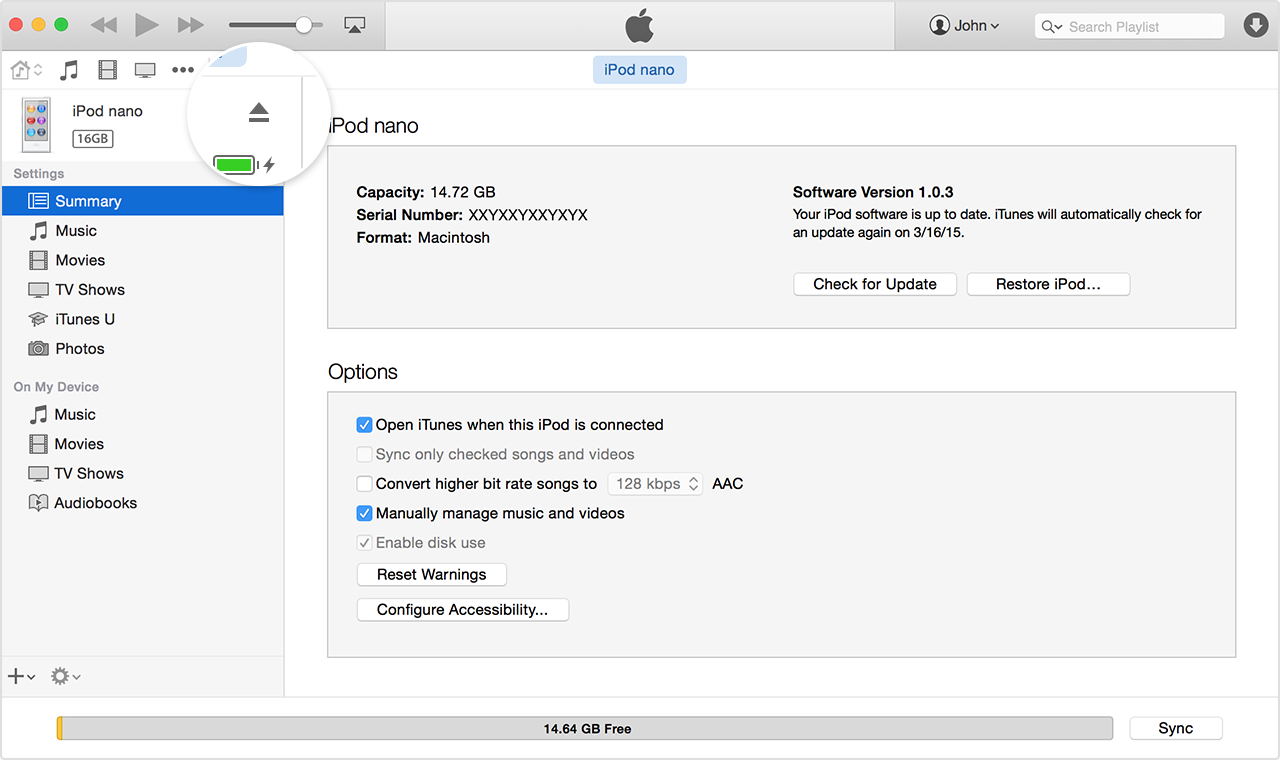
After you select your iPod, you can also eject it using the Command and E keys on your keyboard.
From: How to eject an iPod
Quit the Settings app on your phone, and this time force the phone to restart with the previous article using the Home and the Sleep/Wake buttons.
If the issue persists then I would next uninstall iTunes and reinstall it with this article. There is a specific order in which to do so, and the article will walk you through that:
Remove and reinstall iTunes and related software components for Windows 7 and later
Thank you for using Apple Support Communities, let us know how that goes!


