Hi Brian,
Thank you for contributing to the Apple Support Communities.
It looks like you want to sign out of iCloud on your iPhone 6s and delete the iCloud data from the device. If so, you can use these steps from Sign in with a different Apple ID on your iPhone, iPad, or iPod touch:
- Tap Settings > iCloud on your iOS device. If you see the option to sign in, you can change your Apple ID now.
- Scroll down and tap Sign Out.
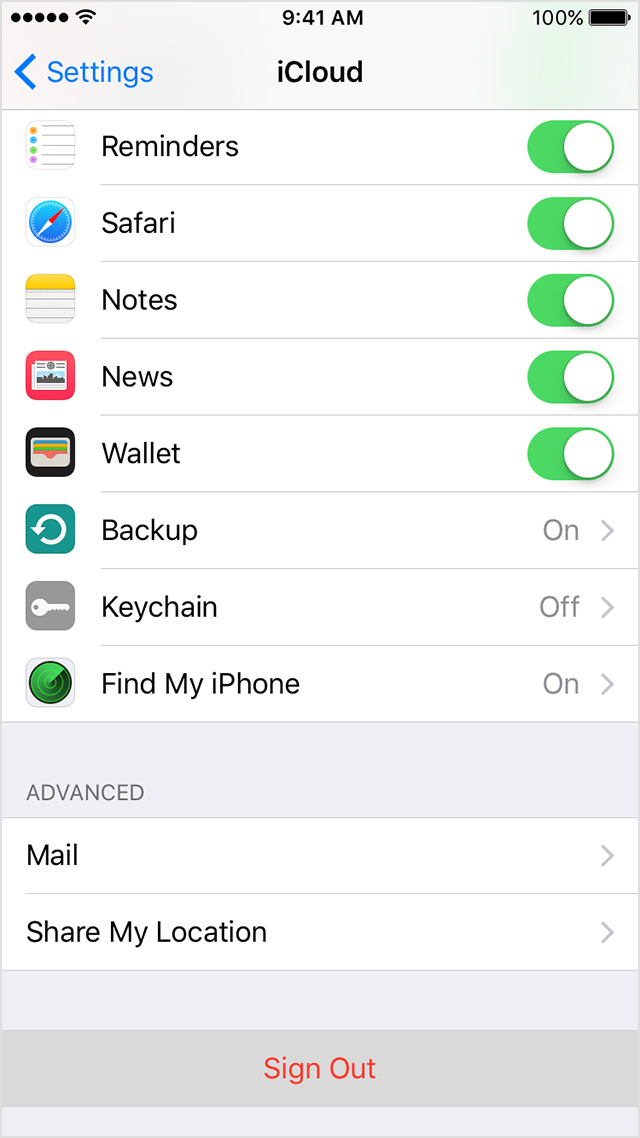
- Tap Sign Out again to confirm. After you sign out of iCloud, you might not be able to access some of your data that's stored in iCloud until you sign in again. If you're part of a family, you need to sign back in to use Family Sharing.
- Choose Keep on My iPhone or Delete from My iPhone when you're asked what you want to do with your iCloud data.
- Enter your password to sign out.
If the situation is that you don't have access to the device, try using Erase iPhone through Find My iPhone--see iCloud: Use Lost Mode and iCloud: Remove your device from Find My iPhone.
Sincerely.


